94
When a Paper Jam Has Occurred
○○○○○○○○○○○○○○○○○○○○○○○○○○○○○○○○
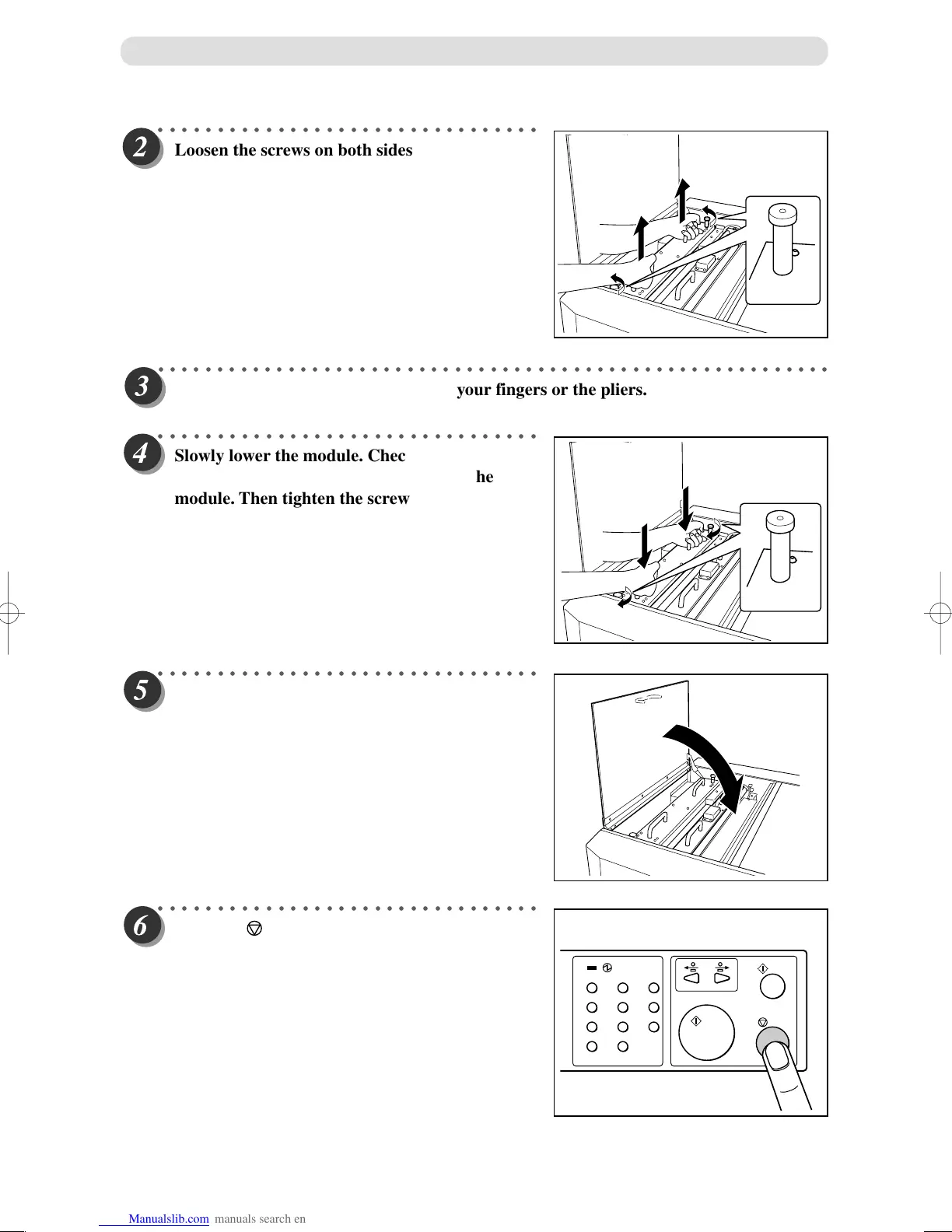
Loosen the screws on both sides of the module
with a paper jam, and lift the module.
○○○○○○○○○○○○○○○○○○○○○○○○○○○○○○○○○○○○○○○○○○○○○○○○○○○○○○○○○
Remove the jammed document using your fingers or the pliers.
○○○○○○○○○○○○○○○○○○○○○○○○○○○○○○○○
Slowly lower the module. Check to see that the
pins on both sides are securely fitted in the
module. Then tighten the screws.
○○○○○○○○○○○○○○○○○○○○○○○○○○○○○○○○
Close the top cover 3.
○○○○○○○○○○○○○○○○○○○○○○○○○○○○○○○○
Press the <STOP> key to reset the fault logic
and clear the message.
123
456
789
C
0



 To Next Page