47
1
2
Program JOB for DC-645 Via Computer (JOB Creator)
JOB Creator Settings
JOB Saved on Computer Registered On DC-645 (“Download Job Data to DC-645”)
This section describes the procedures to register on the DC-645 a JOB saved on the computer.
○○○○○○○○○○○○○○○○○○○○○○○○○
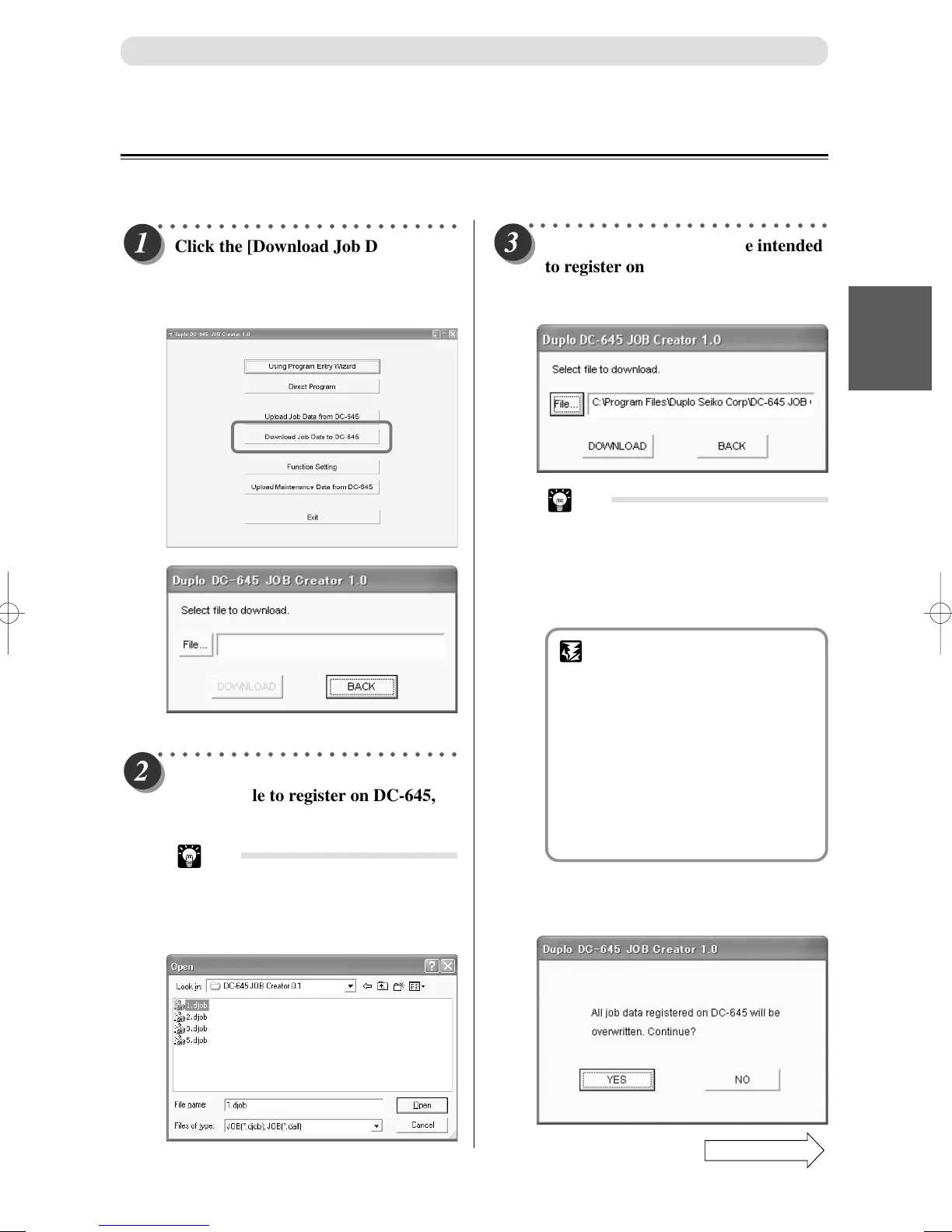
Click the [Download Job Data to DC-
645] button.
A display appears to select a JOB file
to send to the DC-645.
○○○○○○○○○○○○○○○○○○○○○○○○○
Check whether the JOB file intended
to register on the DC-645 is selected.
Then click the [DOWNLOAD]
button.
○○○○○○○○○○○○○○○○○○○○○○○○○
Click the [File...] button. Select and
click the file to register on DC-645,
then click the [Open] button.
Tip
• Extension of a file saved with ONE
JOB data: .djob
Extension of a file saved with ALL
JOB data: .dall
Tip
• When sending ONE JOB (with .djob
extension), if that JOB number
already exists in the DC-645
memory, then a display will appear
whether to overwrite the existing
JOB with this JOB.
IMPORTANT
• If the document file has a
“.dall”
extension, then the maximum
JOBs that can be registered on
the DC-645 are all saved.
When registering a file with a
“.dall”
extension on the DC-645,
all JOBs registered on the DC-645
at that time will be overwritten.
A display will appear to check
whether to overwrite all JOBs
when sending the data.
Confirm whether it is okay to overwrite the data
and if so click the [YES] button and send the
data.
Continue Page
•••



 To Next Page