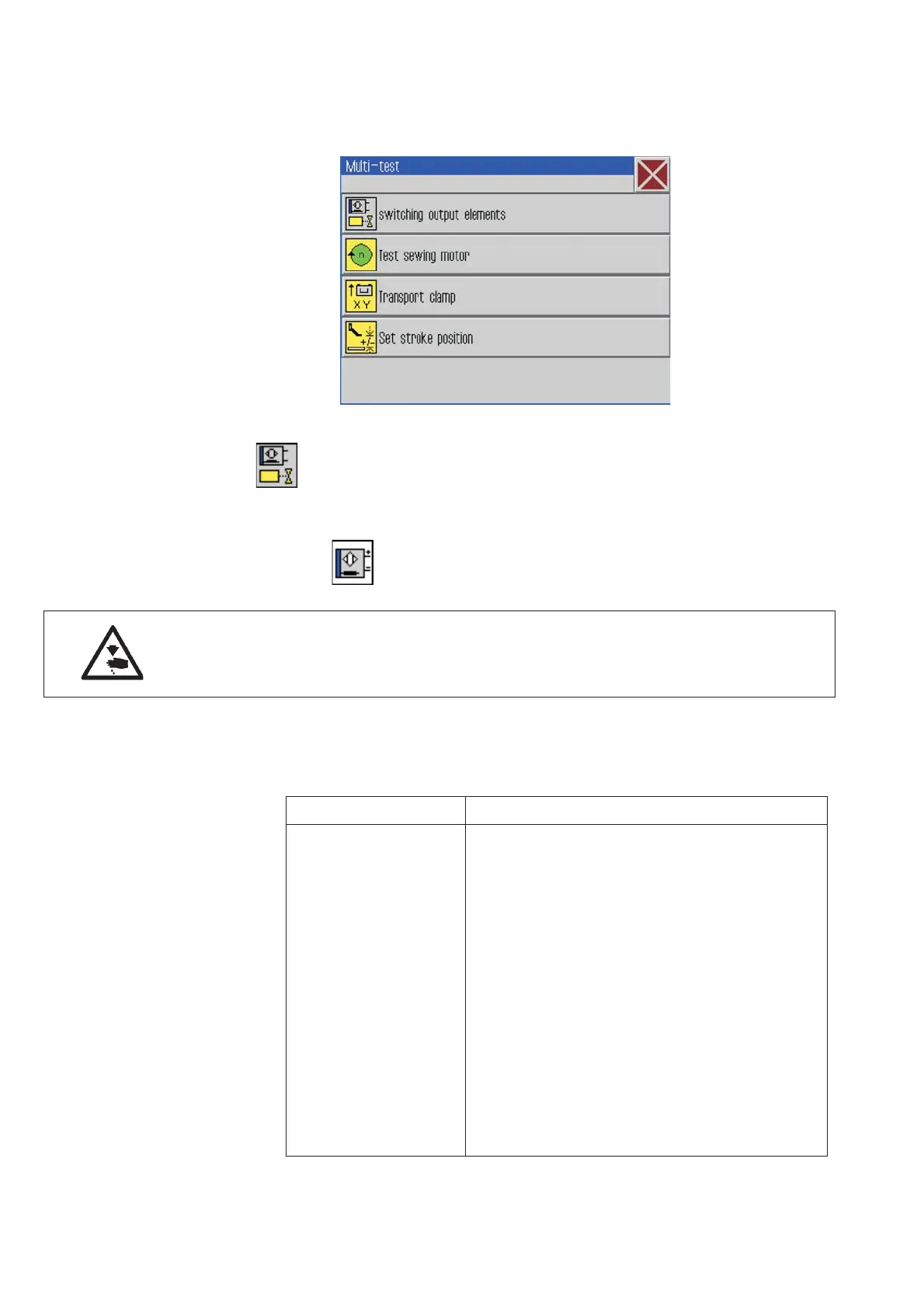
7.8.3 Multitest
–
Click Extras -> Service -> Multi-test .
The following screen will appear.
Switching input/output elements
Test the input elements
With this test function the functioning of the input
elements will be tested.
Caution: Risk of injury!
Do not reach into the running machine during the function test of the
input elements.
–
Press the button “Input elements”.
–
Press “selected”.
–
Enter the desired input element and select it.
Input number Signification
S1 Clamp to the right below
S2 Clamp to the left below
S9 Upper thread monitor active
S10 Bobbin cover closed
S11 Machine head lock closed
S13 Pedal forwards
S14 Pedal backwards
S1 6 P res s ure m o ni to r
S17 Quick stop
S100 Reference sewing motor
S101 Ref. X-axis
S102 Ref. Y-axis
S103 Ref. Z-axis
44







 To Next Page