Accessing the EN-204 via a Web Browser
65
To enter SNMP settings
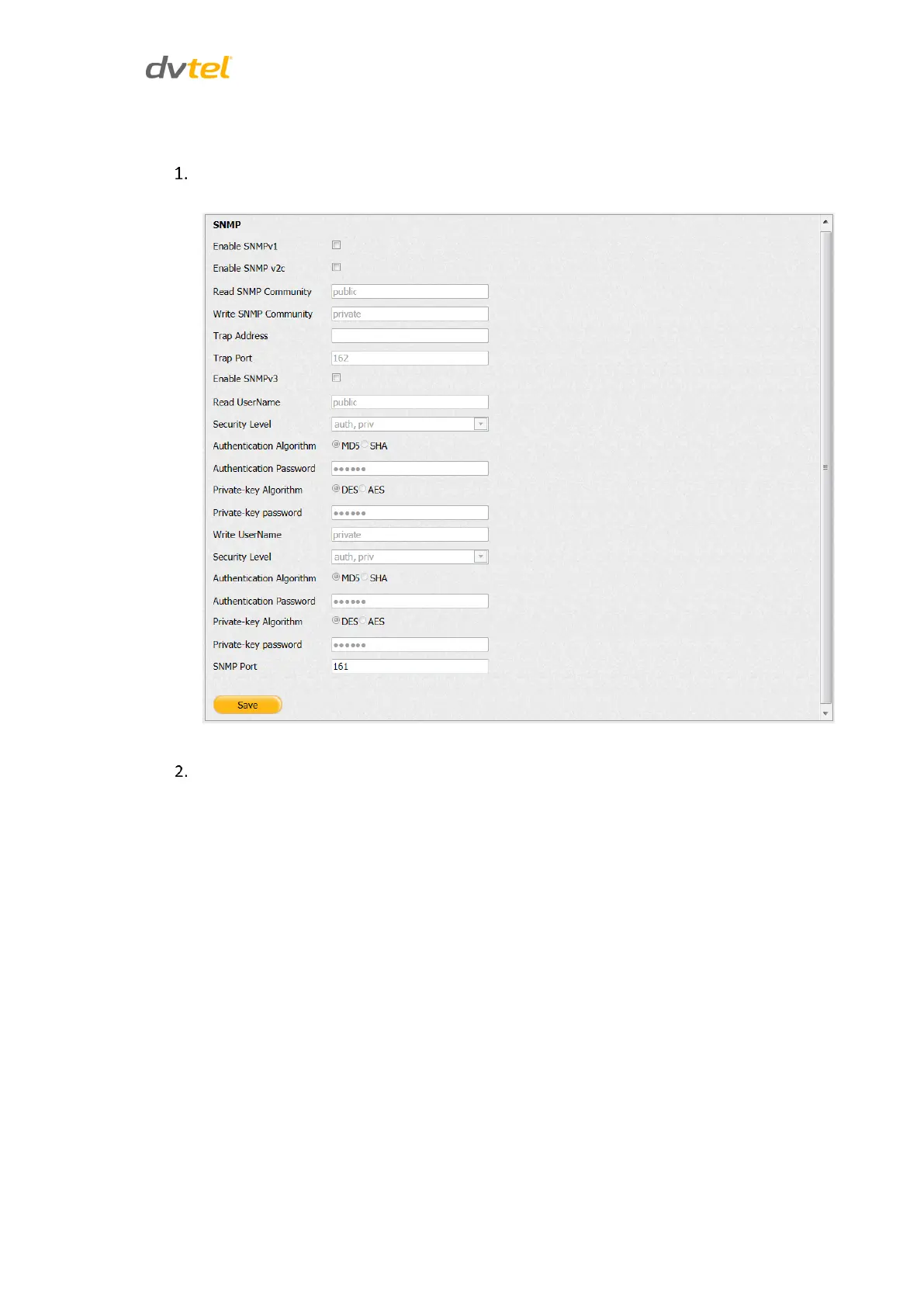
From the Configuration sidebar menu, select Network Settings > SNMP. The SNMP screen
opens.
Figure 64: SNMP Screen
Select the checkbox for SNMP version used on your network
For SNMPv1 and SNMPv2c:
a. In the Read SNMP Community text box, verify that the name is
synchronized with the SNMP manager.
b. In the Write SNMP Community text box, verify that the name is
synchronized with the SNMP manager.
c. In the Trap Address text box, enter the IP address for the SNMP
manager.
d. In the Trap Port text box, verify that the port number is synchronized
with the SNMP manager trap port.



 To Next Page