EN-204 User and Installation Guide
70
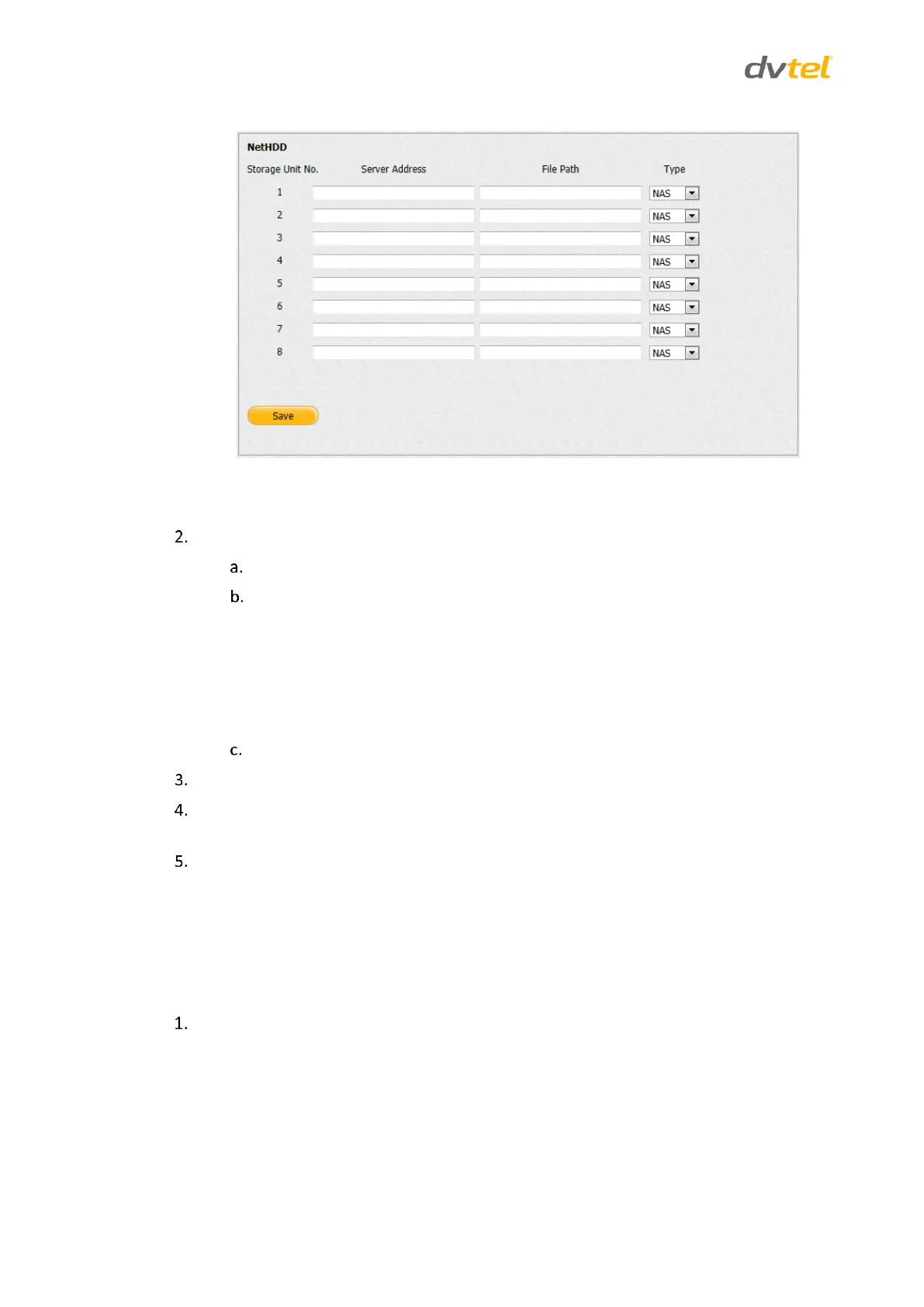
Figure 67: NetHDD Screen
For each external storage unit, do the following:
Enter the server IP address.
Enter the file path according to the storage unit type:
NAS: The default file path is /dvr/share, in which the share name is
user-defined during creating the DVR of the network storage.
IP SAN: The default file path is iqn.2004-05.storos.t-service ID, in
which the service ID is user-defined during creating the iSCSI volume
of the network storage
Select the storage unit type (NAS or IP SAN).
Click Save when finished.
To view the capacity, free space, status, type and property of each network disk, open the
Select Configuration > Storage Management window. See Storage Management (page 90).
Initialize each network disk from the Configuration > Storage Management screen.
5.4.4.8 PPPoE
The encoder can access the network via a DSL modem using the Point-to-Point Protocol over
Ethernet (PPPoE).
To configure PPPoE settings
From the Configuration sidebar menu, select Network Settings > PPPoE. The PPPoE screen
opens.



 To Next Page