Accessing the EN-204 via a Web Browser
73
User Name – Enter the user name registered with your ISP.
Password – Enter the password registered with your ISP.
Confirm – Re-enter the password.
Local networks – Define a LAN segment that does not need to use a SOCKS proxy
server.
Use a semicolon (;) to enter multiple network addresses: e.g.,
10.0.0.0/255.0.0.0; 172.16.0.0/255.240.0.0.
Click Save.
5.4.4.11 UPnP
The UPnP™ (Universal Plug and Play) protocol permits devices to automatically discover and
establish communication for sharing data with other devices on the network.
To configure UPnP
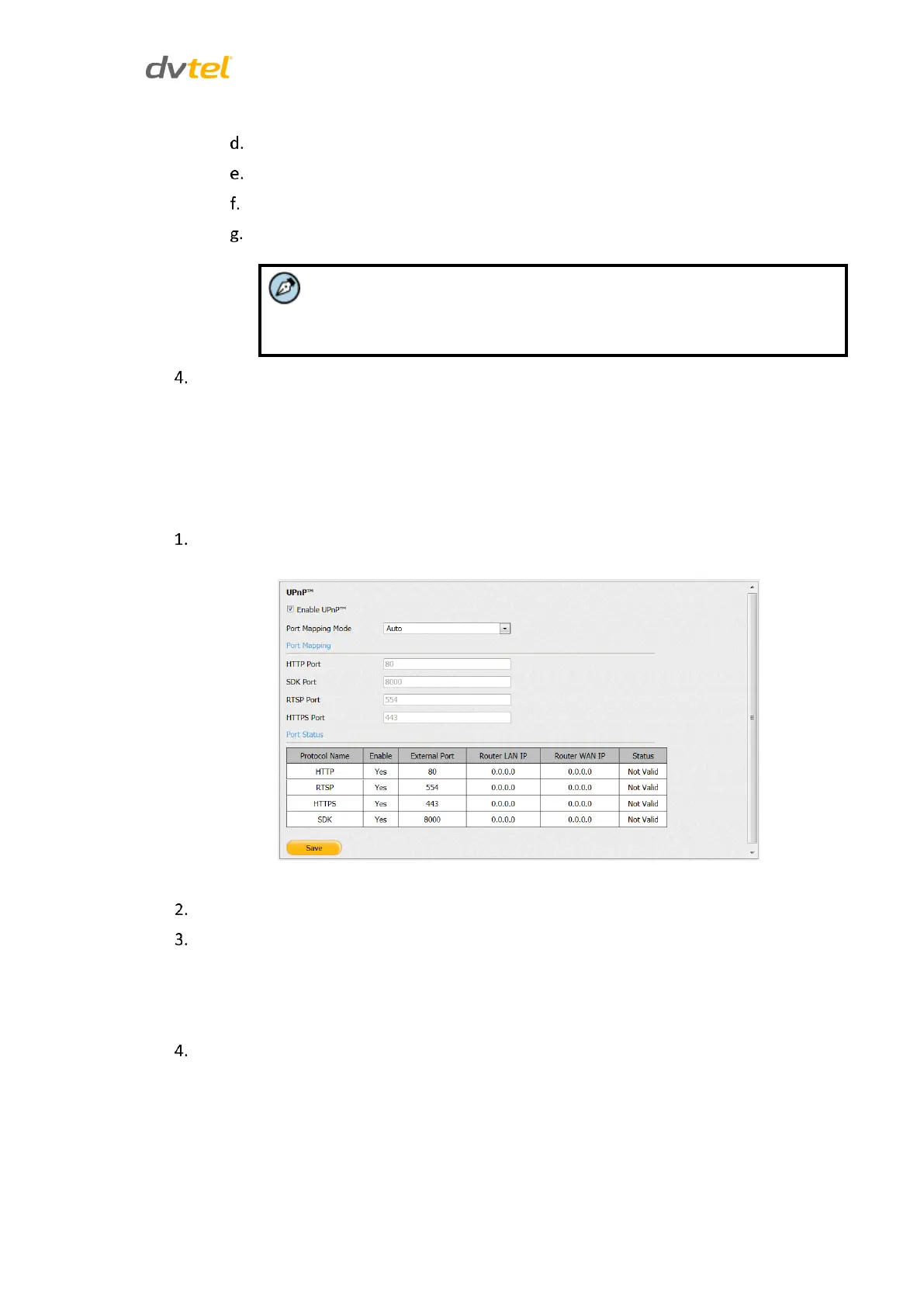
From the Configuration sidebar menu, select Network Settings > UPnP. The UPnP screen
opens.
Figure 71: UPnP Screen
Check Enable UPnP to use this function.
From the Port Mapping Mode drop-down list, select one of the following:
Auto – Port mapping is automatically assigned by the router. Skip to
Step 5.
Manual – Manually map the ports of devices on the network
Use the following default port addresses or change them as required:
HTTP – 80
RTSP – 554
HTTP – 443
SDK – 8000 (used by client software applications)



 To Next Page