EN-204 User and Installation Guide
74
Click Save. The device port numbers and IP addresses are displayed in the Port Status area.
5.4.4.12 HTTPS
HTTPS (Hyper Text Transfer Protocol Secure) ensures that transferred data between a web server
and a web client (the browser) is encrypted using the Secure Socket Layer/Transport Layer Security
(SSL/TLS) protocol over HTTP. The Secure Socket Layer also authenticates the identity of the client
and server.
HTTPS requires that you obtain a secure SSL certificate from a trusted Certificate Authority (CA)
organization, such as VeriSign, which verifies the identity of the certificate holder (the organization
on whose network the device operates).
In order to enable use of the HTTPS protocol, you must first create or request the
creation of a secure certificate in the HTTPS screen.
HTTPS URLs begin with the prefix “https://”. After HTTPS is enabled, the system uses the HTTPS
login mode by default when you enter the IP address (e.g., https://192.0.0.64).
You can also enter http://IP address (e.g., http://192.0.0.64) if you want to use HTTP mode to log
into the device.
HTTPS uses port 443 by default.
To configure HTTPS
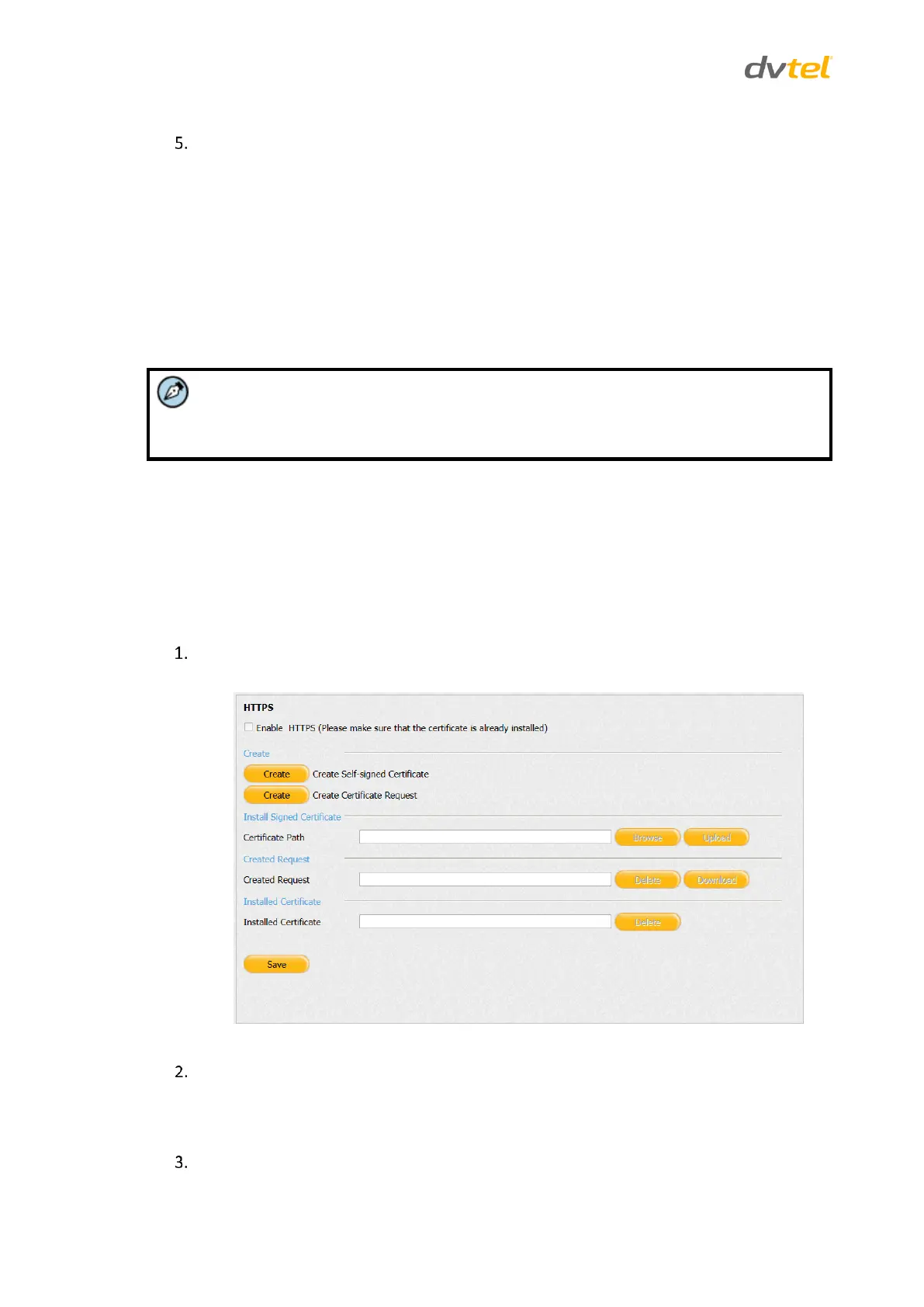
From the Configuration sidebar menu, select Network Settings > HTTPS. The HTTPS screen
opens.
Figure 72: HTTPS Screen
Do one of the following:
If you have an installed certificate, skip to Step 3.
If you do not have an installed certificate, skip to Step 4.
If you have an installed certificate, in the Installed Certificate text box, enter the details of
the certificate. If you want to delete the certificate, click Delete.



 To Next Page