Accessing the EN-204 via a Web Browser
85
5.4.6.2 Alarm Output Settings
Two alarm outputs can be connected to the encoder’s rear panel. See Figure 1: EN-204 Front Panel
(page 3).
Repeat the procedures below for each alarm.
To configure the alarm output settings
From the sidebar menu, select Configuration > Alarm Settings. Select the Alarm Input tab.
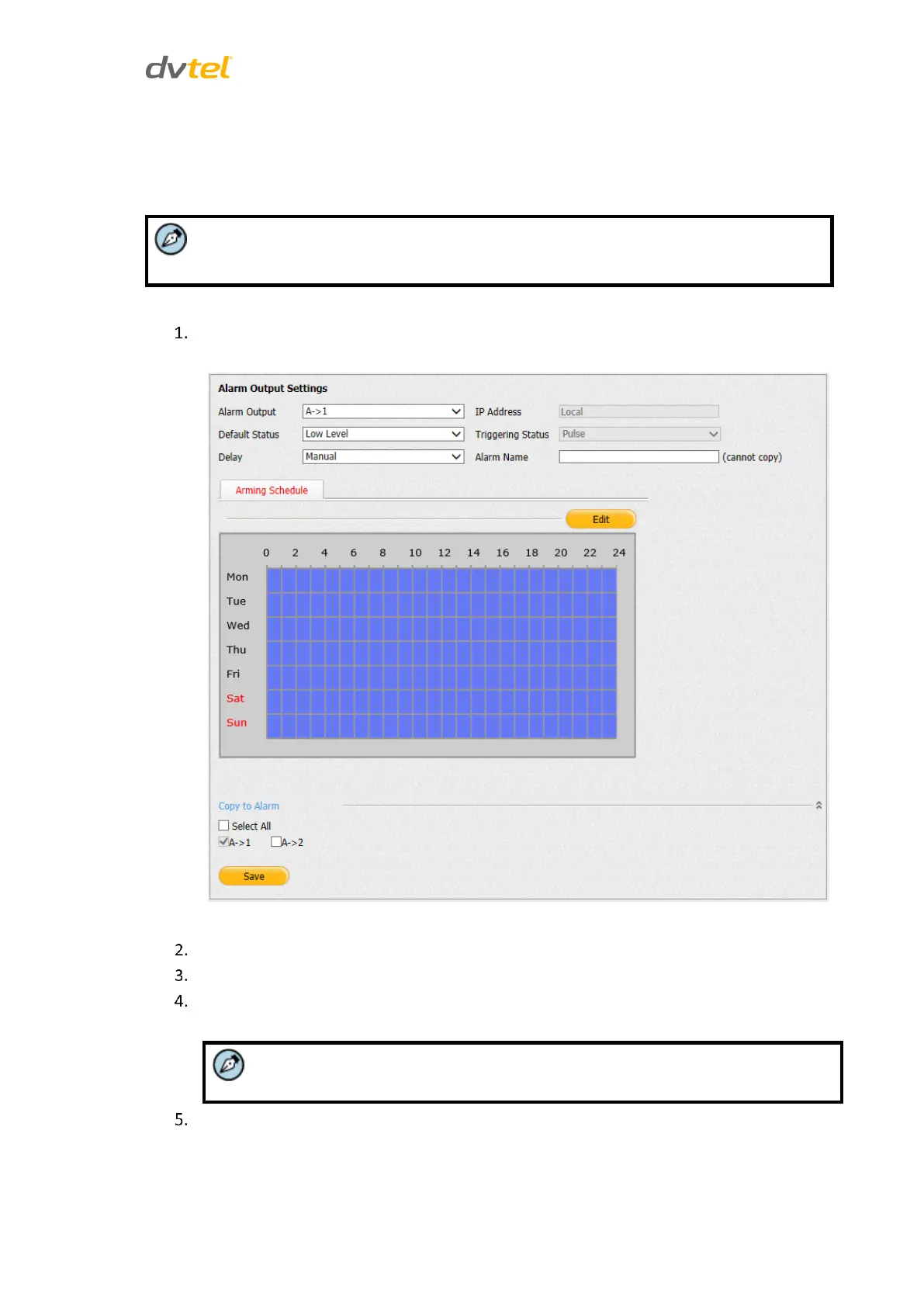
The Alarm Input Settings screen opens:
Figure 81: Alarm Output Settings Tab
Select the alarm output (1 or 2) from the drop-down list.
Set the default status: High Level or Low Level.
Set the delay. This is the length of time until the encoder can detect the next event.
Choose from 5s, 10s, 30s, 1min, 2min, 5min, 10min or Manual.
If you select Manual, Latitude controls the alarm output.
In the Alarm Name text box, enter a name for the alarm.



 To Next Page