Dymax BlueWave® 200 Version 3.0 User Guide
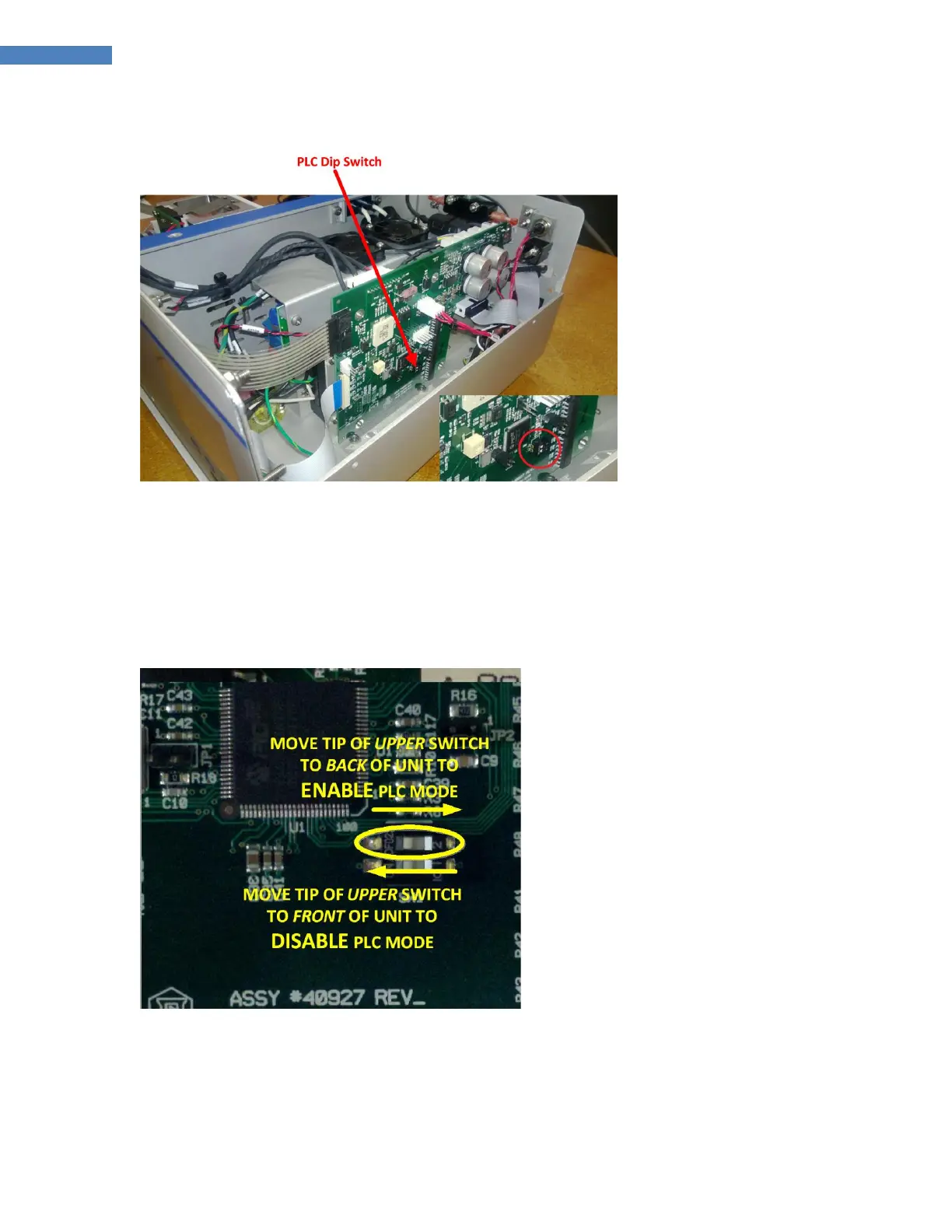
Figure 32. PLC Dip Switch Location
4. Adjust the PLC Switch (see below), and replace the Inner and Outer Covers.
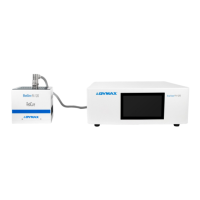
Adjusting the PLC Switch
When Switch 2 is moved towards the back panel, PLC Mode is enabled. PLC Mode can be activated from front
panel key presses. When Switch 2 is moved towards the front panel, PLC Mode is disabled. (Figure 33)
Figure 33. Dip Switch Setting



 To Next Page