14
XTL
™
500
User Guide
Using the Label Applications
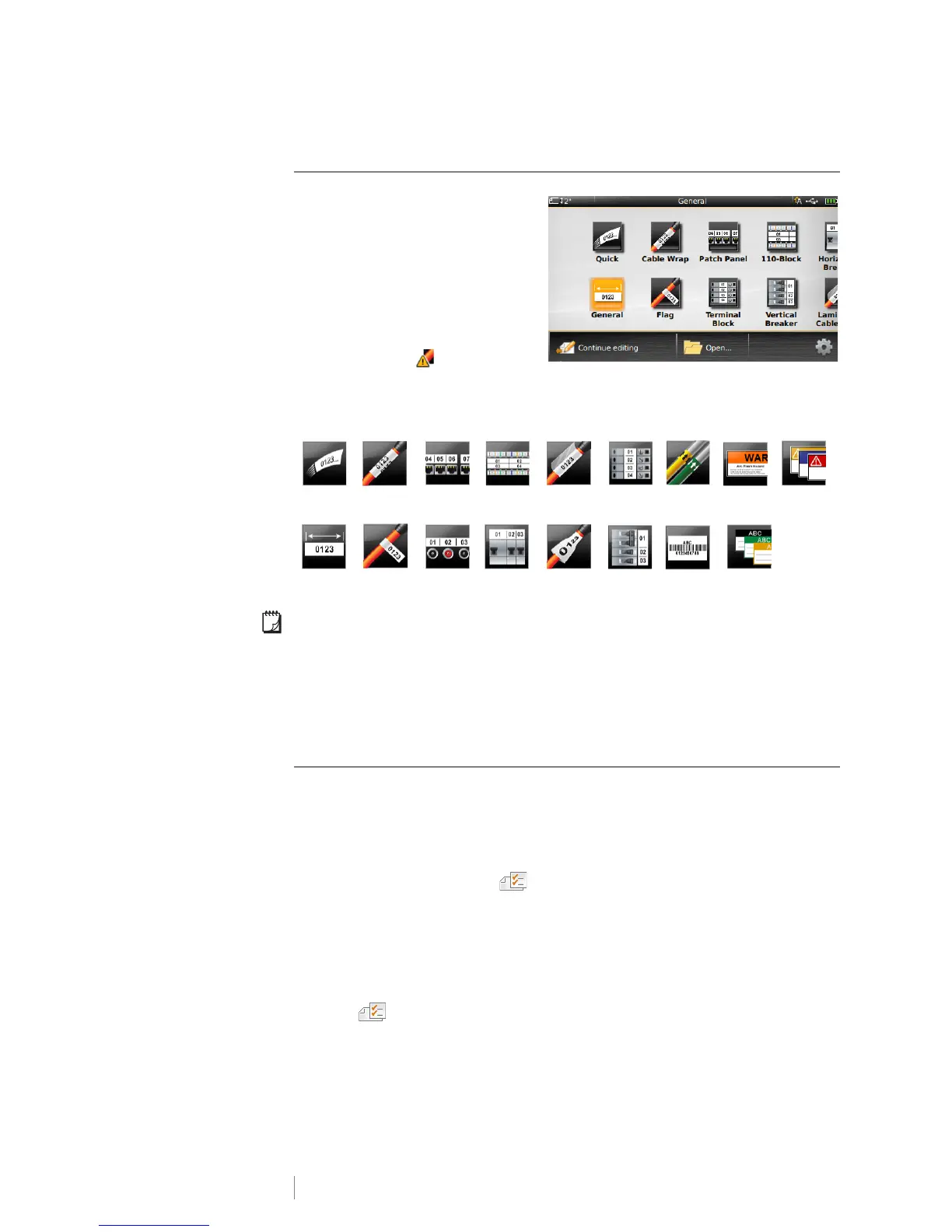
The label maker includes a number
of label applications that make it
easy to create a label for your
specific job.
Label applications appropriate for
the currently inserted label cartridge
appear to the left of those label
applications that are not compatible.
A caution symbol appears when
a label application and the current label cartridge are not a match.
The following label applications are available for your specific labeling job and are
described in detail in this section:
You can create and save labels for applications that are not compatible with the
currently inserted label cartridge by removing the cartridge and leaving the label
compartment empty. However, make sure the correct label cartridge is inserted
before attempting to print.
This section describes each label application and the label properties you can
change to customize your label.
Setting Default Label Properties
Most label editors contain a wizard which steps you through the properties that
must be set each time you create a label. For labels you use frequently, you can
avoid stepping through the wizard by setting default properties for that label type.
To set default label properties
1 While in a label editor, tap .
2 Tap a property and change the setting as appropriate.
3 Tap Set as default on the bottom of the property screen.
4 Tap Set as default again to confirm.
Next time you select that label application, you will not have to set properties to
get started. You can change the properties for an individual label at any time by
selecting .
You can always clear any default label properties you set for a label application.
See Restoring the Label Application Default Settings on page 43.
Quick Cable Wrap Patch
Panel
110-Block Laminated
Cable Wrap
Terminal
Block
Pipe
Marking
Arc Flash
Safety
General Flag Distribution
Panel
Horizontal
Breaker
Heat-shrink
Tube
Vertical
Breaker
Asset
Tracking
Materials
Management












 To Next Page