36
XTL
™
500
User Guide
You can select up to five characters for serialization. And, you can choose to
create the series sequentially. (A1, A2, A3, B1, B2, B3...)
Serialization creates new labels or, as in the case of a patch panel label, fills the
existing cells on the label and, if necessary, creates new labels.
You can view the series as you add and change the values.
To create a series
1 From the edit screen, select
.
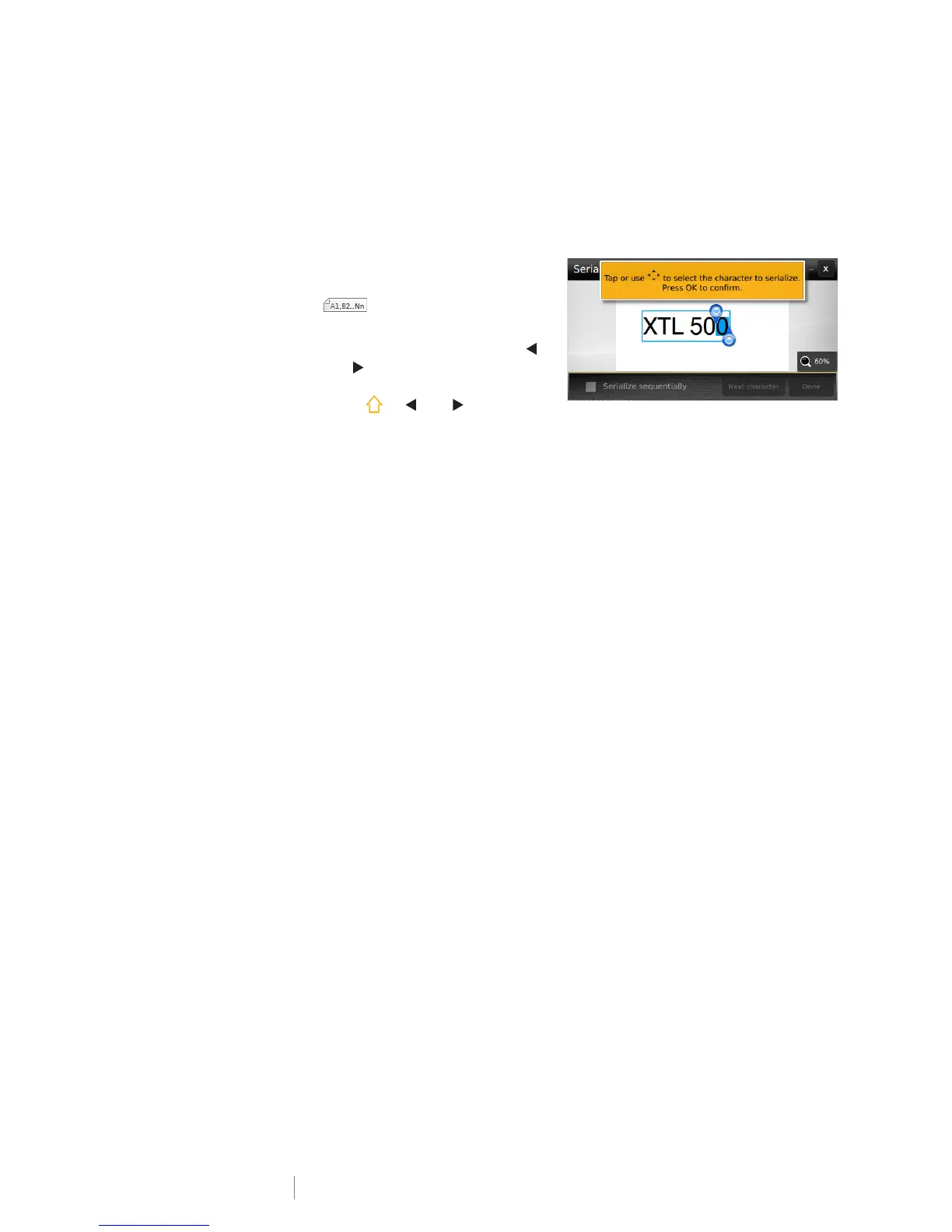
The Serialization tool appears.
2 Drag the handles or press the
and to select the character to
serialize.
Press + and , or while
dragging the handles to expand the selection to more than one character.
3 Select values for Increment by and Count.
4 To serialize multiple characters at the same time, select Next character and
repeat steps 2 and 3.
5 To serialize sequentially, select the Serialize sequentially check box.
6 Select Done when finished.
When serialization is complete, the cursor is positioned at the end of the new
series.












 To Next Page