DYNATRON® THERMOSTIM™ PROBE
DYNATRON SOLARIS
®
PLUS SERIES | SERVICE MANUAL REV. 6 | AUGUST 29, 2017 98
Solaris Plus 707. Two ermoStim probes can be operated simultaneously on the 707. If both probes are plugged
into the console, the device will automatically default to the Probe on the le side of the console and TS PB1 will be
highlighted in green in the Display Window. To change the focus to the probe on the right side, press the key under
the Channels Window until TS PB2 is highlighted in green. Once selected, the options for setting up the ermoStim
treatment will appear in the Treatment Windows.
5. Setting Hot and Cold Intensity
ermal Intensity can be set at any time aer pressing PROBE. If a setting other than the default maximum Heat
intensity of 112° F or Cold of 35° F is desired, adjustments can be made by using the arrow keys located next to the
Intensity Window.
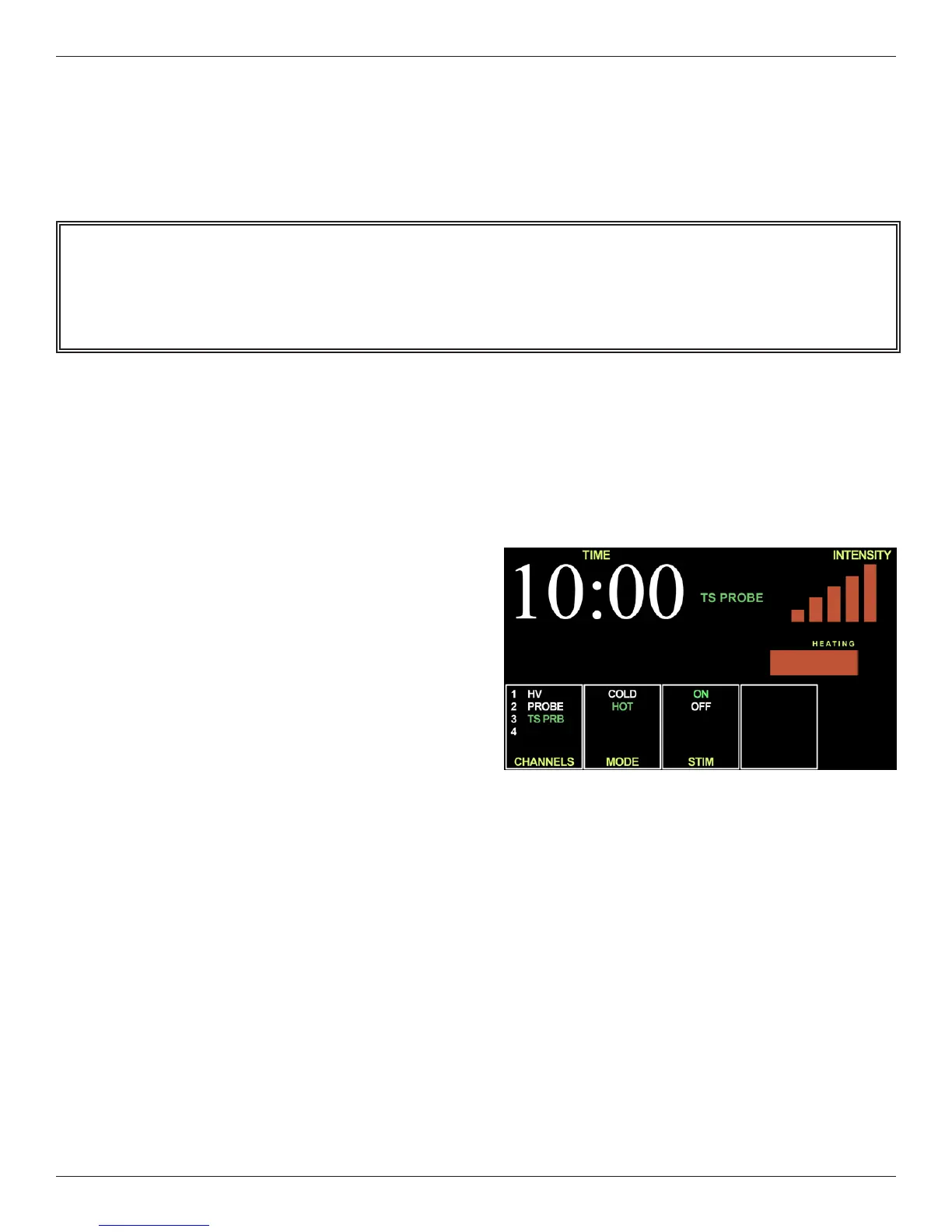
6. Hot and Cold Intensity Bars
Vertical Bars: Changes in ermal Intensity are
indicated by the vertical bars on the right-side
of the display screen labeled INTENSITY. e
maximum intensity (Blue = Cold 35° F/ Red =
Heat 112° F) is displayed as 5 full vertical bars
If Intensity has been manually adjusted to a
target range other than the maximum default, the
number of vertical bars will reect the change.
Horizontal Bar: e horizontal bar indicates the
cooling or heating process taking place on the
face of the probe. When the Horizontal Bar is full,
the face of the probe has reached the minimum
therapeutic level temperatures (Cold 60° F / Heat
90° F).
7. Select Treatment Parameters
e factory default settings of Hot, Stim (Electrotherapy), and Time may be changed by using the toggle keys under
the MODE AND STIM windows and the arrow keys located next to the Time display.
Mode Window: Toggle until desired mode of Hot or Cold is illuminated.
Stim Window: Select “OFF” to select a only a ermal treatment or “ON” for both ermal and Stim.
Time Window: Treatment Time defaults to 10:00 minutes. Alternate Time settings may selected by using the arrow
keys located next to the TIME display.
Note. Once PROBE is selected on the Solaris Plus console, or the right or le ermoStim Probe has been selected
on the 707, the Probe will immediately activate and start heating. If the default setting has been changed to Cold,
the probe will begin to cool.








 To Next Page