DYNATRON® THERMOSTIM™ PROBE
DYNATRON SOLARIS
®
PLUS SERIES | SERVICE MANUAL REV. 6 | AUGUST 29, 2017 99
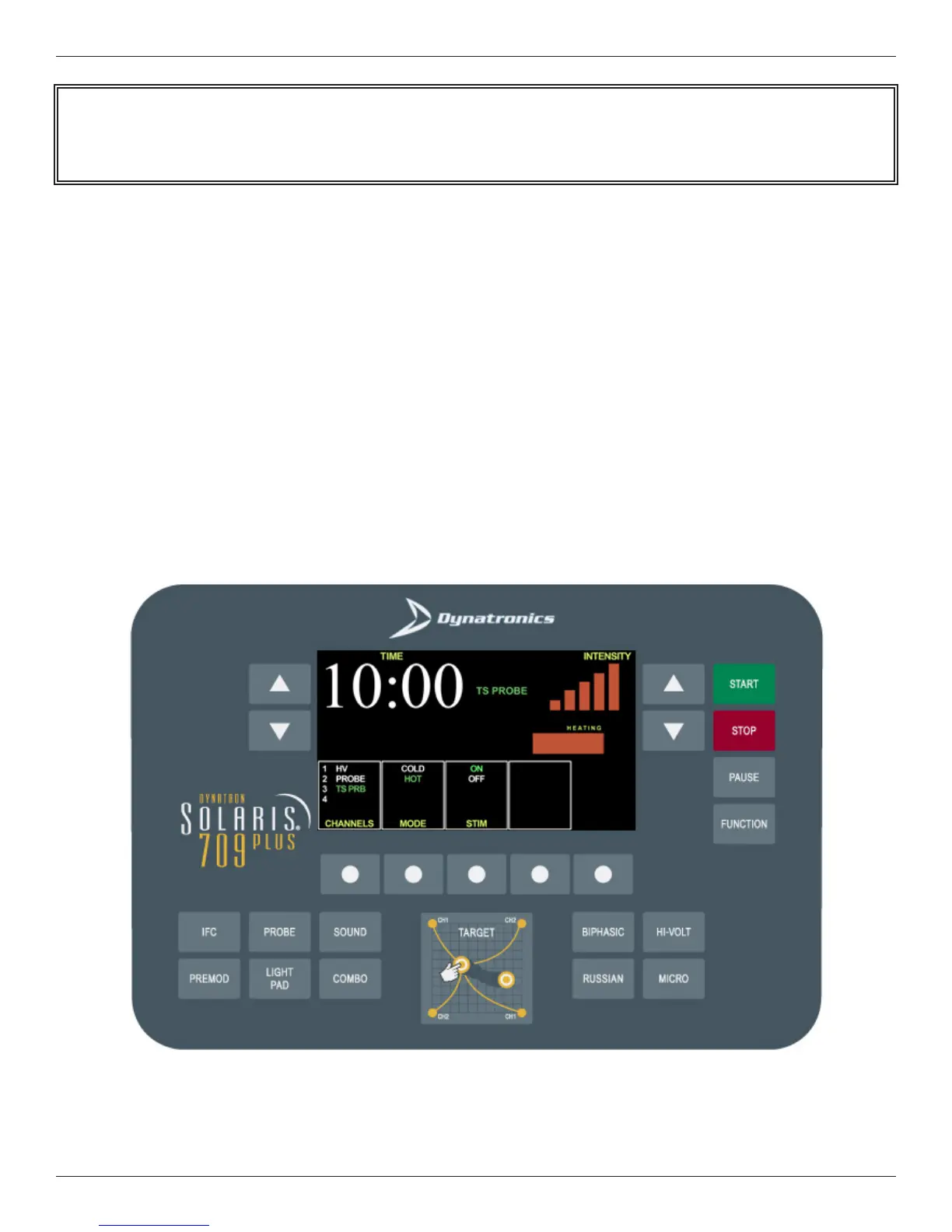
8. Press START
ermal Treatment: Pressing START will display the default Premod Stim setup screen. . Premod treatment
instructions appear on the following page.
If Premod is not the desired electrotherapy treatment, press the key on the Solaris Plus face plate that indicates
the desired treatment name. See the Solaris Plus Operator’s Manual for instructions for all alternate electrotherapy
options.
ermal/Stim Treatment: If the default parameter for electrotherapy in the STIM window has been changed to
“OFF,” pressing START will activate the Time display for the ermal treatment and the display will begin counting
down.
See the Solaris Plus Operator’s Manual for instructions for all alternate electrotherapy options.
Note. To save selected settings that are dierent from the manufacturer’s Default Settings, press and hold the
“START” key until a beep is heard, conrming that the selected settings have been saved as the new Default Settings.








 To Next Page