Autopilot Operation
SkyView SE Pilot’s User Guide - Revision I 7-3
Auto-Trim configured on the roll axis, the autopilot will automatically apply trim commands to
resolve the out-of-trim condition and the Autopilot engaged arrows will spin up or down.
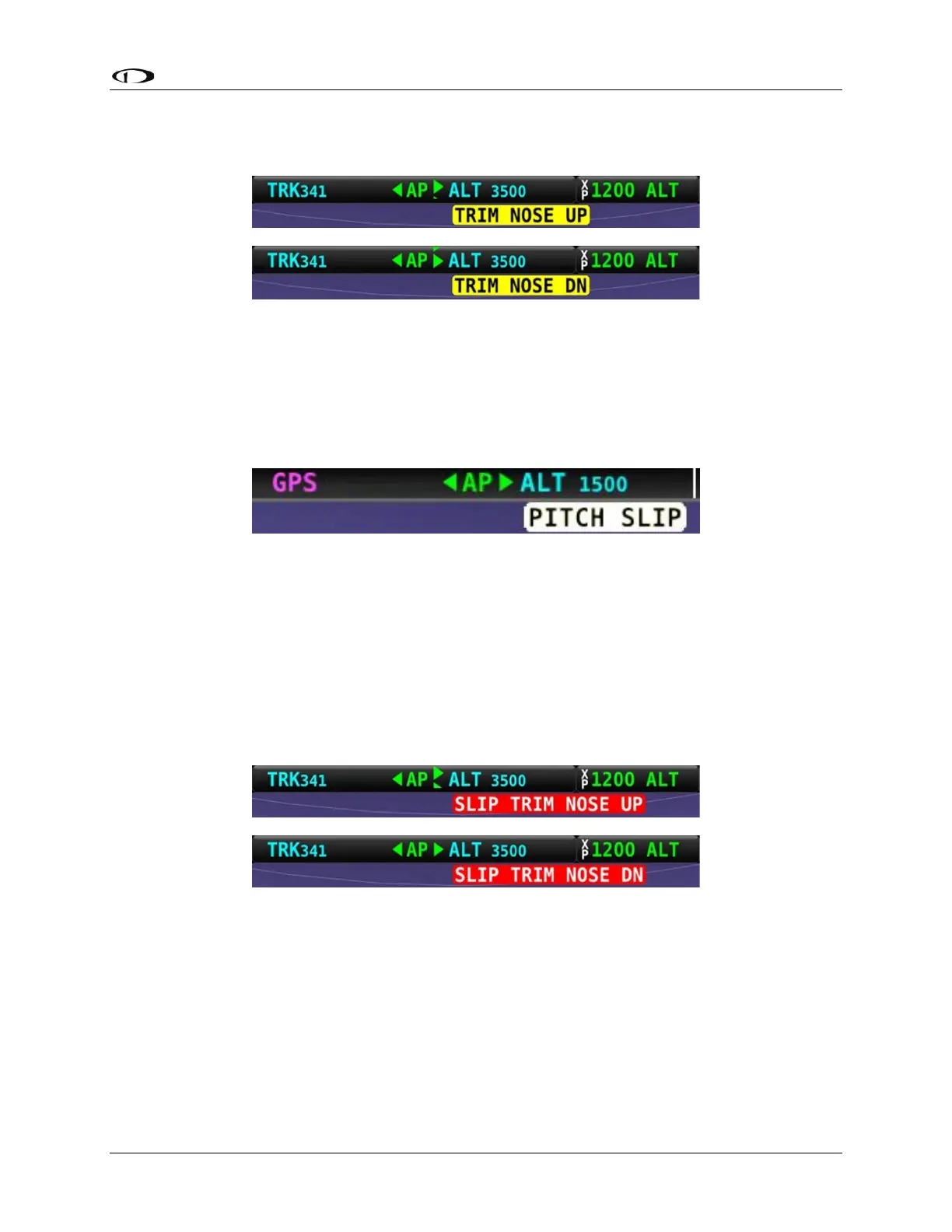
Figure 45 – Trim Nose Up / Down Alerts
Pitch Slip Message
You may see this during periods of turbulence or if the strength of the servo is not sufficient to
actuate the control surface.
If slipping occurs on the pitch servo, SkyView SE displays a slip message as illustrated:
Figure 46 – Pitch Slip Message
Reference the SkyView Classic / SE / HDX System Installation Guide for more information
regarding servo slippage.
Pitch Slip Trim Nose Up / Down Alert
If prolonged periods of pitch slipping are detected, the condition may be relieved with pitch
trim. SkyView SE displays a slip alert combined with a trim request. However, Auto-Trim will not
attempt to actuate the trim controllers during a slip.
Figure 47 – Pitch Slip Trim Nose Up / Down Alerts
Roll Trim Left / Right Alerts
When the autopilot is flying the aircraft in the roll axis, a Roll Trim alert may appear. This lets
you know when the roll servo is having to maintain a sustained force on the ailerons in order to
hold the desired bank angle. To eliminate the excessive trim forces that the autopilot is trying
to overcome, trim aircraft in the direction indicated: left or right. Adjust the trim in small
increments and wait a few seconds between adjustments to see whether the adjustment is
sufficient to remove the out-of-trim indication. This alert may not be configured in all aircraft.



 To Next Page