Autopilot Operation
7-4 SkyView SE Pilot’s User Guide - Revision I
See the SkyView Classic / SE / HDX System Installation Guide for more information regarding trim
indication configuration. If you have roll Auto-Trim configured on the roll axis, the autopilot will
automatically apply trim commands to resolve the out-of-trim condition and the Autopilot
engaged arrows will turn to the left or right.
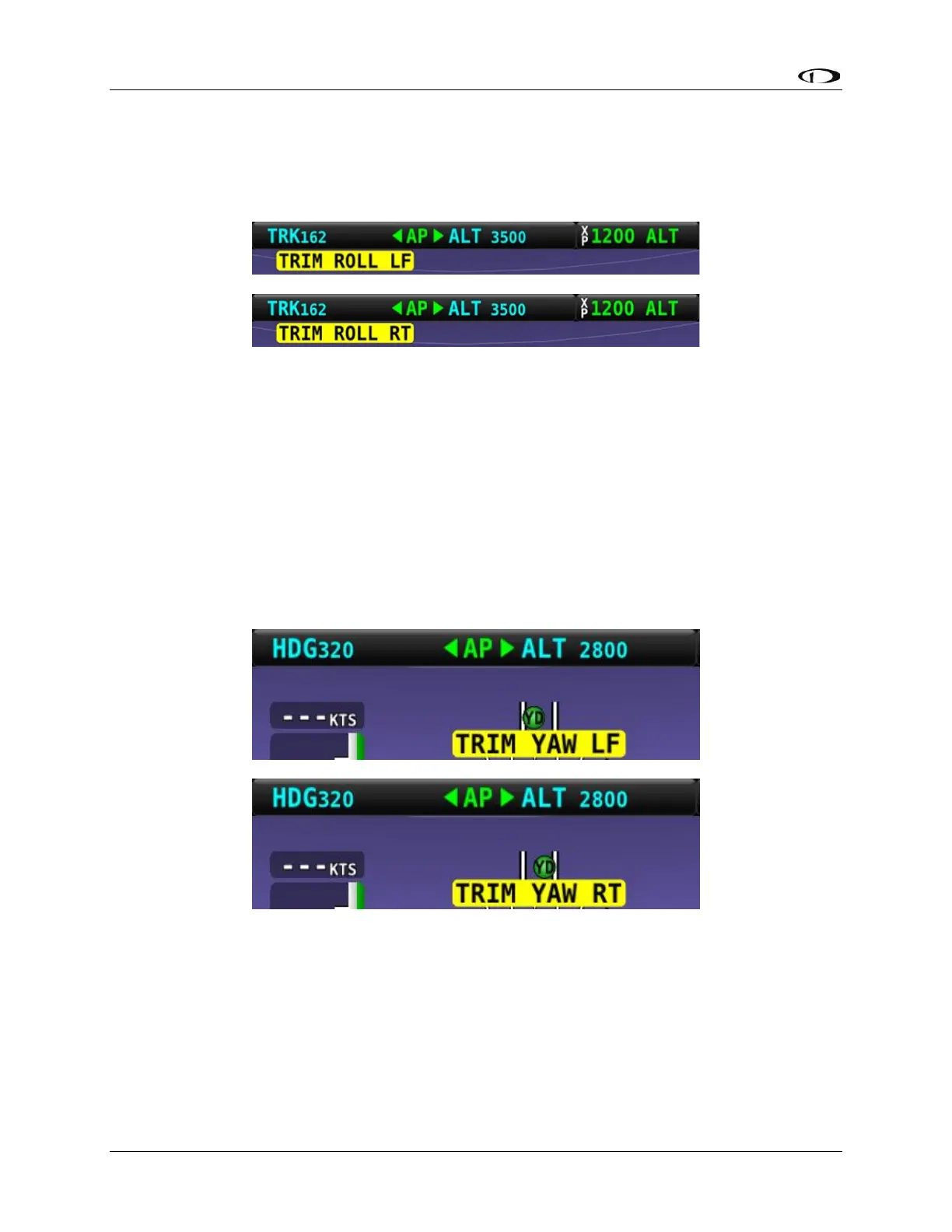
Figure 48 – Roll Trim Left and Right Alerts
Yaw Trim Left / Right Alerts
When the autopilot is flying the aircraft in the yaw axis, a Yaw Trim alert may appear. This alert
lets you know when the yaw servo is having to maintain a sustained force on the rudder to hold
the desired course. To eliminate the excessive trim forces that the autopilot is trying to
overcome, trim aircraft in the direction indicated: left or right. Adjust the trim in small
increments and wait a few seconds between adjustments to see whether the adjustment is
sufficient to remove the out-of-trim indication. This alert may not be configured in all aircraft.
See the SkyView Classic / SE / HDX System Installation Guide for more information regarding
trim indication configuration.
Figure 49 – Yaw Trim Left and Right Alerts



 To Next Page