Autopilot Operation
7-6 SkyView SE Pilot’s User Guide - Revision I
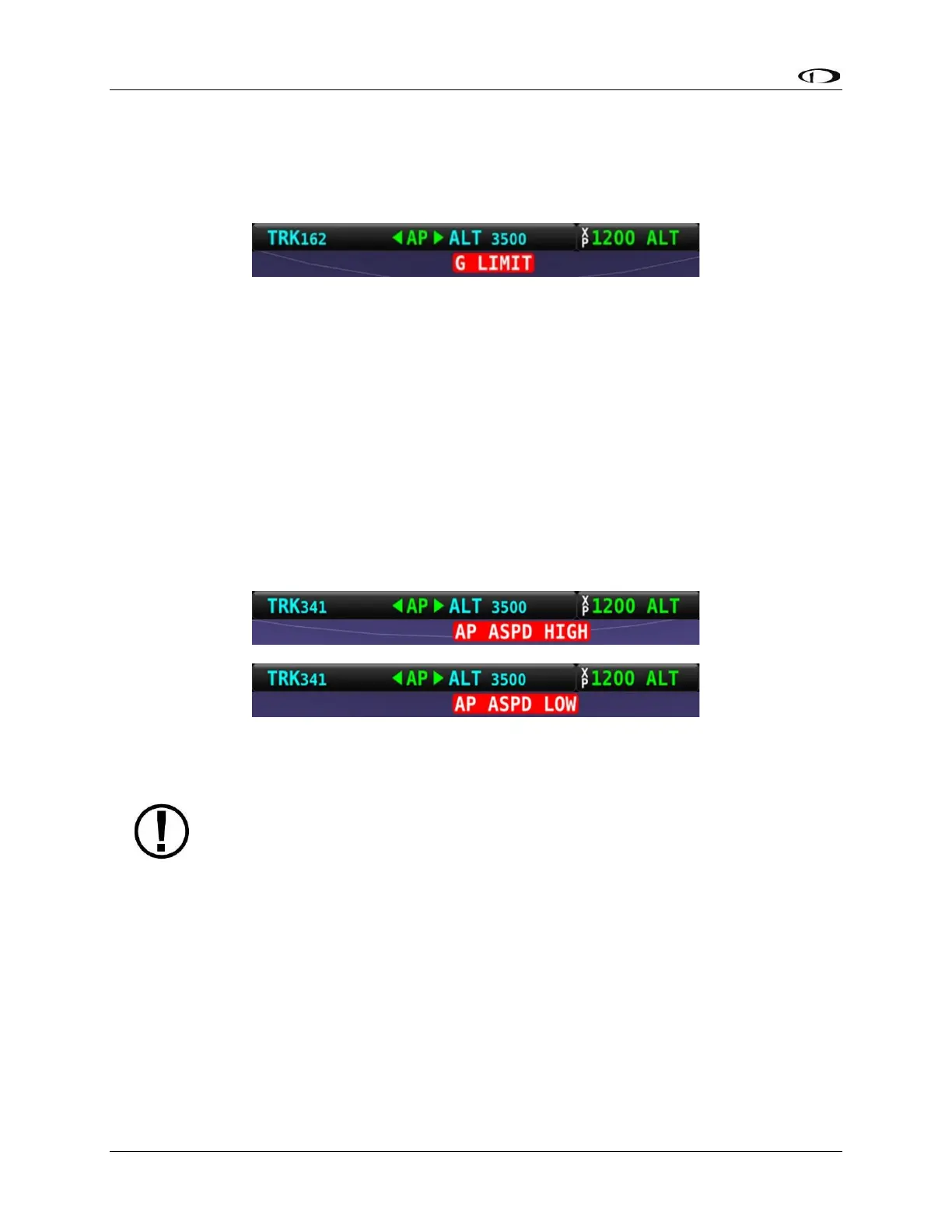
G Limit Indicator
SkyView SE uses the alert shown in the following figure to denote that the autopilot’s preset G
limits are hit, and therefore the autopilot will not pull or push on the pitch axis in a way that
would exceed these limits.
Figure 54 – G-Limit Alert
Airspeed High/Low Indicator
When the Autopilot is engaged, SkyView SE uses the alert shown in the following figure to
denote that the aircraft has reached its maximum or minimum airspeed limits as configured
when the Autopilot was set up.
When either of these indications is displayed, the autopilot will not pull or push on the pitch
axis in a way that would exceed these limits. Instead, the Autopilot will actively pitch the
aircraft up or down to prevent exceeding the maximum airspeed or dropping below the
minimum airspeed. This may prevent the Autopilot from reaching its programmed targets, and
can even cause the Autopilot to maneuver contrary to its programmed targets in order to
remain within the allowed airspeed limits.
Figure 55 – Airspeed High and Low Alerts
When GPS ASSIST is annunciated on the PFD page SkyView SE does not have
airspeed information, likely due to a pitot failure or icing event. Therefore, when
GPS ASSIST is active, SkyView SE cannot limit operations to the maximum and
minimum airspeeds as described in this section. Use extreme caution when using
the autopilot under this circumstance.



 To Next Page