2388-MANUL-V10.00.00-UTP2 Operating Manual
Page 6 of 74
3.6 Temperature & Humidity
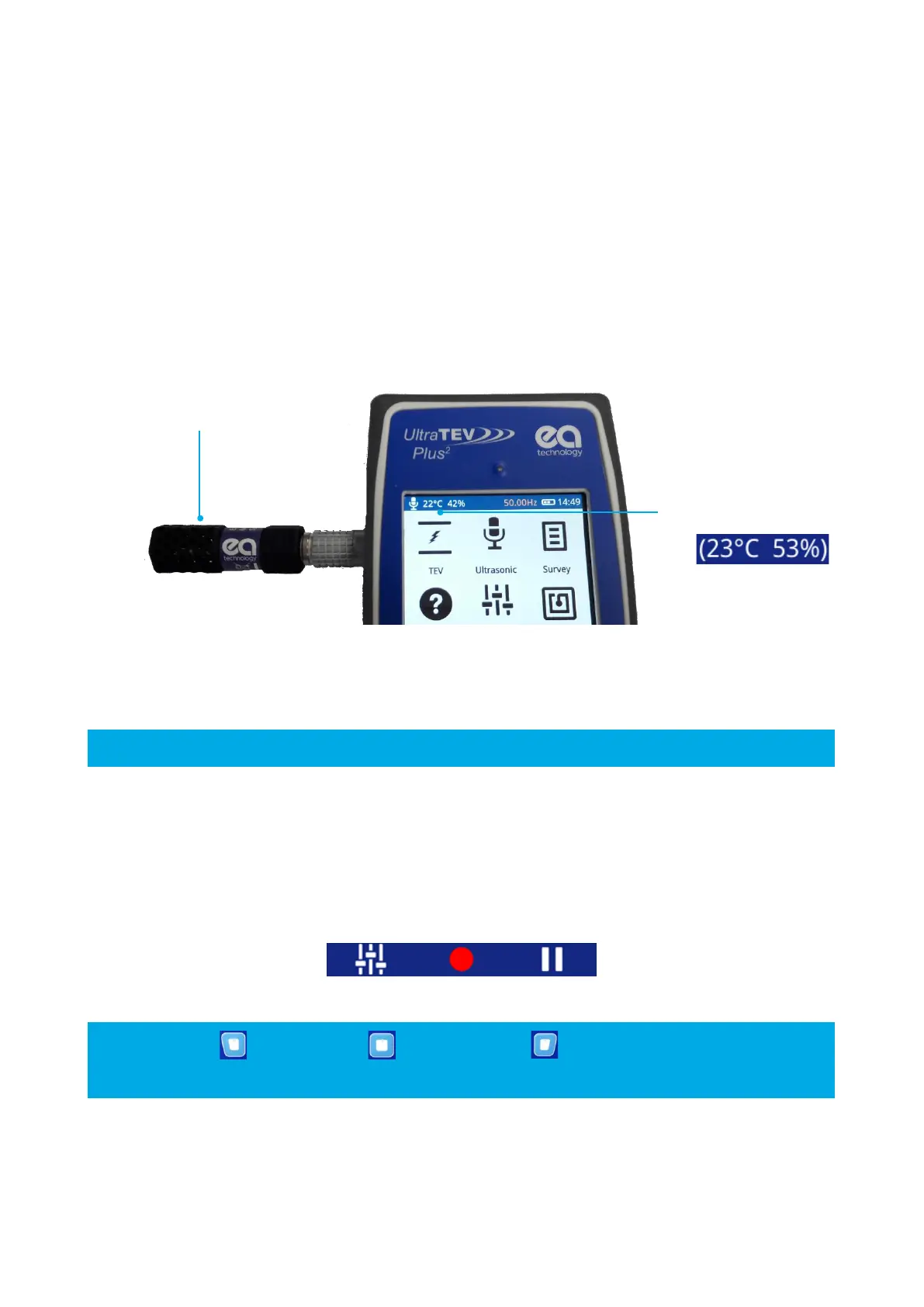
The temperature and relative humidity reading is displayed on the notification bar only after connection of the
Environmental Sensor.
The Environmental Sensor is connected to the Smart Accessory Port on the left hand side of the instrument.
The connection of the accessory automatically starts the data collection with the latest reading being displayed
in the notification bar at the top left of the screen.
In order to allow use of other optional accessories whilst still displaying a reference temperature, the final
reading on removal of the sensor is persisted. Additional brackets around the measurement demonstrate that
this is a historic reading.
3.7 Menu Bar
The menu bar is located at the bottom of the screen. It displays icons that correlate to the Left, Middle and Right
Buttons. The icons on the Menu bar change depending on which mode the UTP2
is in.
7
The Left button , Middle Button and Right Button can be pressed to select the Main
menu buttons respectively.



 To Next Page