2388-MANUL-V10.00.00-UTP2 Operating Manual
Page 44 of 74
3.17 Reviewing Results
Data collected during Survey mode or though ad-hoc recording is stored on the UTP2 MicroSD card. To facilitate
viewing of the data, the UTP2 provides four methods of connection.
• Hotspot – Allows direct connection via the UTP2 personal hotspot to a Wi-Fi enabled device.
• Wi-Fi – Allows a direct connection from the UTP2 to a Wi-Fi enabled device.
• USB – Direct connection from the UTP2 to a Windows based machine.
• Removal of the MicroSD card for viewing on a Windows/Linux/ Mac OS X based machine.
3.17.1 Hotspot Connection
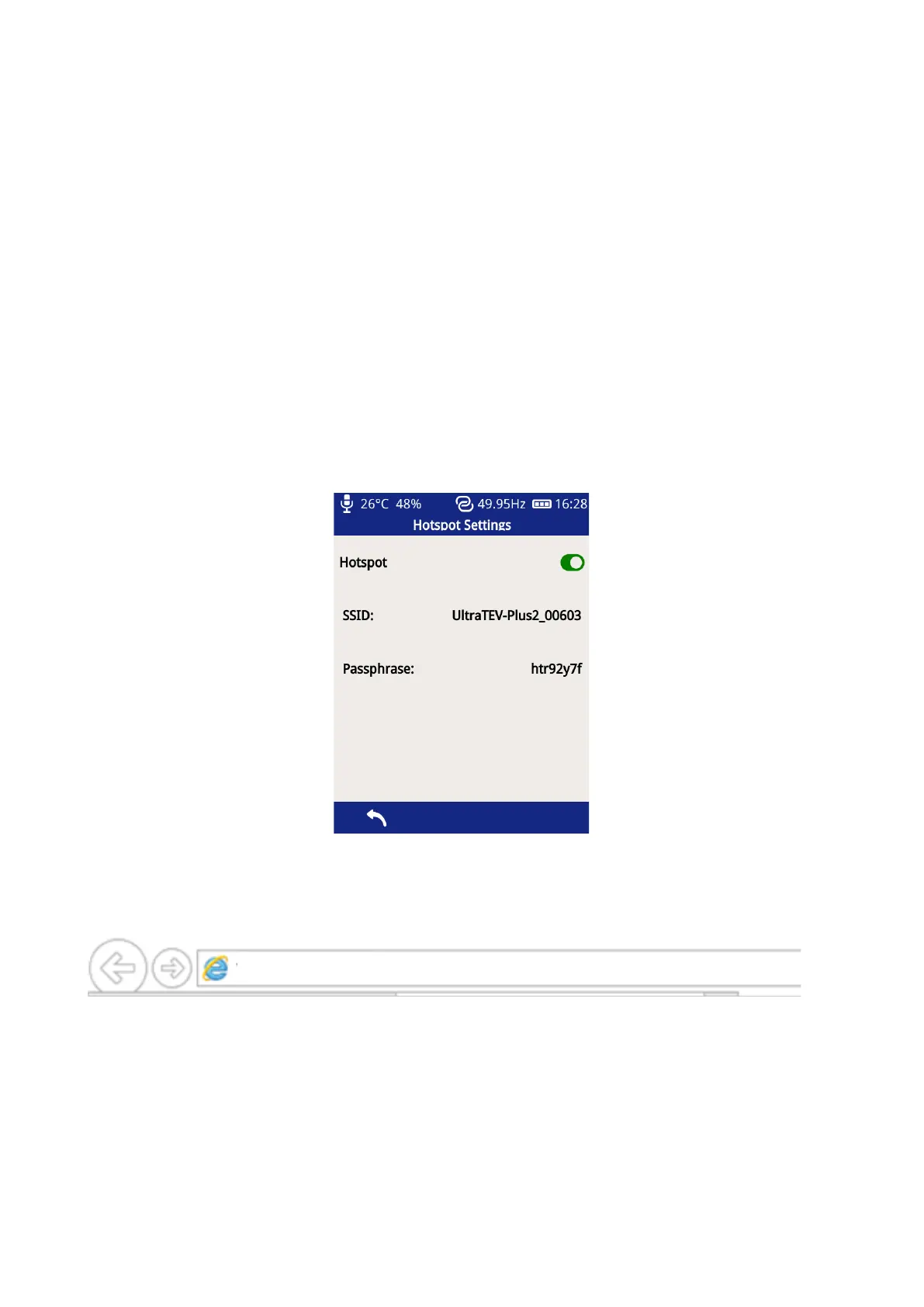
1. Go to Main Menu select Settings, Wireless Settings, Hotspot and enable Hotspot
2. Go to the Wi-Fi settings on your Wi-Fi device e.g. mobile phone, laptop
3. Select the SSID from the list of available networks on your Wi-Fi device
4. Connect by entering the Passphrase from your UTP2 Hotspot Settings
5. Once connected, enter IP address ‘http://192.168.11.1’ in a web browser address bar, such as Google
Chrome, Mozilla Firefox or Microsoft Edge/Internet Explorer.



 To Next Page