2388-MANUL-V10.00.00-UTP2 Operating Manual
Page 52 of 74
4.3 Ultrasonic Measurement
The UTP2 is equipped with a built-in ultrasonic sensor which can be used to detect the acoustic emissions of
surface partial discharge activity. External ultrasonic sensors are also available to use with the UTP2 allowing
use in outdoor compounds, on sealed assets or in hard to reach places. When taking airborne ultrasonic
readings, the sensor should not touch the asset or plant being investigated.
4.3.1 Measuring Ultrasonic
Switch on the UTP2 and wait until home menu is displayed. Proceed to plug in the supplied Headphones; select
the Ultrasonic icon on the main menu. The screen will now display a phase resolved plot of ultrasonic activity.
Ultrasonic activity above the background level may be significant. Genuine discharge can be identified by a
crackling sound (like a sizzling frying pan) in the headphones or by phase related groups on phase plot. Further
confidence of a detection can be obtained by the classification algorithm output displayed on the top left of the
screen.
4.3.2 Connecting an Ultrasonic Accessory
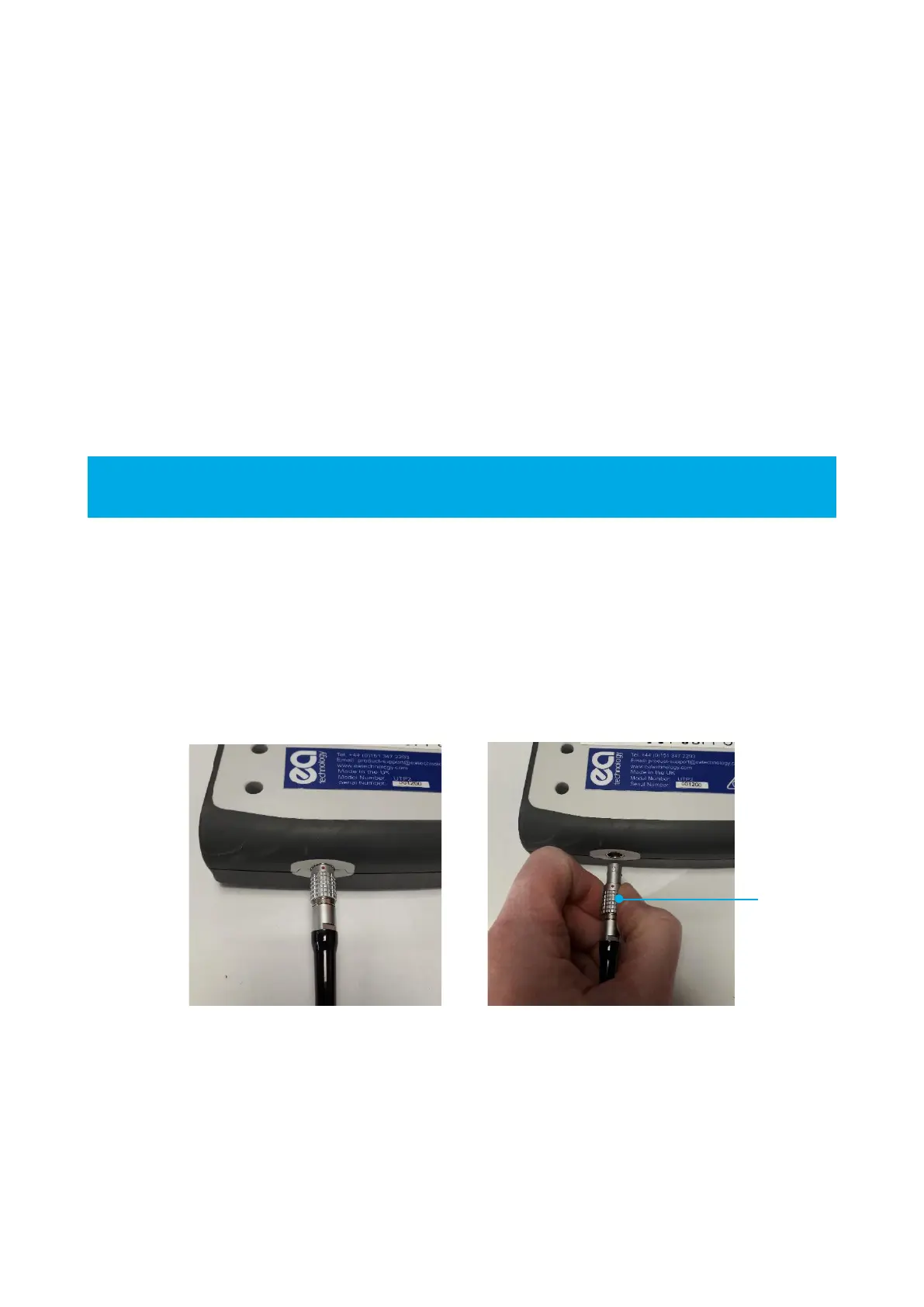
Ultrasonic accessories are connected to the UTP2 Ultrasonic Accessory Port. Line up the red dot on the
ultrasonic accessory connector with the groove in the UTP2 Ultrasonic Accessory Port and push in place. Once
firmly latched, connection cannot be broken by pulling on the cable or any other component part other than the
outer release sleeve. To remove, the connector is disengaged by a single axial pull on the outer release sleeve.
This first disengages the latches and then withdraws the plug from the socket.



 To Next Page