2388-MANUL-V10.00.00-UTP2 Operating Manual
Page 14 of 74
3.11 Context Menu
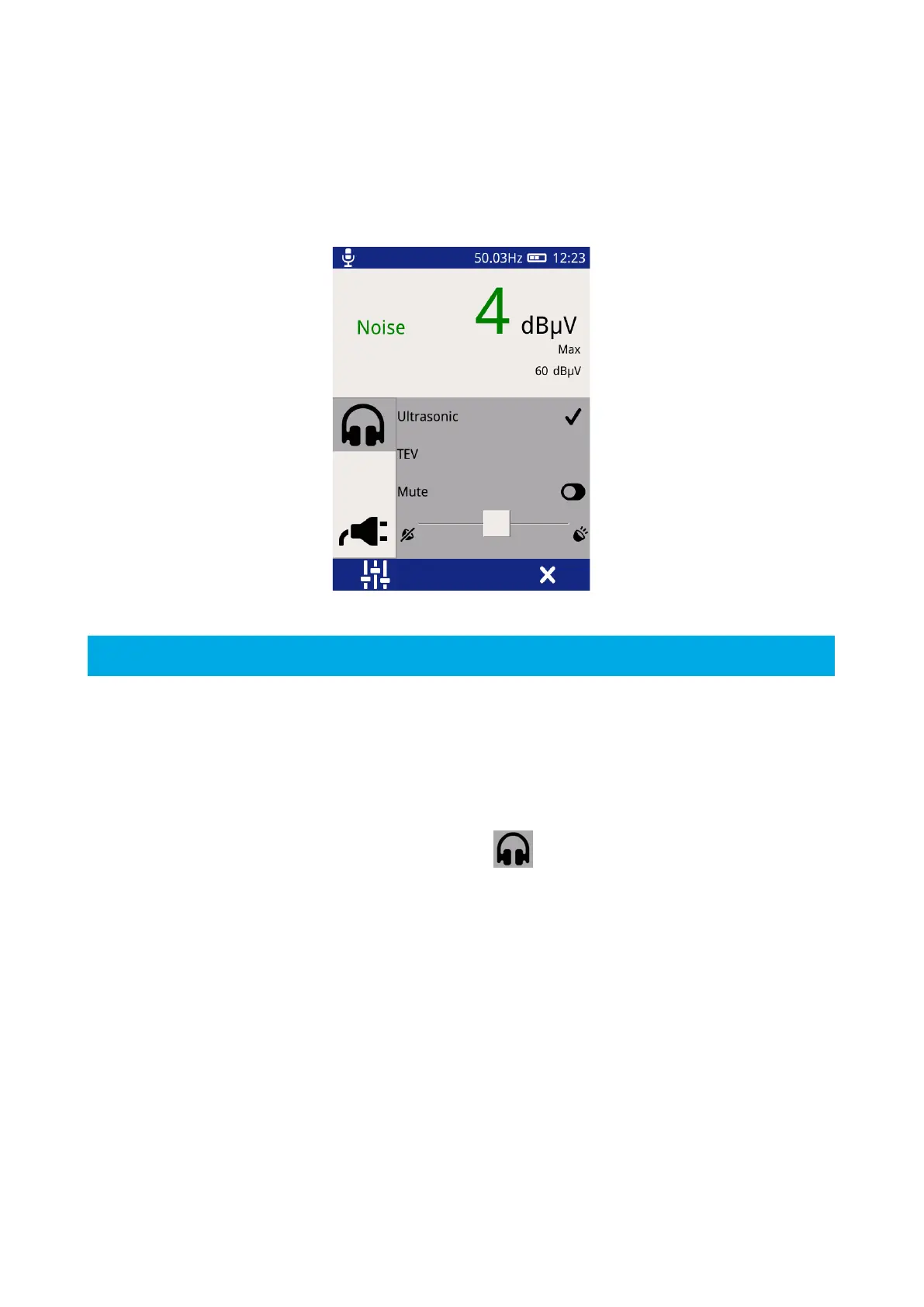
Pressing the Left Button whilst in TEV, Cable PD or Ultrasonic modes brings up the Context Menu as shown
below. The Context Menu consists of a number of items with only those relevant to the current mode of
operation visible at any time. This mode allows commonly used settings to be modified from within the
measurement screen.
3.11.1 Audio output
The UTP2 allows audio output of either Ultrasonic, TEV or Cable PD (dependent on whether the HFCT is
connected or not) activity through the connection of external headphones. The audio context menu allows
control of the headphone output.
To modify the current audio settings, click on the Audio icon . Within this sub menu the audio output (TEV,
Cable PD or Ultrasonic) can be selected, note this selection will persist across modes.
To turn off the audio output, toggle the Mute Button, the toggle icon will turn green to indicate the Mute mode
has been activated.
The volume of the audio output can also be modified by adjusting the slider to the desired level as shown above.



 To Next Page