2388-MANUL-V10.00.00-UTP2 Operating Manual
Page 50 of 74
4.2 Cable PD Measurement
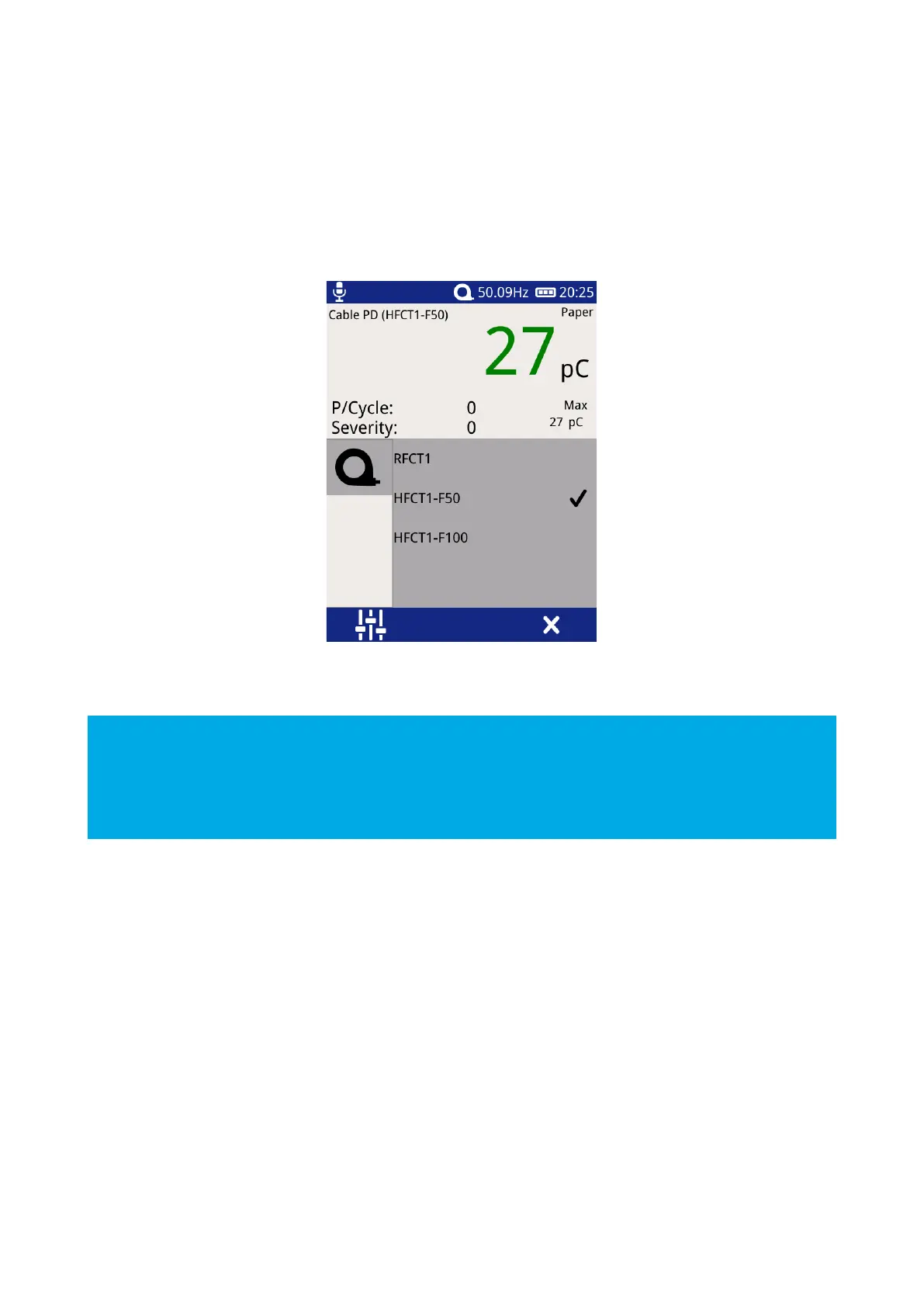
To perform Cable PD measurements, the HFCT accessory needs to be connected to the UTP2. The HFCT
connects to the Smart accessory port found on the left hand side of the instrument. Select the Cable PD
accessory by pressing the Settings icon in any of the Cable PD measurement screens, until the Cable PD icon
is displayed and select the correct Cable PD accessory.
4.2.1 Practical HFCT Connection Requirements
Using the HFCT for online PD tests on medium voltage power cables requires direct access to the earth bonding
strap. If present the split core radio frequency current transformer HFCT can simply be clamped around the
earth cable. This method can be used on-line without disconnecting cables or switching off supplies to
customers.
With XLPE cable installations the user can normally get access to the cable earth strap or the core of the cables.
The earth strap can be looped out of the termination box to give better access. With PILC (Paper Insulated Lead
Covered) cables difficulty may arise attaching the HFCT as the cable earth and switchgear earth can be bonded
together. This is more usual on older PILC cables using compound filled cable boxes.
EA Technology HFCTs are designed to be installed by suitably competent operators on cable earth/ground
straps which are suitably and efficiently connected to earth/ground to maintain safety.
HFCTs, connecting leads and test equipment do not provide protection against high voltage.
If permanent installation of HFCTs is being considered, contact Product Support for guidance notes.



 To Next Page