EasyManua.ls Logo

EA UltraTEV Plus 2 - Main Menu and Navigation; Measurement Modes

EA UltraTEV Plus 2
80 pages
Print Icon
To Next Page IconTo Next Page
To Previous Page IconTo Previous Page
Loading...
2388-MANUL-V10.00.00-UTP2 Operating Manual
Page 7 of 74
3.8 Main Menu
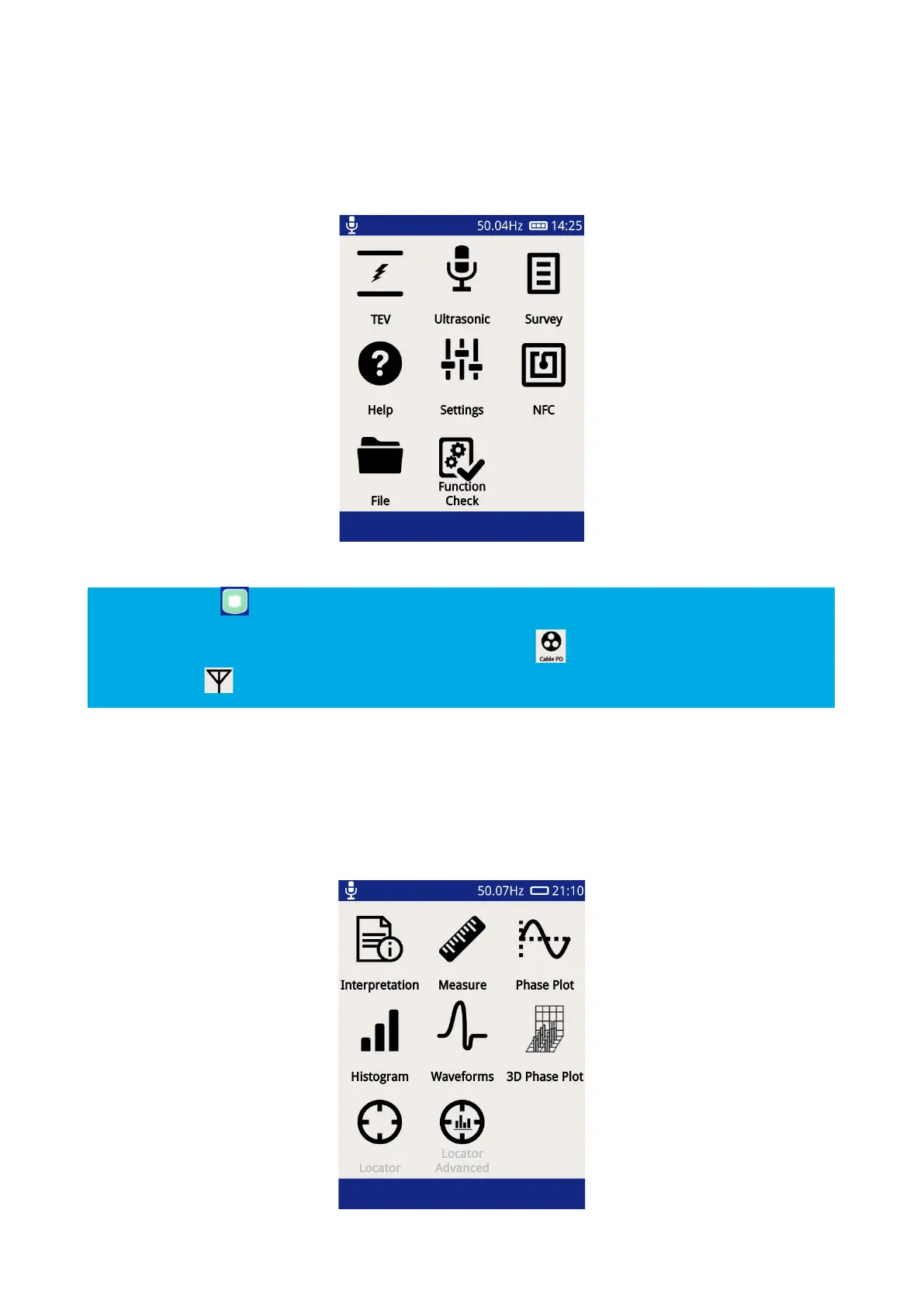
After powering up, the UTP2 will load up to the Main Menu as shown below.
The Home Button can be used to navigate back to the Main Menu at any time.
The TEV icon on the main screen will change to a Cable PD icon when a HFCT accessory is plugged in
and a UHF icon when a UHF accessory is plugged in.
3.9 TEV/Cable PD Menu
The TEV/Cable PD screen, selected via the top left icon on the Main Menu contains different modes which can
be used for the PD measurement. The Locator modes require an additional UltraTEV
®
Locator probe (UTL2)
accessory. The Interpretation option is only applicable when in TEV mode.