132
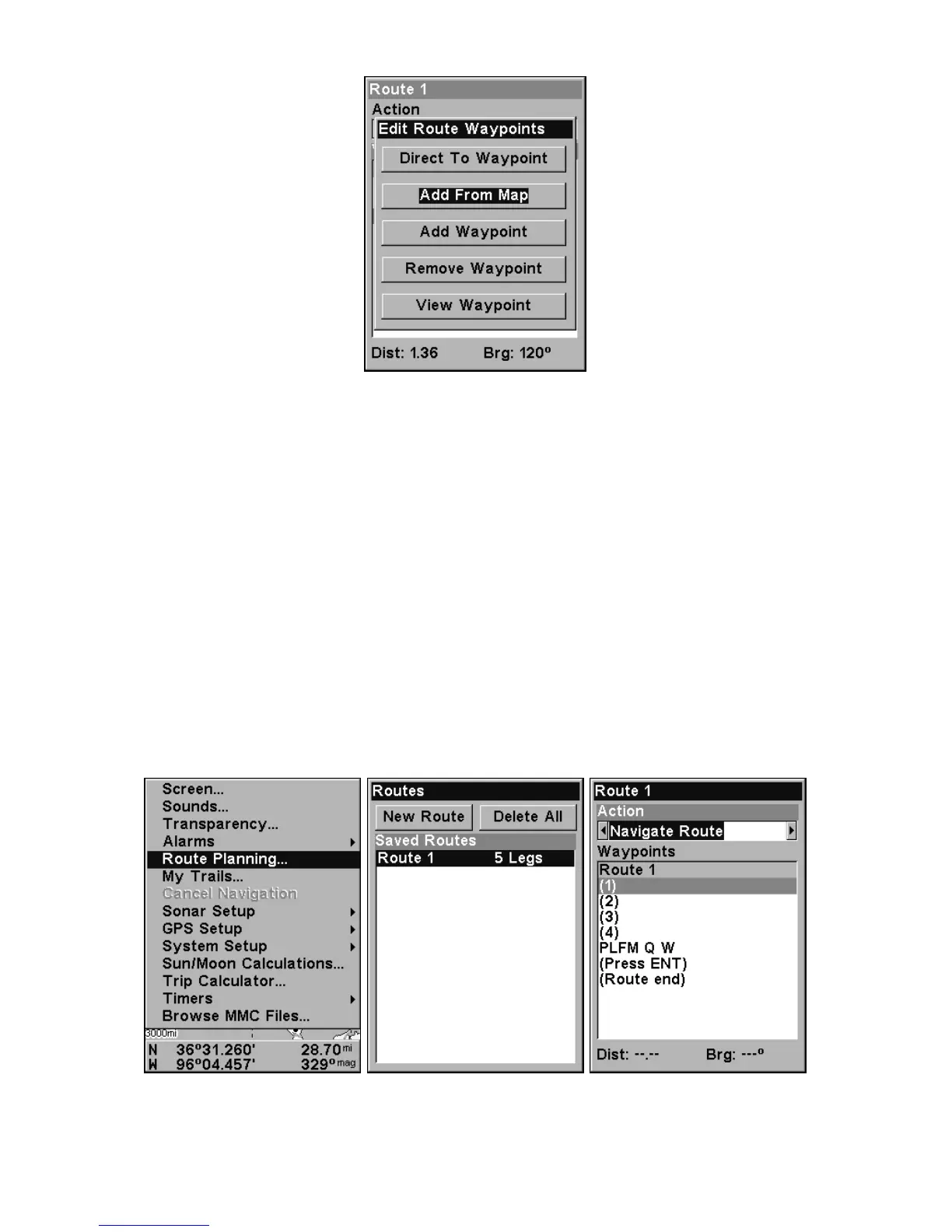
Edit Route Waypoints menu.
3. Use ↓ and ↑ to select a command from the Edit Route Waypoints
menu and press
ENT. Add From Map lets you insert a waypoint in the
route by clicking on a map location with the cursor. Add Waypoint calls
up the Waypoint List so you can insert a waypoint from the list. Re-
move Waypoint will delete the waypoint from the route. View Waypoint
will show you where the selected waypoint is on the map.
NOTE:
When adding waypoints to a route, the inserted waypoints will ap-
pear in the route in front of the waypoint you have selected. To in-
sert waypoints at the end of the route, make sure to select
(ROUTE
END
) before adding them.
Navigate a Route
1. From the
NAVIGATION PAGE, press MENU|ENT or from the MAP PAGE,
press
MENU|MENU|↓ to ROUTE PLANNING|ENT.
Route Planning command on Main Menu, left; Routes menu, center;
Edit Route menu, right. Navigate Route command is selected.













 To Next Page