182
Find Waypoints
1. Press WPT|↑ to MY WAYPOINTS|ENT.
2. If searching for the Nearest waypoint press
ENT. If searching by
Name press ↓ to
NAME|ENT. (To search by name, jump to step 5.)
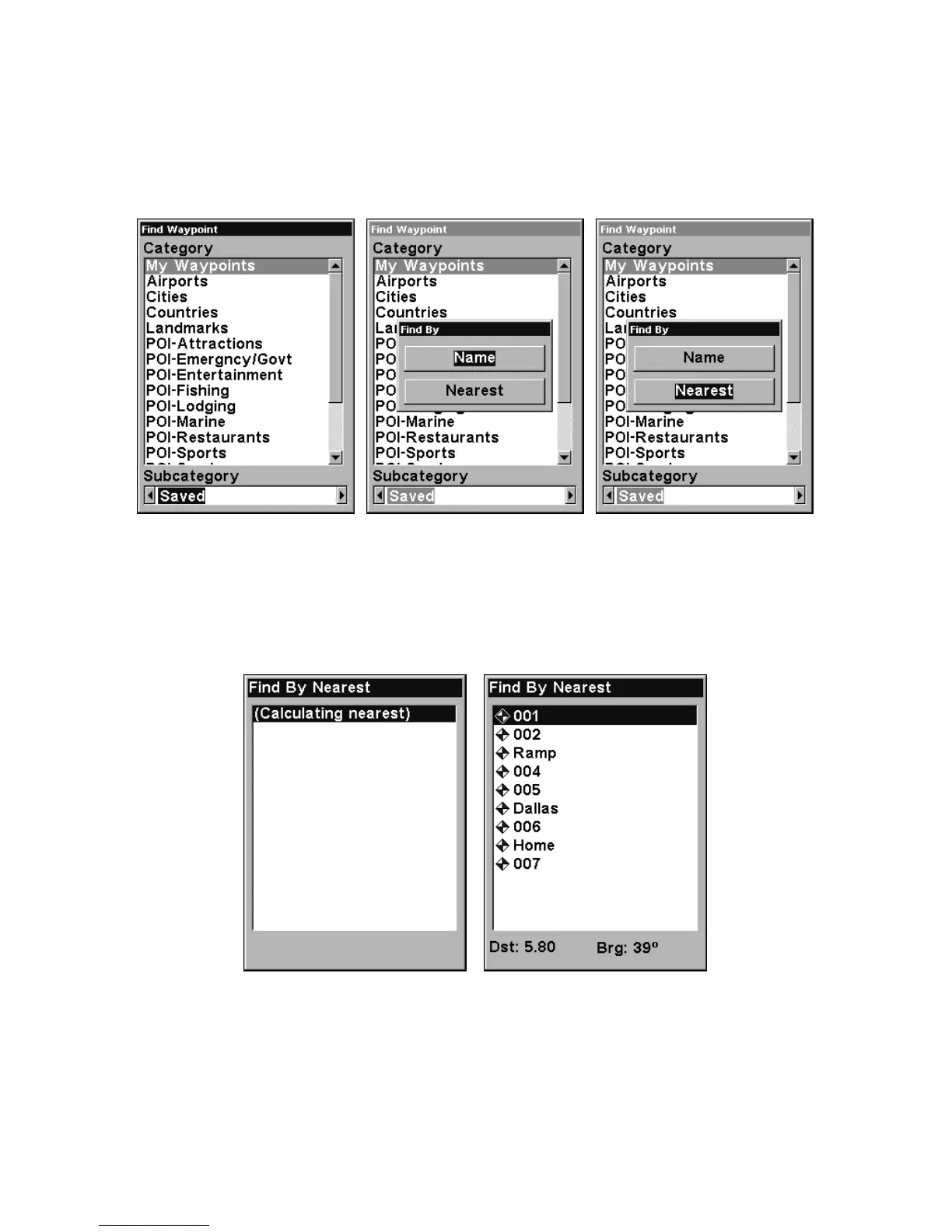
Find Waypoint menu, left; Find By Nearest command, center,
Find by Name command, right.
3. If you're looking for nearest, the unit says it is calculating, then a list
of waypoints appears. The closest is highlighted at the top of the list
and the farthest at the bottom of the list.
Calculating message, left, and list of the nearest waypoints, right.
4. To see location information on the closest (highlighted) waypoint,
press
ENT and the Waypoint Information screen appears. (If you wanted
to, you could select another waypoint from the list with the ↑ or ↓ keys.)
A. To navigate to the waypoint, press
ENT. (The Go To Waypoint













 To Next Page