45
WARNING:
Do not begin navigating with this unit until the numbers
have stopped flashing!
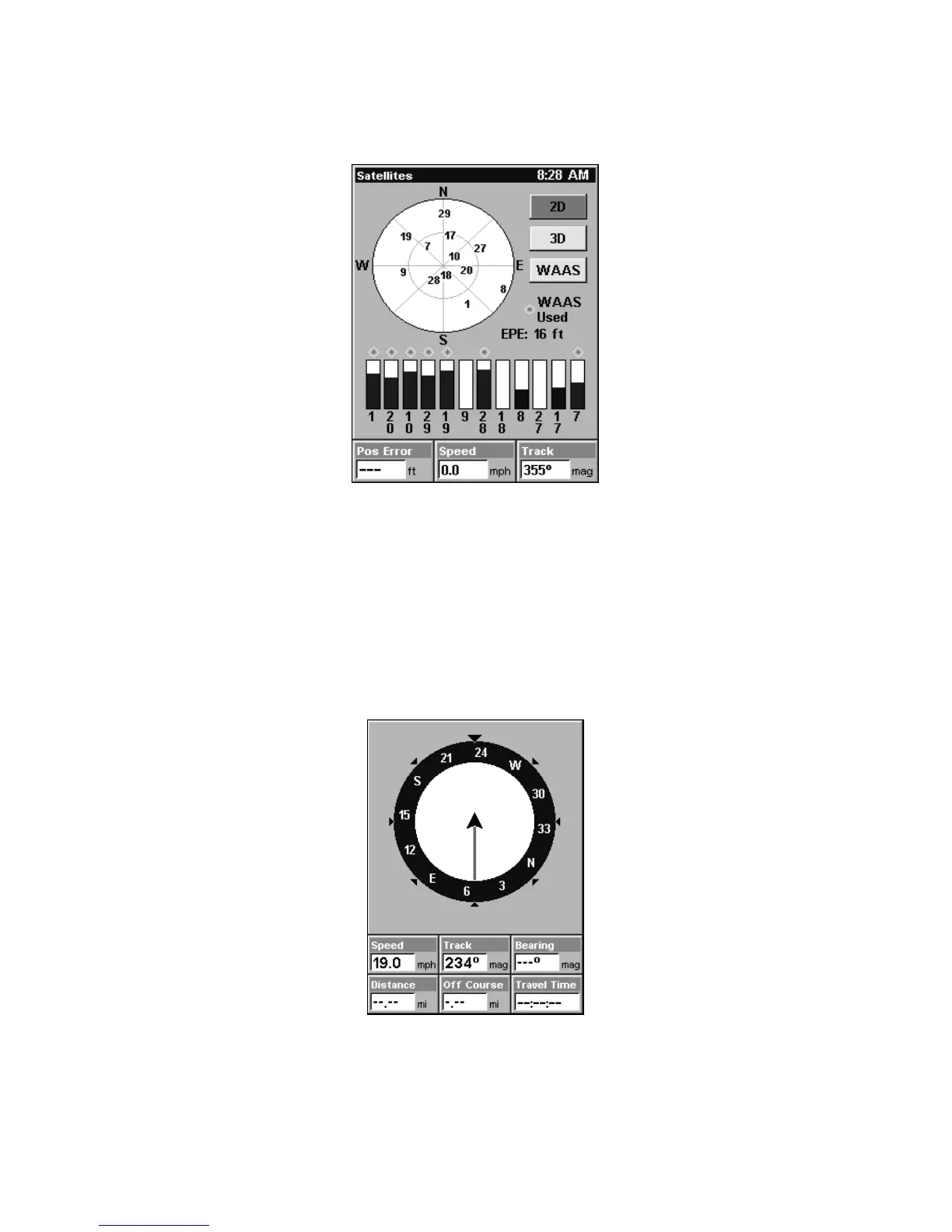
Satellite Status Page showing satellite lock-on with a 3D position
acquired (latitude, longitude and altitude), including WAAS reception.
Navigation Page
This screen has a compass rose that not only shows your direction of
travel, but also the direction to a recalled waypoint. To get to the Navi-
gation Page: Press
PAGES| → or ← to NAVIGATION|EXIT.
This page represents a GPS function, so it is discussed in much greater
detail in Sec. 6.
Navigation Page, recording a trail, traveling southwest.
Map Page
The Map Page screens show your course and track from a "bird's-eye"
view, on a moving map. By default, this unit shows the map with north













 To Next Page