135
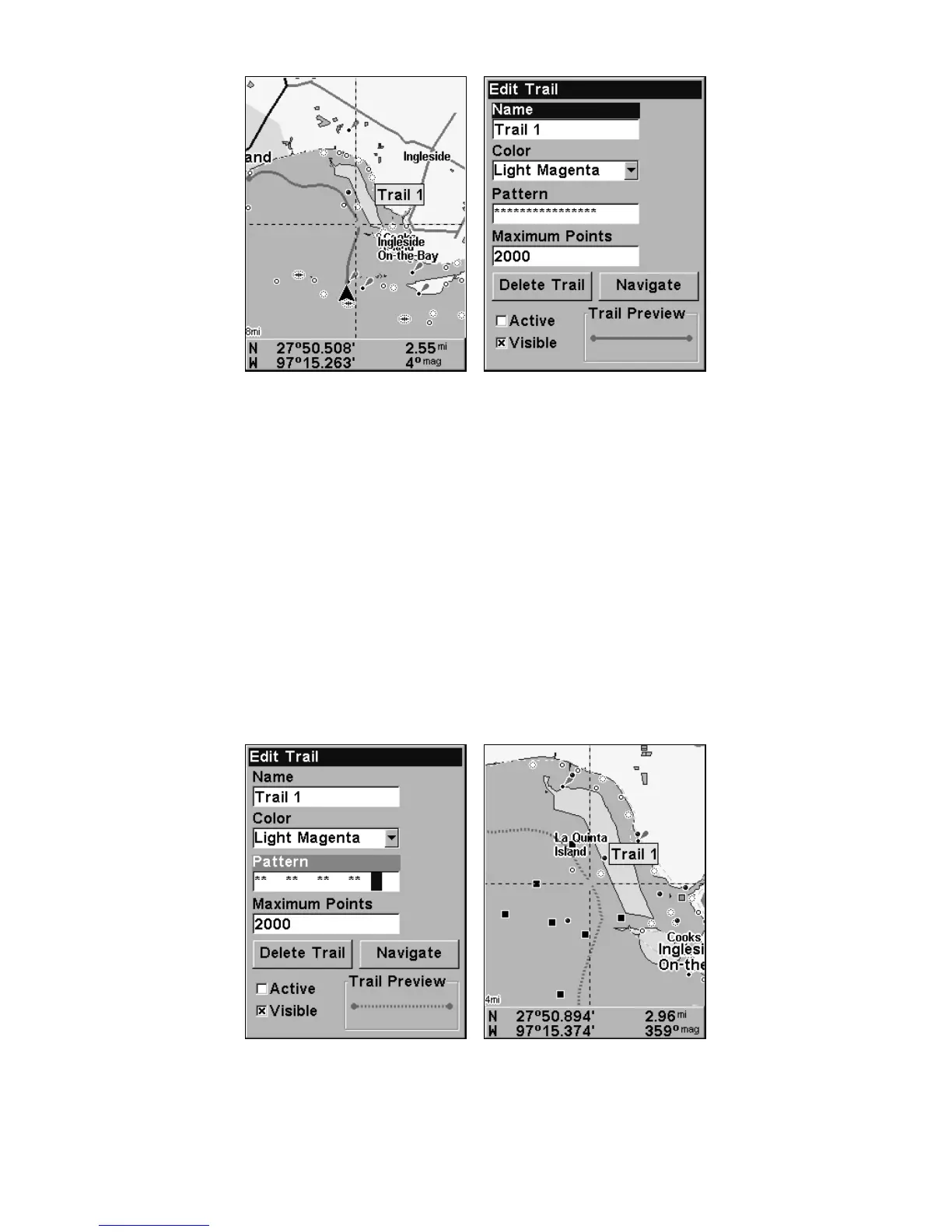
At left, trail selected with map cursor. The box at the bottom of the
screen shows distance and bearing from current position to the se-
lected point on the trail. At right, the Edit Trail menu.
Edit a Trail Color
To edit a trail color: press
MENU|MENU|↓ to MY TRAILS|ENT|↓ to trail
name|
ENT|↓ to COLOR|ENT. Press ↑ or ↓ to select a color style, then press
ENT. Press EXIT|EXIT|EXIT|EXIT to return to the previous page display.
Edit a Trail Pattern
To edit a trail pattern: press
MENU|MENU|↓ to MY TRAILS|ENT|↓ to trail
name|
ENT|↓ to PATTERN|ENT. Press ↑ or ↓ to change the first character,
then press → to the next character and repeat until the pattern is cor-
rect. Press
ENT, then EXIT|EXIT|EXIT|EXIT to return to the previous
page display.
At left, Edit Trail Menu with Pattern option selected. At right, edited
trail with dotted line pattern.













 To Next Page