154
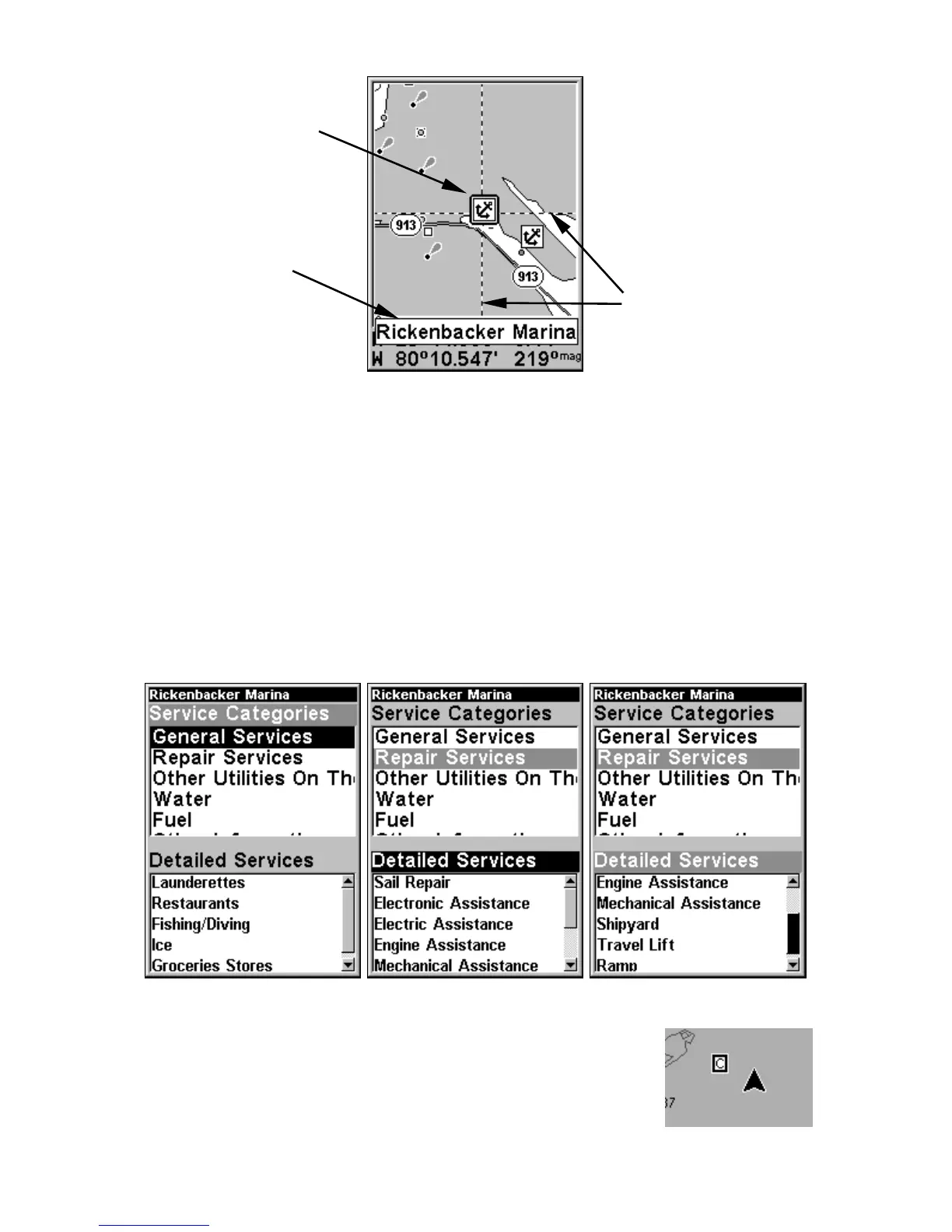
Navionics chart showing Port Services icon selected by cursor.
3. To scroll through the Service Categories window: press ENT then use
↑ or ↓ to see the types of services available. As you highlight a different
category, the list in the lower window changes. To return to the Map
Page, press
EXIT|EXIT.
4. Depending on the location, the Detailed Services window may have a
long list of services under the General Services category. To scroll
through the Detailed Services window: from
SERVICE CATEGORIES, press ↓
to
DETAILED SERVICES|ENT, then use ↑ or ↓ to read the list of available
services. To return to the Map Page, press
EXIT|EXIT. To return to the
top service category window, press
ENT|↑.
Port Services information screens.
Tidal Current Information
Navionics charts contain Tidal Current information,
represented at large zoom ranges by a box icon with
the letter "C." The icon stands for a Tidal Current
Port Services
icons
Pop-up
name box
Cursor lines













 To Next Page