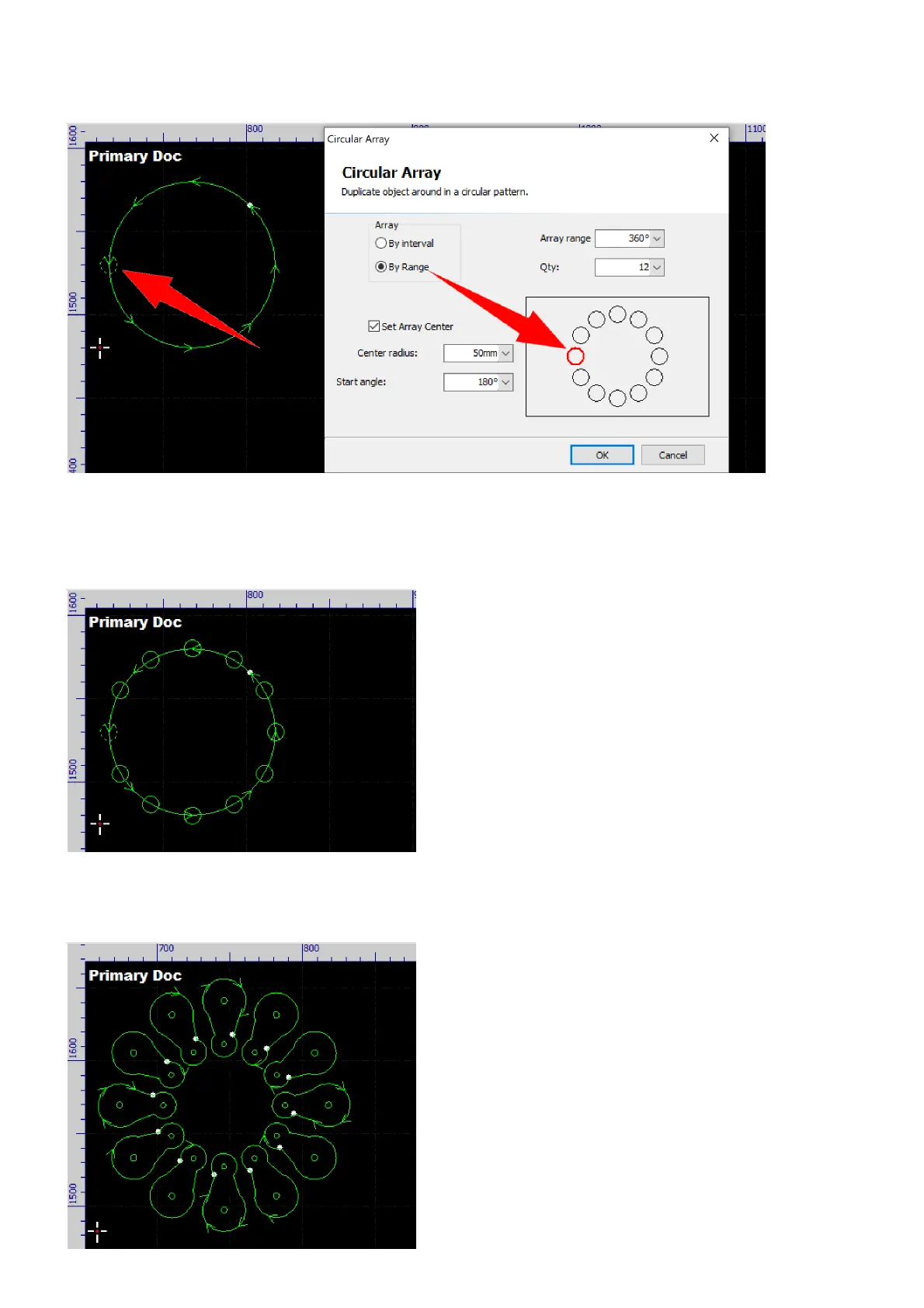
If there is no circular path to trace, you can just set up the layout in the dialog.
Check the option Set Array Center, there will be an array layout shown on the right, the red circle represents
the position of the selected contours in the array which can be set in the option Start angle, set the radius in
the option Center radius, and click the button OK to complete the operation.
In addition, the software will rotate the contours in the same angular step at the same time when laying out
circular array.



 To Next Page