Auxiliary Technologies
In some special cases, the bridge and the fly-cut functions help you complete your jobs easier, make cutting
processes more efficient, and get better results.
Bridge
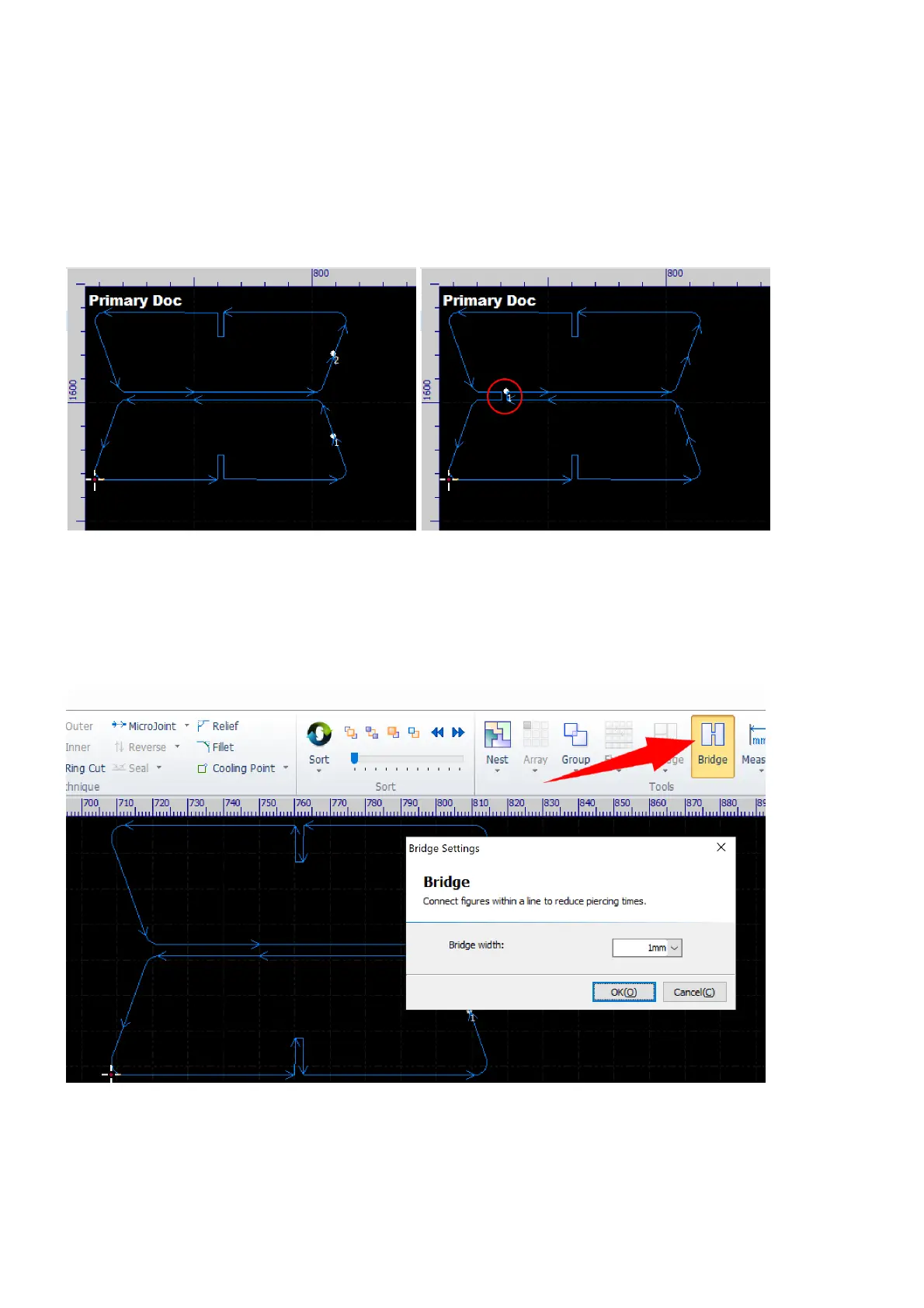
The bridge function adds small joints between contours, makes them connecting with each other.
This function is often used in two situations. First, to collect several parts together after cutting. In this case,
you make the parts which are related with each other and are in composition of a set. By adding bridges
between them, they will be connected with each other after cutting and be easy to get in order.
Select the command Bridge in Home.
Set the bridge width in the pop-up dialog and click the button OK to start setting bridges.



 To Next Page