direction change to stop that. And refer here for more details on the option Identify inner/outer contour
and The outmost is inner contour.
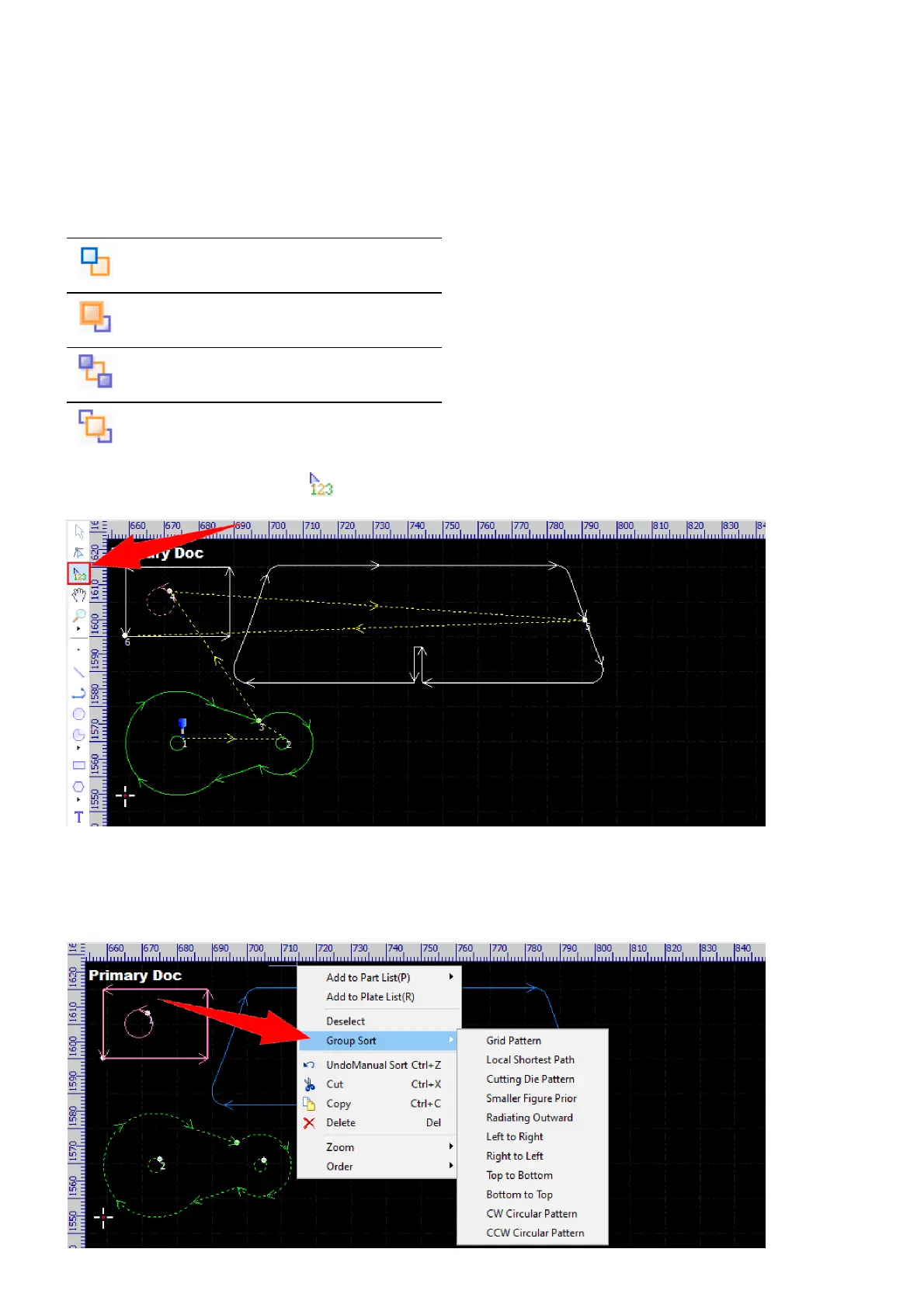
If you are not happy with the processing sequence automatically generated by the software, you can change it
by hand. Select the object and then select the commands below to complete the operation.
Button Function
Move the object one step to the back.
Move the object one step to the front.
Move the object to the last.
Move the object to the first.
You can also select the command to sort the objects by clicking on them one by one in order.
Sometimes, actually, you just want to change the processing sequence of the whole parts. In these cases, you
should set up the parts as groups first, then complete sorting. And, if you want to change the sequence in a
group, just select the group and select the command Group Sort in the context menu.



 To Next Page