Check Technology
After setting up technology, you'd better check the technology before starting machining, to confirm that all
the technologies are applied in the right way, to get a brief summary of the machining progress, e.g. cutting
length, traveling length, cutting time, traveling time, etc.
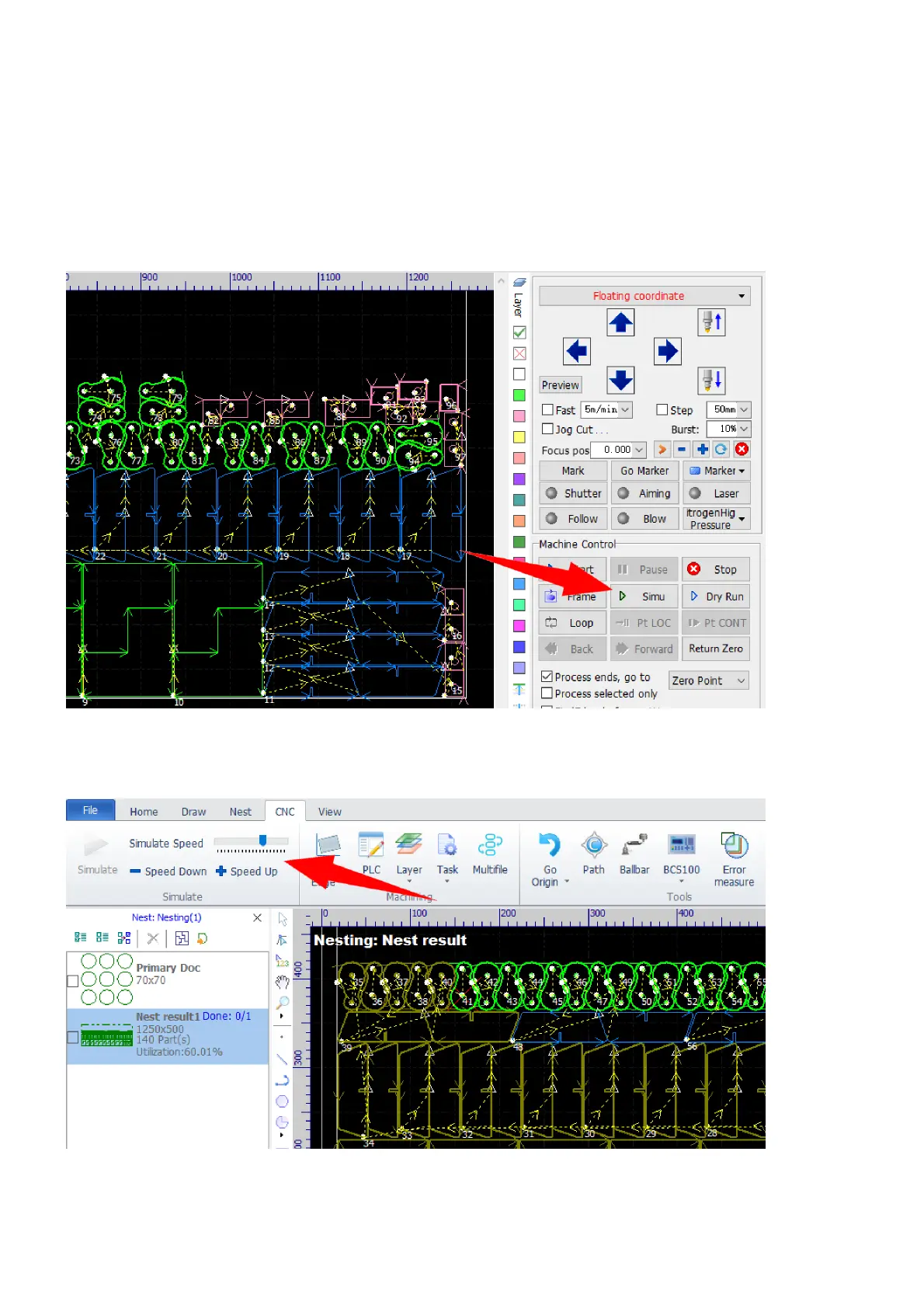
Click the button Simu in the machining panel or select the command Simulate in the menu CNC, the
software will start simulating.
In the section Simulate in CNC, you can drag the slider or click the button Speed Up or Speed Down to
change the simulating speed.
The simulation function is a kind of similar to the processing sequence preview function, refer here for more
information, but you can get more sense of how the laser is tracing the cutting path in the simulation. The
parts processed will be shown in dark yellow, the others are waiting for processing.



 To Next Page