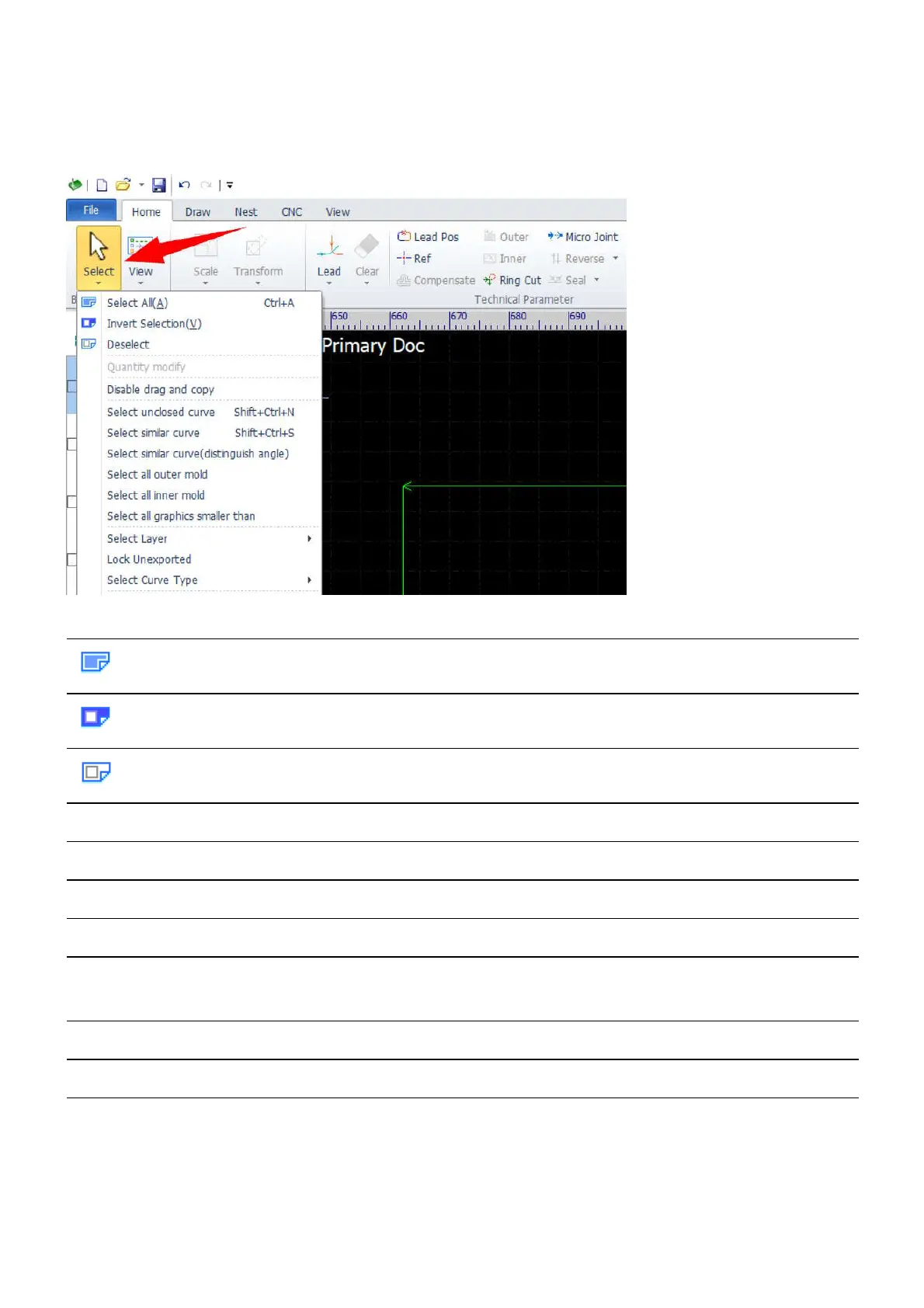
selected. Selected objects are displayed with dashed lines.
You can also select objects by the object selection functions other than drawing a selection window with the
mouse.
Button Label Function
Select All Select all the objects.
Invert Selection Select the objects other than the objects which are already selected.
Deselect Deselect the objects which are already selected.
Select unclosed curve Select the objects which are not closed in geometry.
Select similar curve Select the objects which are similar with the selected object.
Select all outer mold
Select all inner mold
Select all graphics
smaller than
Select the objects which are smaller than a specified dimension.
Select Layer Select all the objects which belong to a specific layer.
Lock Unexported Lock down all the objects in the unexported layer.
Select Curve Type
Select all the objects which belong to a specific geometry type, such
as lines, circles, curves.



 To Next Page