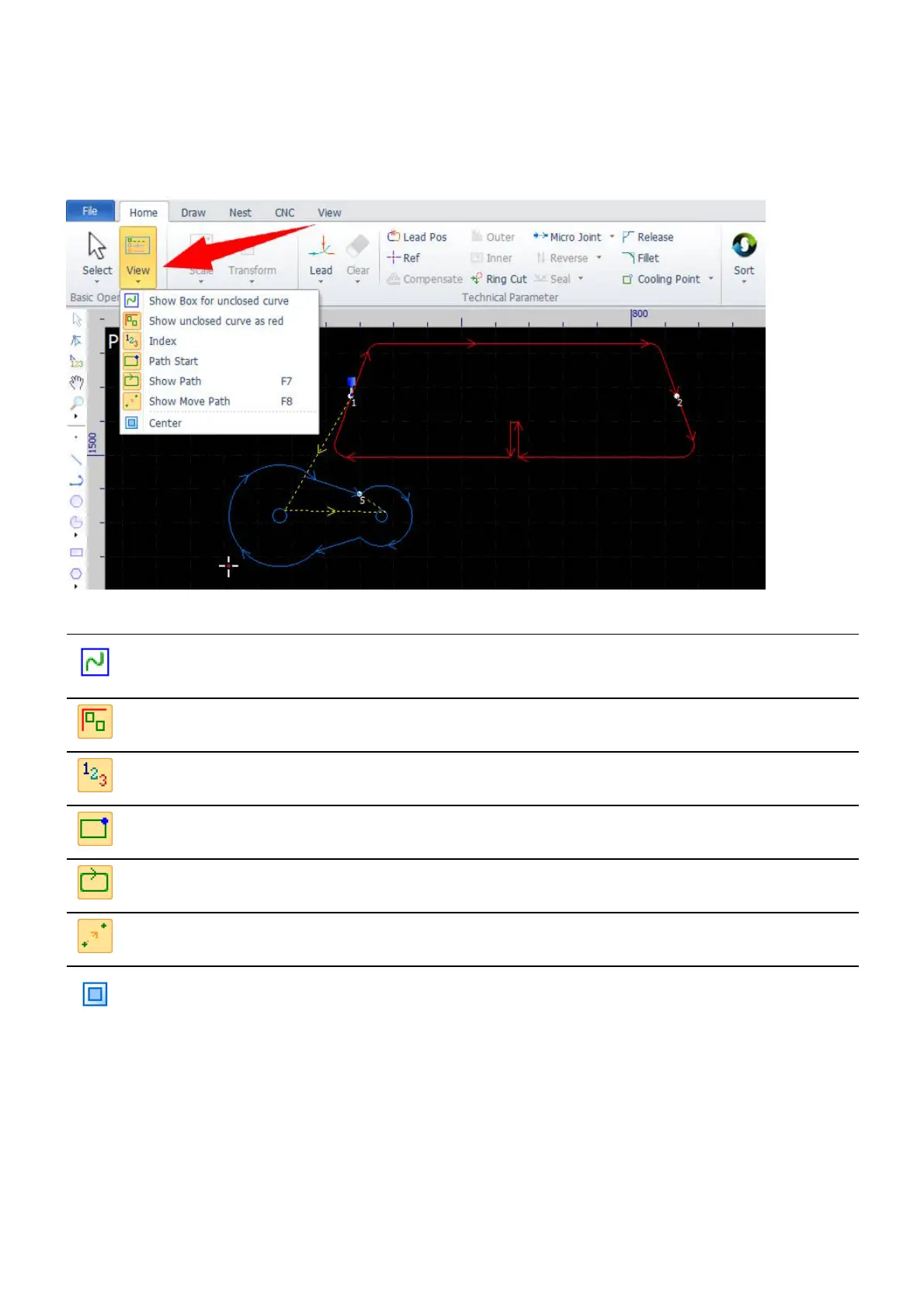
Object View Functions
The object view functions help you get more information from your drawing, i.e. if the contours are closed or
not, the start points of the cutting path, the processing sequence, etc.
Icon Label Function
Show Box for unclosed
curve
To display surrounding boxes around unclosed contours.
Show unclosed curve as red To display unclosed contours in red.
Index To display processing sequence.
Path Start To display the start points of the cutting path.
Show Path To display the direction of the cutting path.
Show Move Path To display the traveling path.
Center
Set the machine range to accommodate the drawing in the
center.



 To Next Page