In these cases, we need to correct the issues manually by ourselves. Here is a list of the drawing optimization
functions in CypCut:
Icon Label Function
Smooth To reduce jagged edges in polylines.
Split To split curves or polylines into segments, for further treatment.
Remove
Duplication
To remove duplicated drawing elements which are overlapping on or too close to
each other.
Remove
trivial
To remove drawing elements which are too small.
Combine
near
To close opening contours.
Chop
To split scraps into smaller pieces, help them fit through the strip cutting bed,
avoiding interference with the laser head.
Plate
Separate
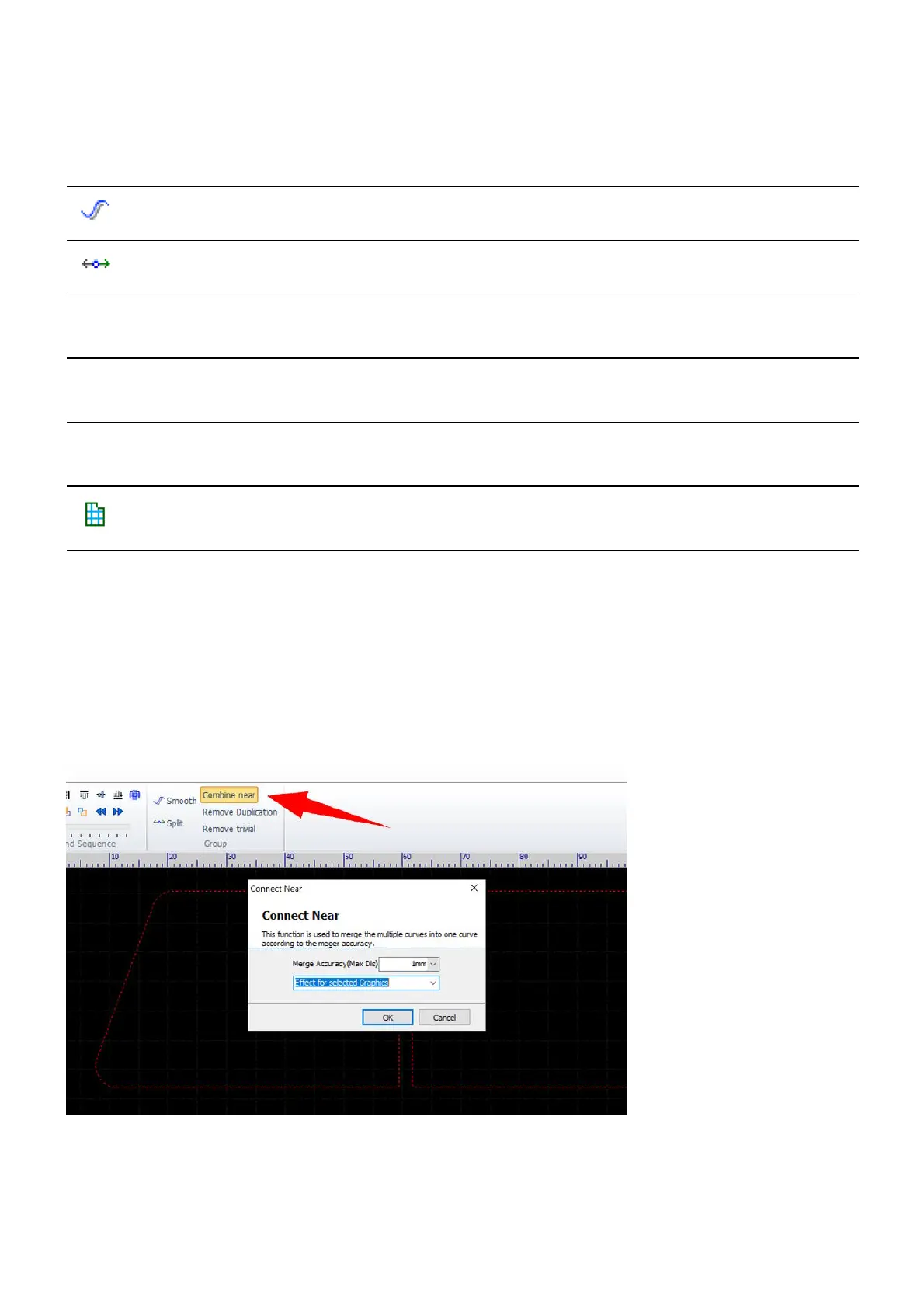
Let's go through the steps for closing opening contours. The other optimization functions work just like this
one.
Select the opening contours which are going to be closed. Then select the command Combine near in the
menu Home>Optimize or in the menu Draw.
Set a value there bigger than the dimension of the gap and click on OK, then the opening contours will be
closed.



 To Next Page