Object Transformation Functions
The object transformation functions will scale, move, align or rotate the selected objects.
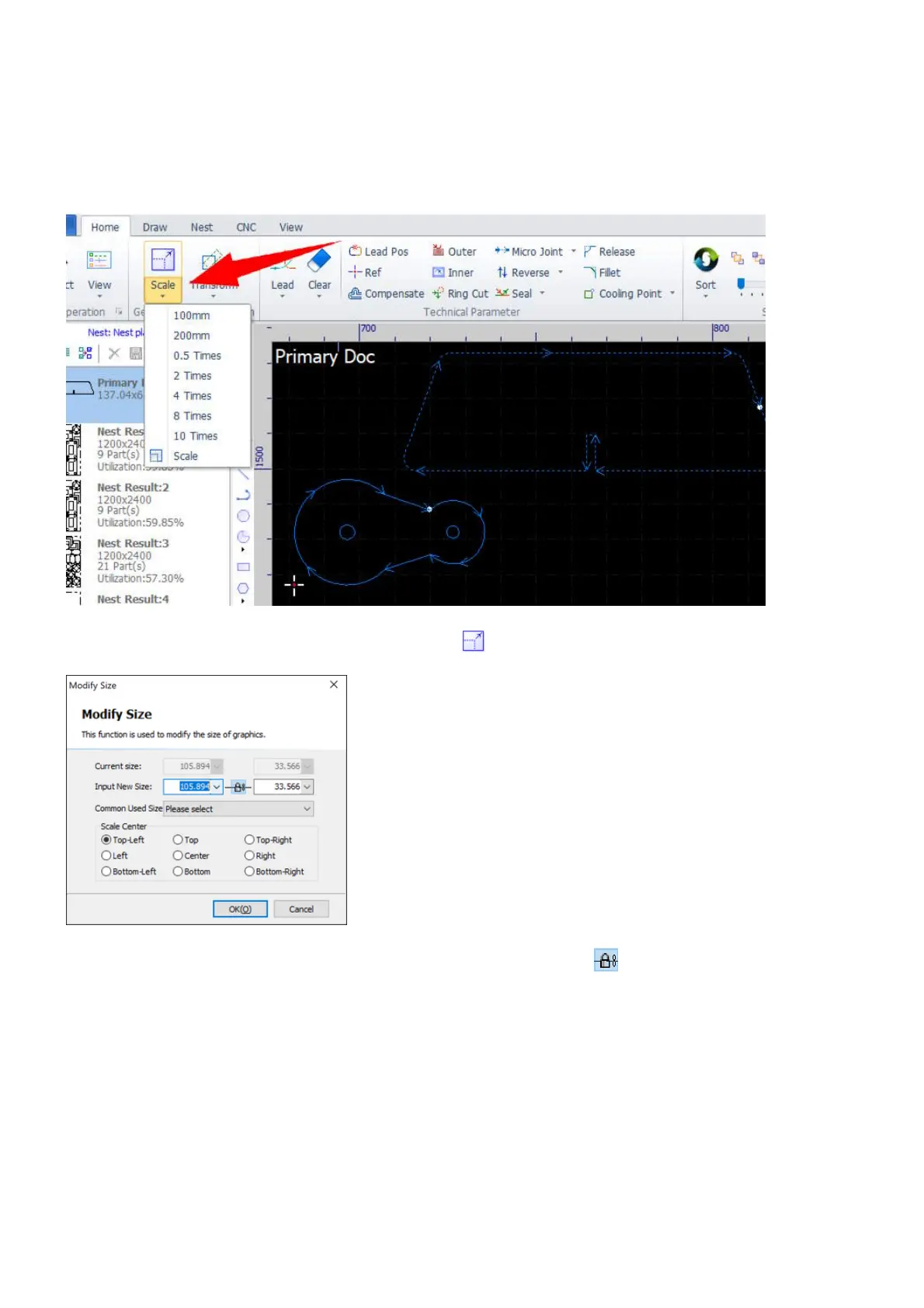
The scale functions will change the size of the selected objects, and are grouped in the menu Scale in Home.
Select one or more objects and click on the menu icon to open the dialog Modify Size.
Set a new size and click on OK to scale the selected objects. If the button is checked, the ratio of the
objects will be kept when scaling. And the point of the bounding frame being set as the Scale Center will be
kept there when scaling.



 To Next Page