Pair the touchscreen
Note:
■ The pair function only works if the device is used as a remote. Refer to
Use the
device remotely
.
■ To use the touchscreen remotely, the version number of the main unit must be 3.14
or higher. If not, the touchscreen will not work. Contact the manufacturer or the
retailer. Refer to
Contact information
.
1. Take the touchscreen out of the wall
frame and start it. Refer to
Start the
touchscreen
.
2. Make sure that the device has been
put into service. Refer to
Put the
touchscreen into service for the first
time
.
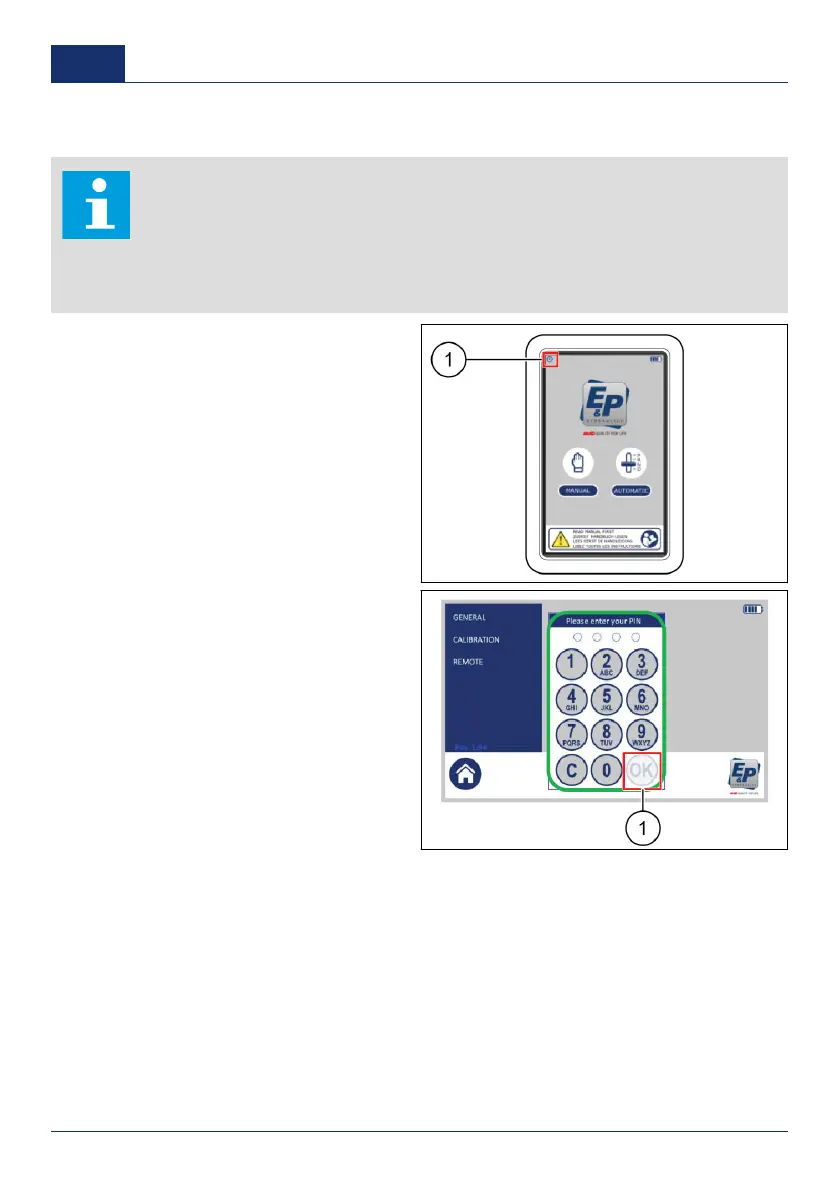
3. Push the settings button (1).
✓ A pop-up keypad shows.
4. Enter the personal access code and
push
OK
(1).
■ The factory setting personal
access code is
0000
.
30 0001
US



 To Next Page