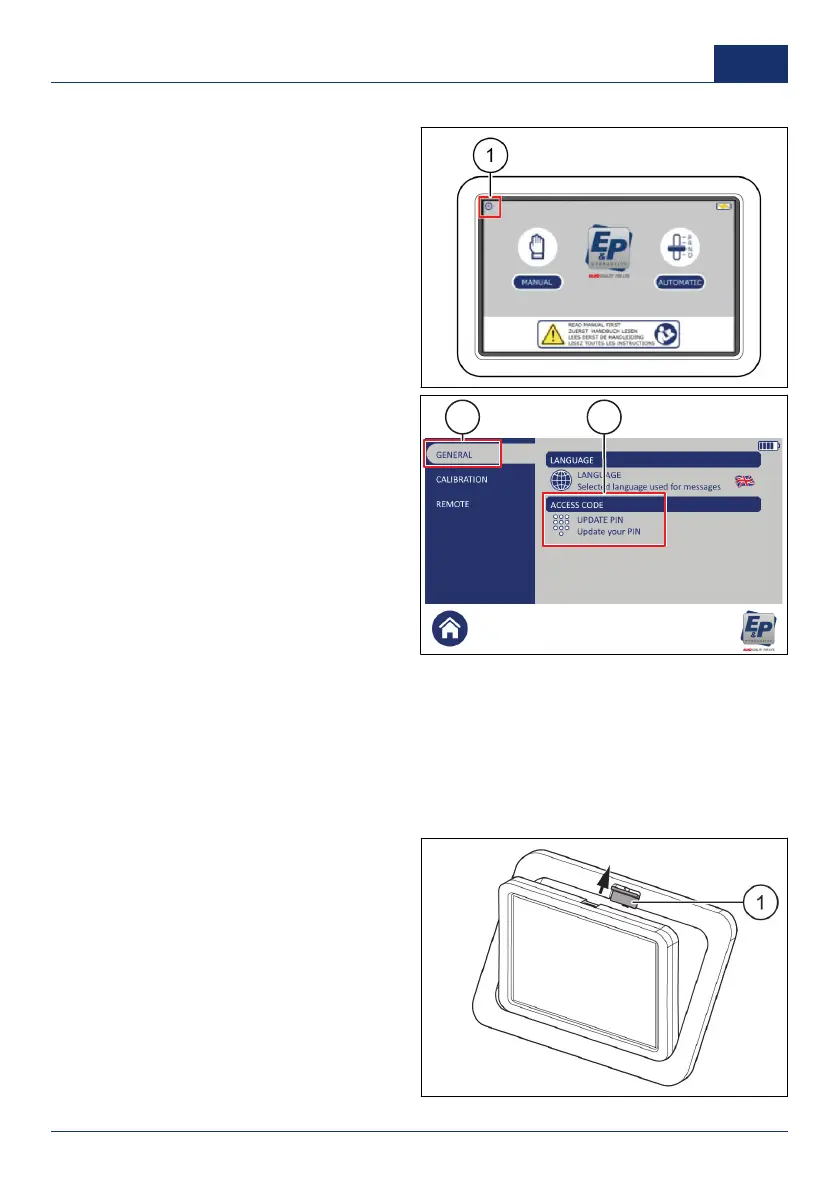
Set the personal access code
1. On the touchscreen, push the settings
button (1).
✓ A pop-up keypad shows.
2. Enter the personal access code and
push
OK
.
■ The factory setting personal
access code is
0000
.
3. Push
GENERAL
(1).
4. Push
UPDATE PIN
(2).
5. Enter the new personal access code
and push
OK
.
Prepare for operation
Use the device in the fixed location
1. Start the touchscreen. Refer to
Start the touchscreen
.
The touchscreen is prepared for operation in horizontal orientation.
Use the device remotely
1. Push the release slider (1) upwards.
2. Take the touchscreen out of the frame.
0001 37
US



 To Next Page