OPERATION
Put the touchscreen into service for the first time
When you use the E&P Hydraulics touchscreen for the first time, you can select your personal language
and set the personal access code. These procedures have been done at your dealer or installer. It is
possible to change these settings.
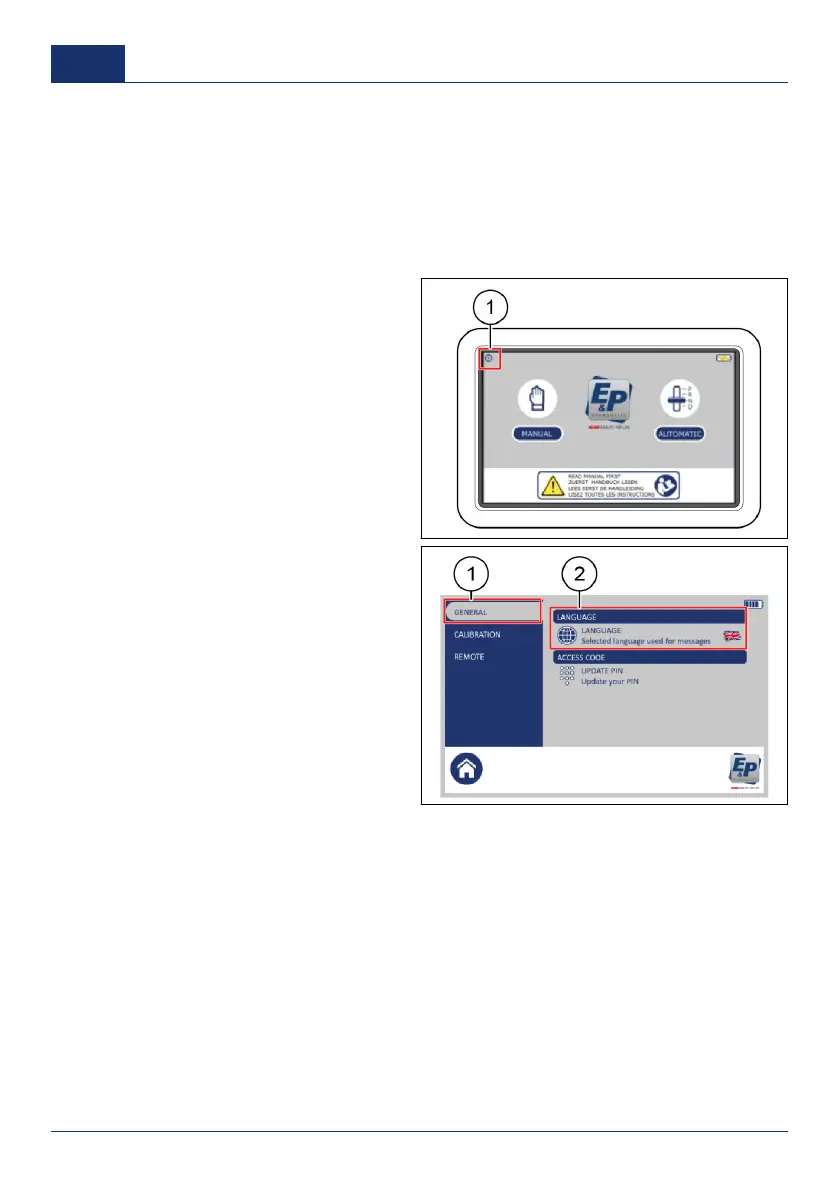
Set the language
1. On the touchscreen, push the settings
button (1).
✓ A pop-up keypad shows.
2. Enter the personal access code and
push
OK
.
■ The factory setting personal
access code is
0000
.
3. Push
GENERAL
(1).
4. Push
LANGUAGE
(2).
5. Select a language.
36 0001
US



 To Next Page