3. Fill the oil tank. Refer to
Fill the tank with oil
.
Warning:
■ Make sure that you do not fill the oil tank to the top when the jacks are
extended.
■ If there is too much foam in the oil reservoir, wait until the foam has
disappeared.
4. Fully extend the front jacks with the front side button (2).
5. Fully extend the rear jacks with the rear side button (3).
6. Retract the jacks with the retract all jacks button (1).
7. Wait until the foam in the oil reservoir has disappeared.
8. Do step 4 to 7 four more times.
✓ The bleeding procedure is now completed.
9. Make sure that the oil level is sufficient. If necessary, fill the oil tank. Refer to
Fill the tank with oil
.
Calibrate the leveling position
Note: This procedure is only applicable to a system with a touchscreen.
1. Put the vehicle on a flat surface.
2. Put a spirit level in the center of the vehicle and do the manual leveling procedure. Refer to
Manual
leveling
.
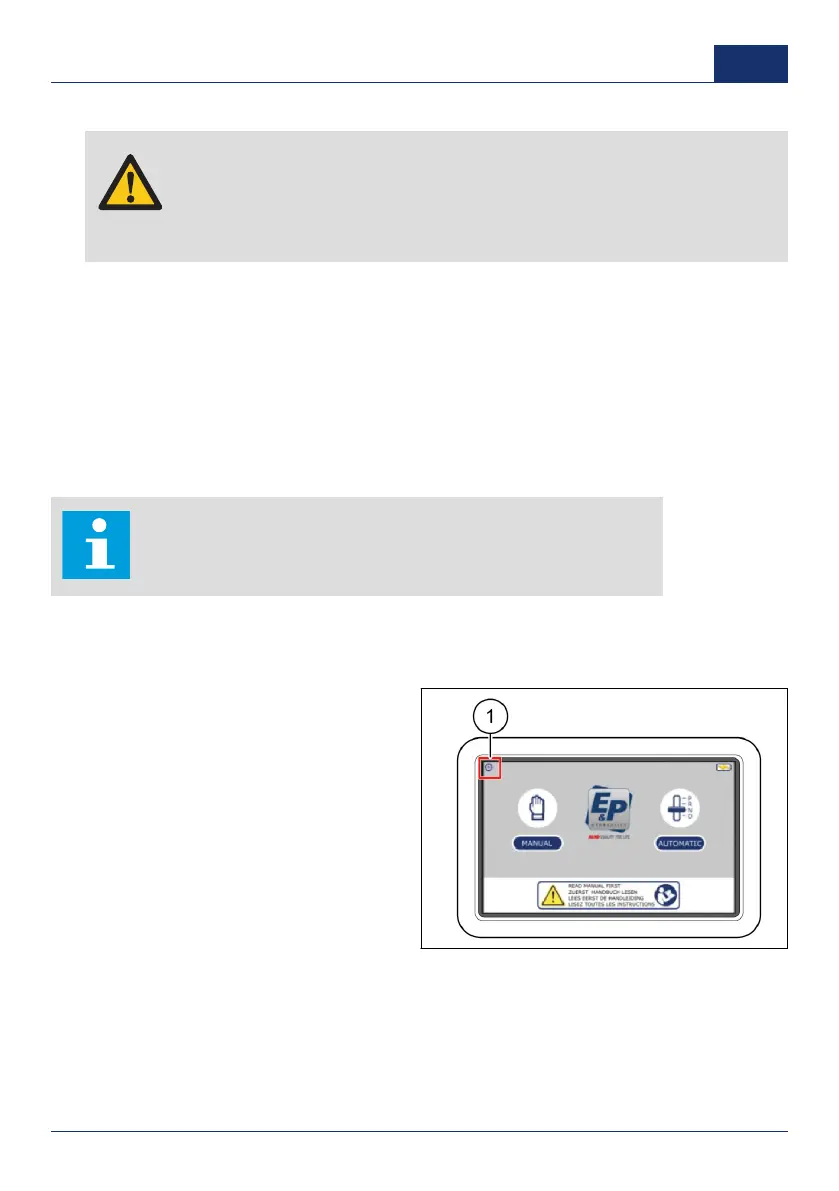
3. On the touch screen, push the home button to go back to the start screen.
4. Push the settings button (1).
✓ A pop-up keypad shows.
5. Enter the personal access code and
push
OK
.
■ The factory setting personal
access code is
0000
.
0001 33
US



 To Next Page