86-87050-00 A02 - Page 24
3.5 Return to Normal AC Source
After an outage, the UPS restarts automatically when Normal AC source is restored (unless this function has been
disabled via UPS personalization) and the load is supplied again.
3.6 UPS Shutdown When AC Present
Before shutdown, please read ALL instructions below:
3.7 UPS Shutdown When on Battery
Before shutdown, please read ALL instructions below:
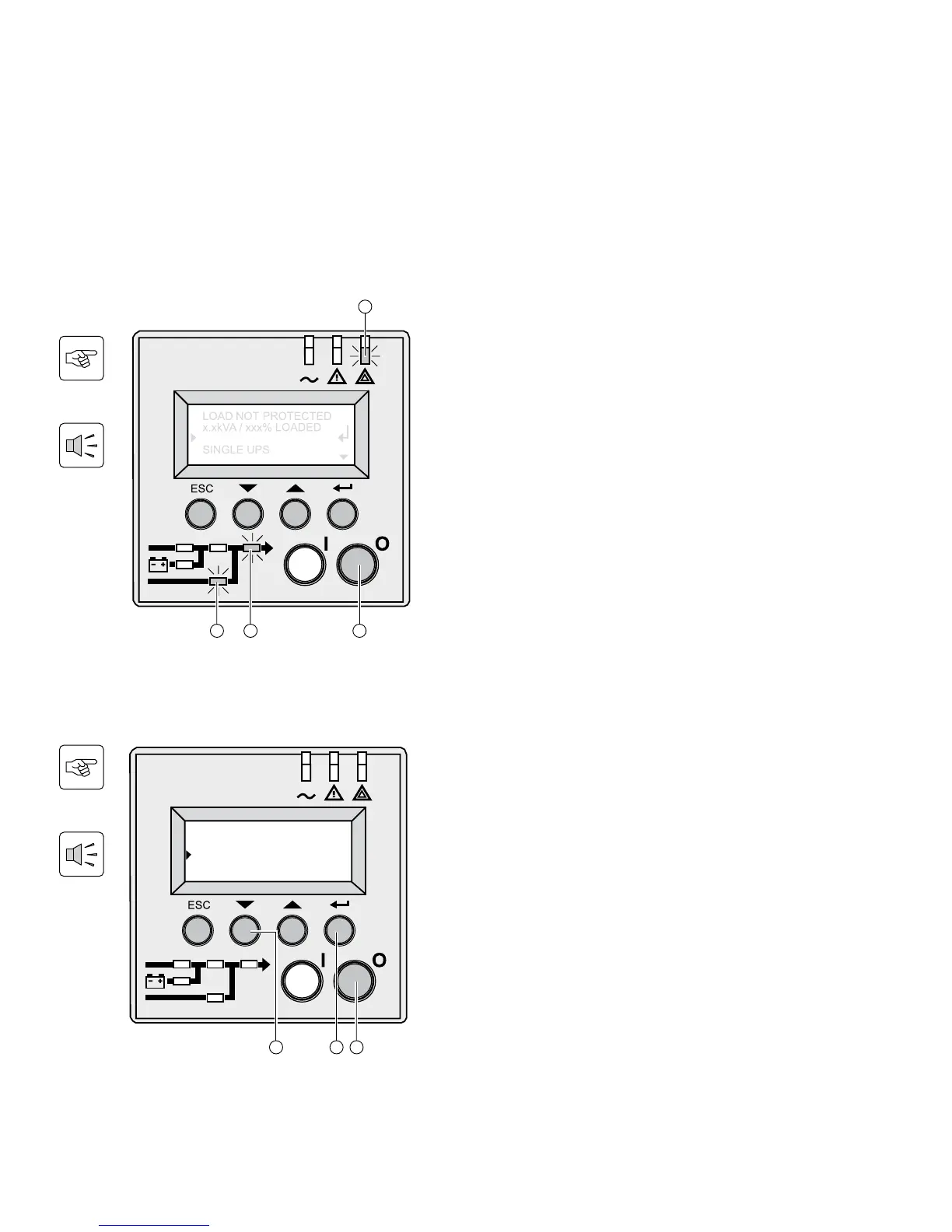
1. Press and hold the «0” (off) button (28) for 3
seconds. The buzzer beeps once.
2. The display asks for confirmation.
3. Press the scroll button (25) to select yes.
4. Press confirm button (27).
The UPS is now fully shut down.
1. Press and hold the «0” (off) button (28) for 3
seconds. The buzzer beeps once.
The load is no longer protected by the UPS. It is
powered via the Normal AC source (bypass). If
the UPS is set in frequency converter mode, the
equipment will not be powered. If the Normal AC
source is out of tolerance, the UPS will generate a
10ms output calibrated break.
LEDs (22) is ON, LEDs (33) and (34) are green.
For a full shutdown of UPS and connected load, the
upstream circuit breaker (not included) should be set
to the off position or remove the Normal AC source.
3. Operation



 To Next Page