86-87050-00 A02 - Page 29
5. Troubleshooting
Displayed details Signification Correction
NO BATTERY
The battery is incorrectly
connected
Check battery connections (see section 2.9)
I/O BAD CONNECTION
AC source is not connected to the
correct terminals
Check AC wiring
NO POWER MODULE
The power sub-module is not
inserted
Check power sub-module connections
(see section 7.1)
NO BATTERY MODULE
The battery sub-module is
incorrectly connected
Check battery connections
(see section 7.2)
INV THERM OVERLOAD
The UPS shuts down automatically
because of a major overload
Check the power drawn by the connected
devices and disconnect any non-priority
devices
INVERT LIMITATION
Short circuit conditions on output
devices
Check the installation at the UPS output
(wiring, fault equipment)
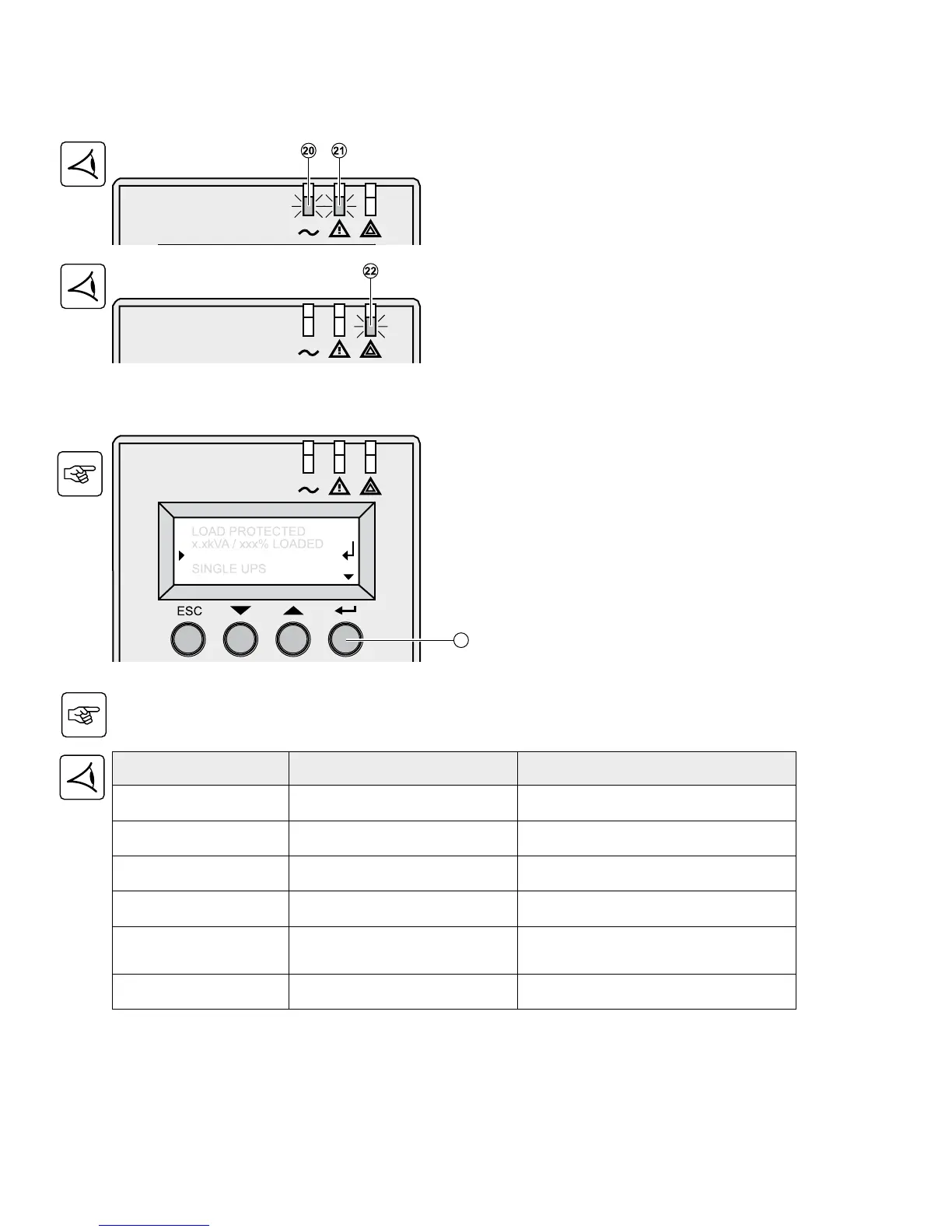
5.1 Troubleshooting LEDS (21) and (22)
If LED (21) is ON:
The equipment is protected by the UPS but the
operation is downgraded.
If LED (22) is ON:
The equipment is no longer protected by the UPS.
5.2 Troubleshooting Not Requiring EATON After-Sales Support
Press the “Enter” button (27) to display the details below:



 To Next Page