86-87050-00 A02 - Page 15
2. Installation
2.4 Installation in Rack Position
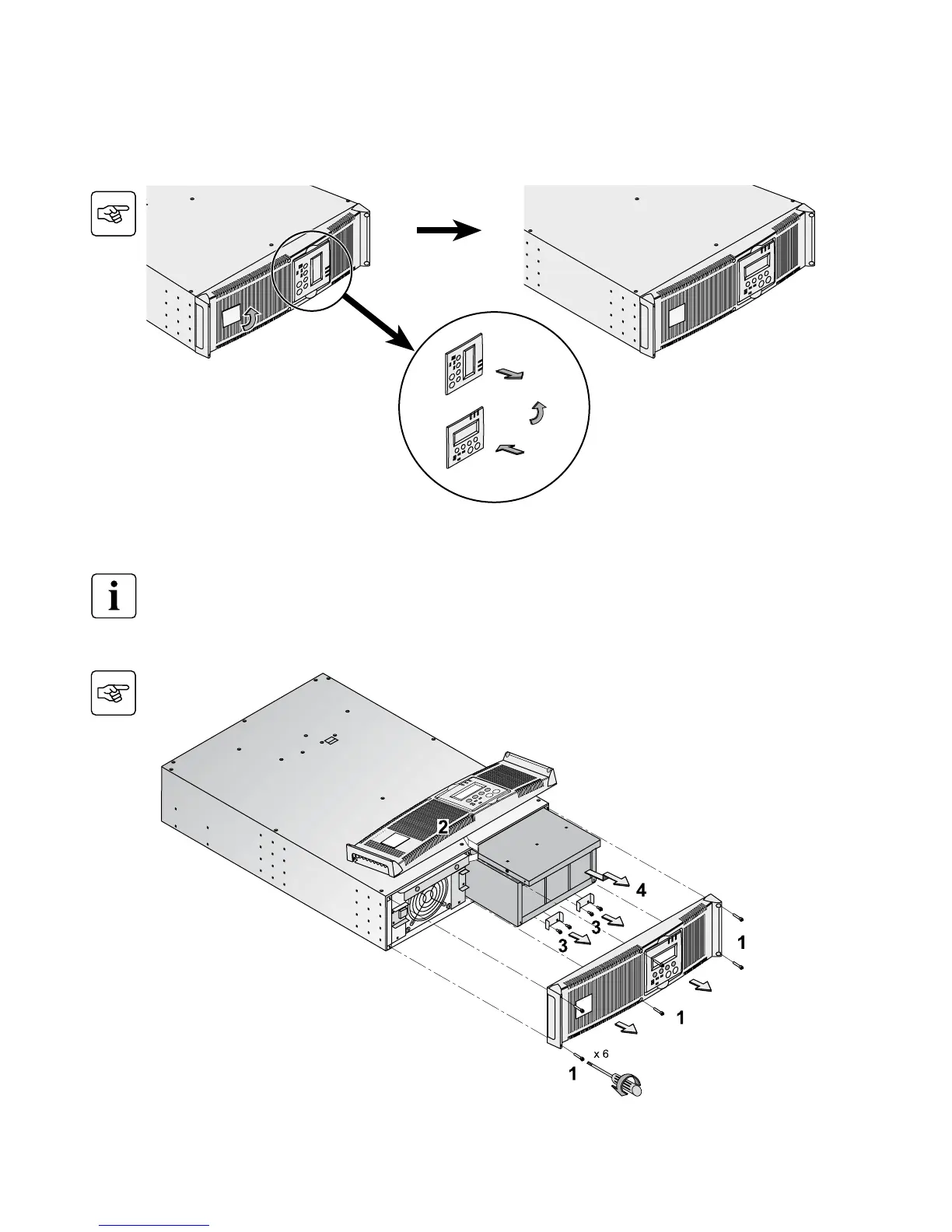
Adjustment of the orientation of the logo and control panel
UPS module rack mounting
MX RT is very heavy. To ease its rack integration, we strongly recommend to remove the battery tray as shown
below.
See Section 7.2 for complete
instructions on battery removal.



 To Next Page