Battery Personalization
4.5 Maintenance
4.6 UPS Set-Up Using External Software
w Insert the Solution-Pac CD-ROM in the drive.
w On the first navigation screen, select «Point to Point solution» and follow the instructions on how to install the
Personal Solution-Pac software.
w Then select «Settings», «Advanced settings» and «UPS settings».
Note This feature is only supported through Windows and the RS232 communication.
4. Access to Maintenance and Personalization Data
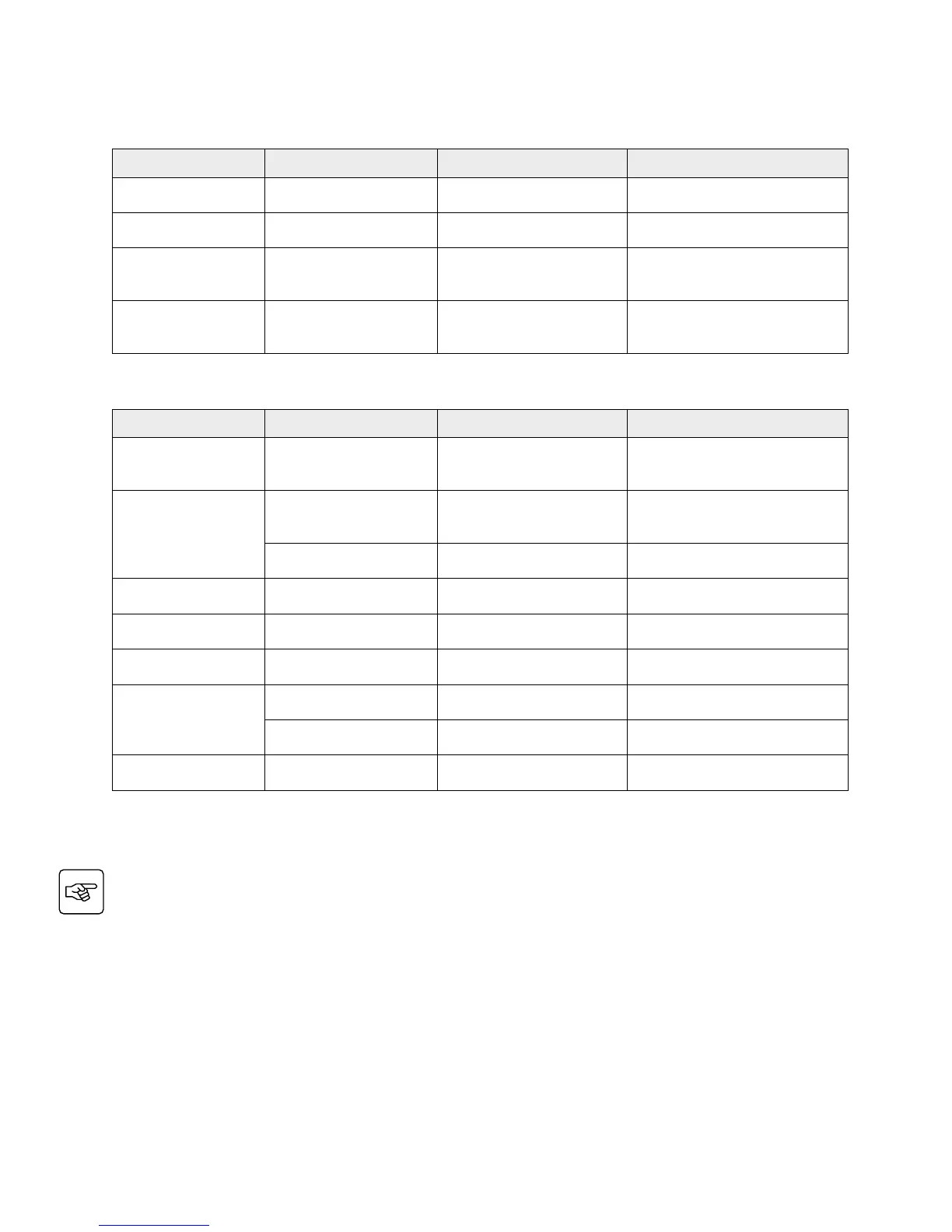
Function Factory Setting Options Comments
Battery test Every week No test / daily test / monthly
Low Batt warning 20% 0 to 100% 1% increment
User Battery Settings
UPS reads number
of battery modules
connected
From 0 to 40 Ah 5 Ah increment
Deep DischargeProtect Yes No
Protection against deep
discharge. If disable, EATON
warranty will be void
Function Sub-Function Options/Display Comments
Model Power Module
SN: xxxxxxxxx
SOFT: xxx
NT: xxx
Serial number
Soft version
Technical level
Alarm History
Read
Description
Date Hour
Alarm xxx
10 alarms can be stored
automatically
Erase No / Yes
Manual Batt Test Manual Battery Test No / Yes
Led Buzzer Test Led & Buzzer Test No / Yes
Life Cycle Monitoring LCM Enable / Disable Life cycling monitoring alarms
Statistics
Auto Statistics Statistics
Custom Statistics
Reset Date: No, Yes
Statistics
Operation Limits Operation Limits
Automatic alarms displayed when
UPS is operating near the limits



 To Next Page