86-87050-00 A02 - Page 31
6. Life Cycle Monitoring (LCM)
6.1 Description
This function, embedded in the UPS, displays messages on screen, and communication channels, at every
important stage of the UPS’s life, allowing you to:
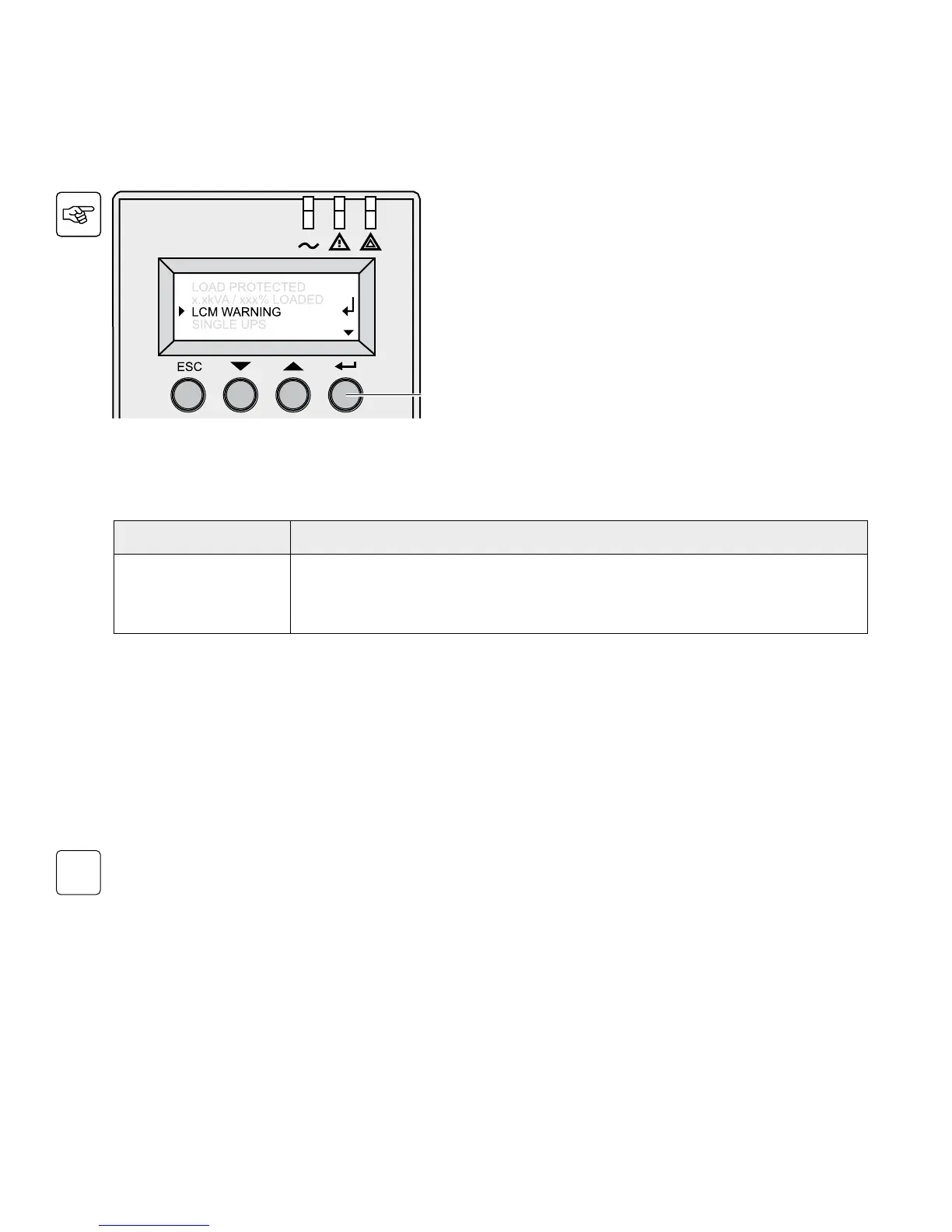
Press the “Enter” button (27) to display LCM warning
details.
Secure your installation power continuity
Anticipate needed maintenance actions thanks to automatically displayed warnings:
LCM warning details Signification
BATTERYCHECK
RECOMMENDED
CONTACT
www.eaton.com
Battery is approaching its reliability end of life. Risk of dramatically reduced backup time
Reset or disable LCM
In case of any LCM messages displayed:
w For temporary reset: Press ESC for more than 3 seconds in the Status and Alarm screen, to temporarily cancel the
alarm status. The alert will be repeated twice in 30 days.
w For permanent reset: Press ENT for more than 3 seconds in the LCM warning screen, to permanently cancel this
LCM event.
At any time:
To Disable all LCM messages select “disable all”, in LCM menu with LCD navigation.
You will not be aware of any LCM events that can happen on the UPS if you disable all LCM messages.



 To Next Page