Page 10
ATS-00_EN
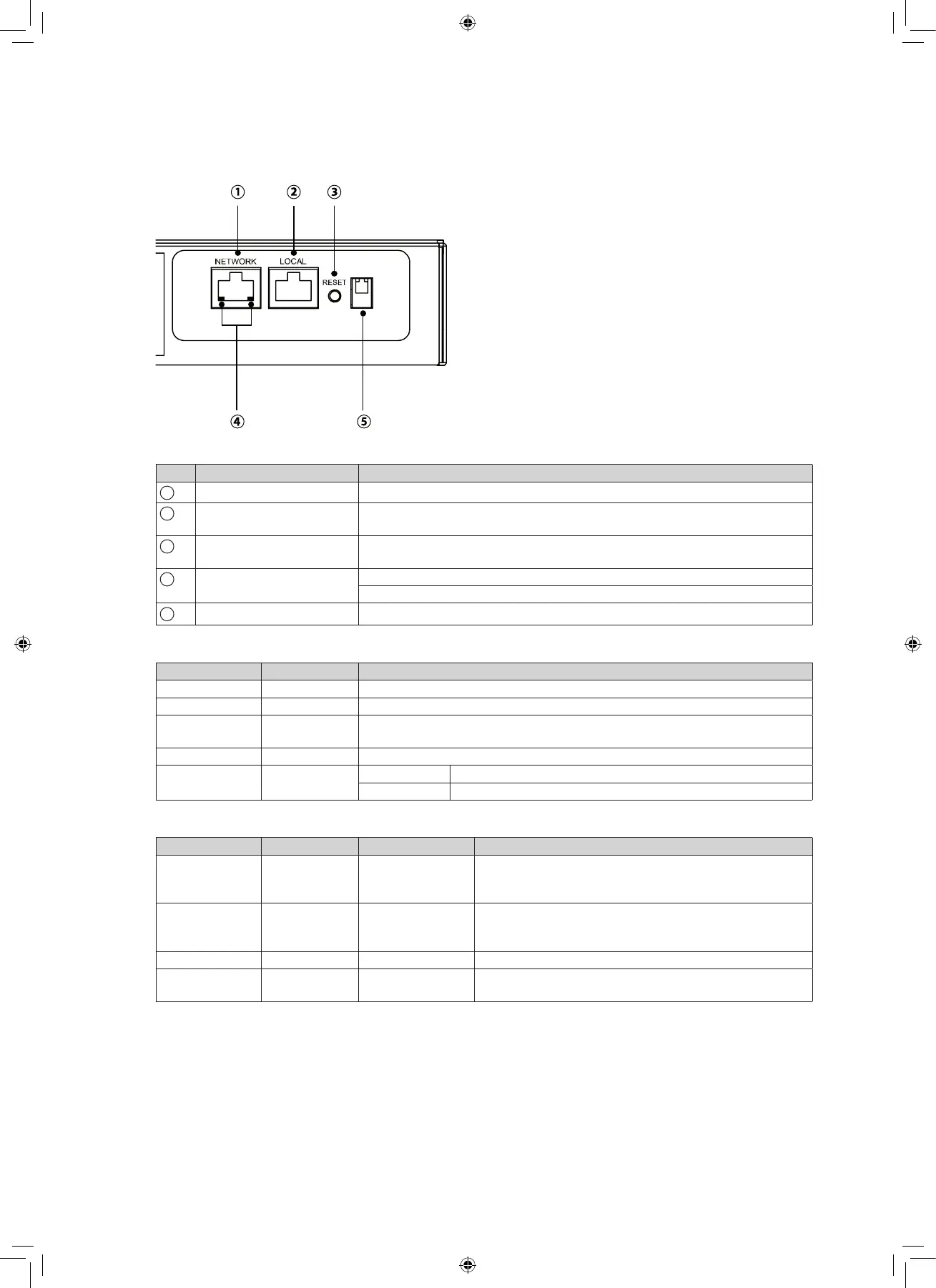
5.2 Communication card
N° Indicator Description
1
NETWORK port
Connects to the Ethernet Network
2
LOCAL port ConnectstoaworkstationwithanRJ45toDB9cabletoconfigurethe
system.
3
RESET button Resets InsightPower SNMP IPv6 for ATS (hereafter referred to as SNMP
IPv6). This does not affect the operation of the ATS
4
LED indicators NET LED (green) indicates network communication status
ATSLED(yellow)indicatestheATS’scommunicationstatus.
5
DIP switch
Sets up operation mode
LED indicators
LED Condition Meaning
NET LED OFF Ethernet is unlinked.
NET LED Green Ethernet is linked.
ATS LED OFF 1. Initialization
2. SNMP IPv6 abnormality
ATS LED Amber SNMP IPv6 abnormality
ATS LED
Blinking
Every second Poor connection between the ATS and the SNMP IPv6
Every 50 ms Normal connection between the ATS and the SNMP IPv6
DIP switch
DIP 1 DIP 2 Operation mode Description
OFF OFF Normal mode Thebuilt-inSNMPIPv6providestheATS’sstatus
information and parameters through a network
system.
OFF ON Pass through
mode
The built-in SNMP IPv6 stops polling the ATS but
transfers the communication data between the
"LOCAL" port and the ATS.
ON OFF - Invalid state
ON ON Configuration
mode
In this mode, users can login through the "LOCAL"
portandconfigurethebuilt-inSNMPIPv6’ssettings.
5. Operation



 To Next Page