Eaton SPD Series for Mounting External to Electrical Distribution Equipment Installation Manual IM01005031E—Rev 09 21
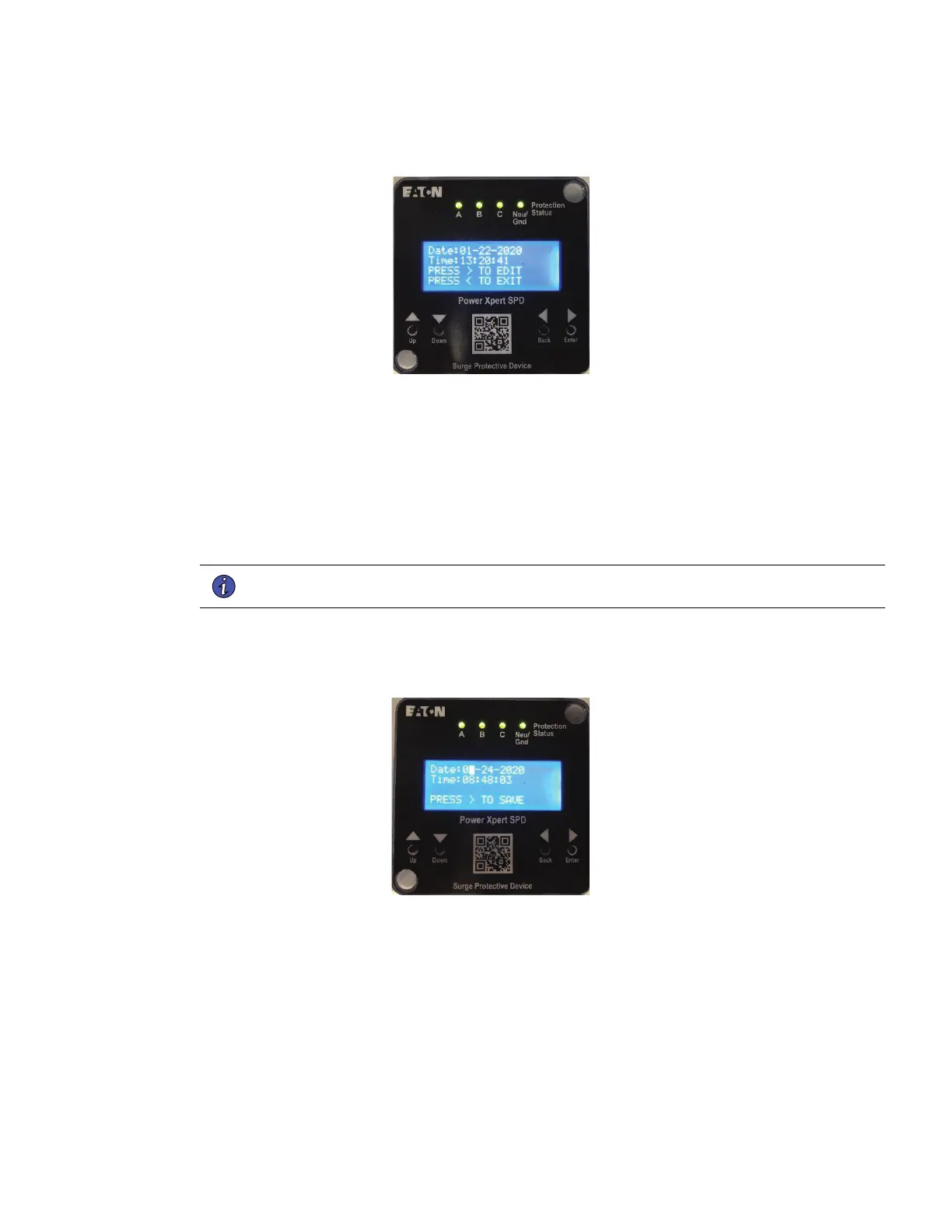
FFiigguurree 2266.. SSeettttiinngg DDaattee aanndd TTiimmee
6. Press Up to enter the month,
a. Press Enter to move to the date selection
b. Press Up to enter the date, then press Enter
c. Press Up to scroll to the current year
d. Press Enter to move to hours and repeat the process for minutes and seconds.
e. Press Enter to save the settings and then return to the previous screen.
NNOOTTEE Time will initially be displayed in UTC time on the web UI. This can be changed through
the web UI.
7. Time will initially be displayed in UTC time on the web UI. This can be changed through the web UI.
FFiigguurree 2277.. SSaavviinngg tthhee DDaattee aanndd TTiimmee
55..22..22 CCoonnffiigguurraattiioonn ooff tthhee UUsseerr''ss LLaappttoopp ttoo CCoommmmuunniiccaattee ttoo PPXX--SSPPDD
Follow these steps to enter the IP and Subnet Address on the user's laptop or PC.
1. In Windows applications, navigate to Network and Sharing Center.
Power Xpert SPD User Setup


 To Next Page
 Loading...