Click on [Add] button to confirm settings. Connections shall be saved (and inserted
in table). From this time on program shall enable wires connection with device and
reading, and saving of parameters in memory will be possible.
6.3.5.2. Remote connection
As provided above the device and software makes for complete configuration with
GPRS link or CSD channel. This programming mode requires definition of linking
parameters.
GPRS linking
Activate file in Main menu and select Connection function (or after clicking on
icon on fast access bar) and click on GPRS tab to carry out configuration of this
mode.
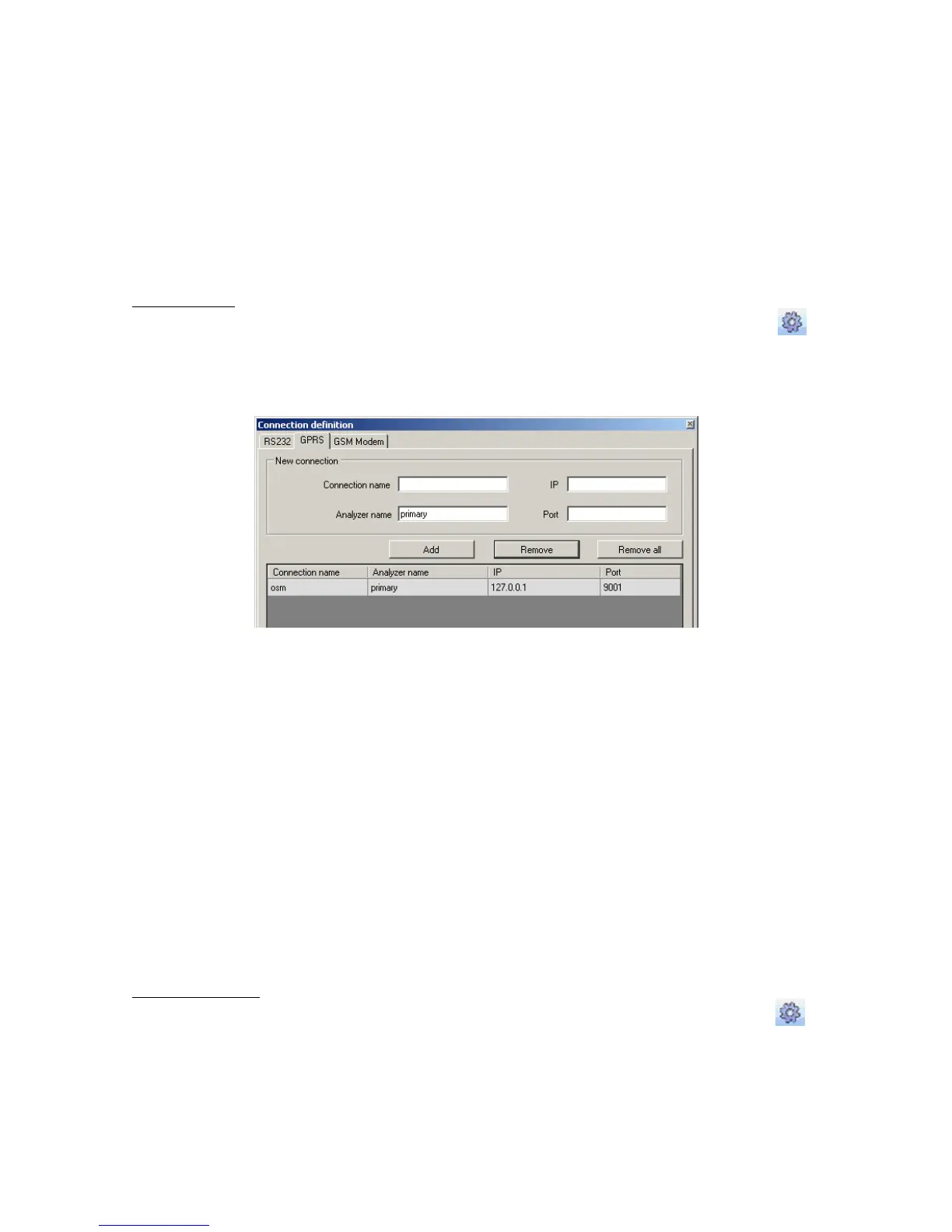
On screen the following window shall appear:
Define:
Name of connection e.g.: Remote
Select name of analyzer e.g.: Primary
Enter analyzer address e.g.: 87.128.125.8
Enter port on which analyzer operates e.g. 7000
Click on [Add] button to confirm settings. Connections shall be saved (and inserted
in table). From this time on program shall enable remote connection to device and
reading and saving of parameters in memory shall be possible.
Notice: The following parameters: analyzer name, analyze address, port
relate to settings of OSM.2007 receiver of monitoring system. Remote
programming is available only if above mentioned device (or software) is
used.
CSD connection
Activate file in Main Menu and select Connection function (or after clicking on
icon on fast access bar) and click on GSM Modem tab to carry out configuration of
this mode.
On screen the window shall appear where it is possible to define:



 To Next Page