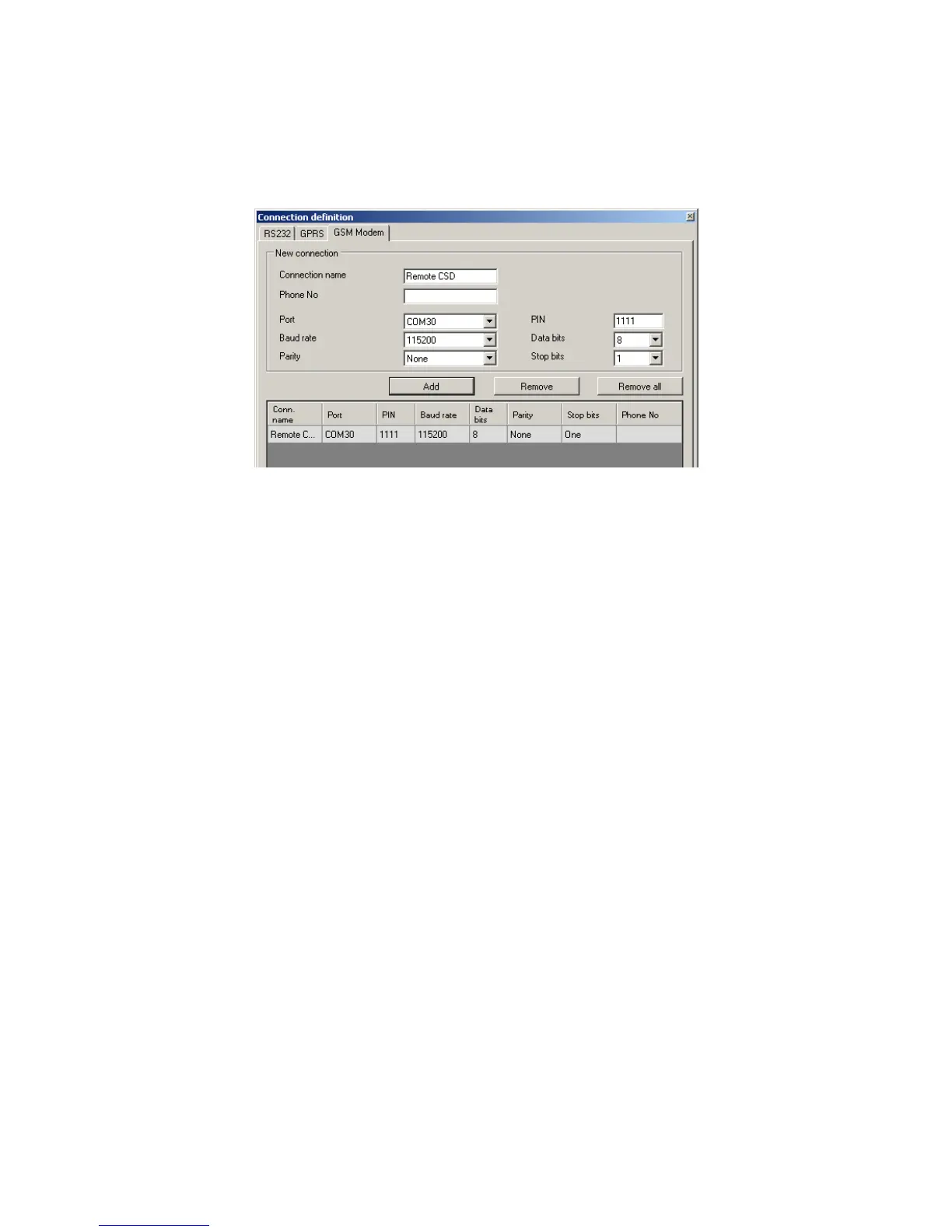
Name of connection e.g. Remote CSD
Serial port where GSM modem is connected (e.g. Wavecom Fastrack)
PIN code of SIM card installed in GSM modem e.g. 1111
Serial port parameters: amount of bytes/sec. (e.g. 115200), data bytes (8),
parity (none), stop bytes (1)
Click [Add] button to confirm settings and save connection (settings are inserted
into table). Since that time a remote connection to device, reading and saving of
parameters in transmitter memory is possible.
Note : Remote configuration with CSD canal is possible if option of CSD data
sending has been activated both for SIM card inserted into a device and SIM card
installed in GSM modem. Beside, transmitter must enable to pick up data calls (see
7.5.2 GSM modems authorized phones)
Programming with CSD is also possible if OSM.2007 system has been installed, and
minimum one GSM modem is connected. If device has been entered onto server list
(factory number and SIM card telephone number –See OSM.2007 Operation
Manual) it is possible to use link via OSM. It is possible if device is not connected to
the OSM.2007 via GPRS. During programming procedure (with GPRS link- See
above) a question will be displayed if user want to use a modem connected to the
server. After confirmation procedure will follow as in case of other programming
channels.
6.3.6. File-> Automatic device settings backup
All configuration settings including reread from devices and saved on devices are to
be automatically saved on hard disc. If during installation on configuring tool
settings have not been changed, files will be saved as follows:
C:\Program Files\ EBS\KonfiguratorLX\configs\PX200N_20000
Catalog
PX200N
_20000 contains all files in respect of
PX200N
with factory number
of 20000 programming. The name contains date and time of operation and its type
(saving/ reading). Files have cmi extension.
6.3.7. File -> Exit
Finishes program operation.



 To Next Page