EasyManua.ls Logo

echosens FibroScan 502 touch - Page 22

Default Icon
70 pages
Print Icon
To Next Page IconTo Next Page
To Previous Page IconTo Previous Page
Loading...
EE
FIBROSCAN
502
TOUCH
USER
MANUAL
FibroScan
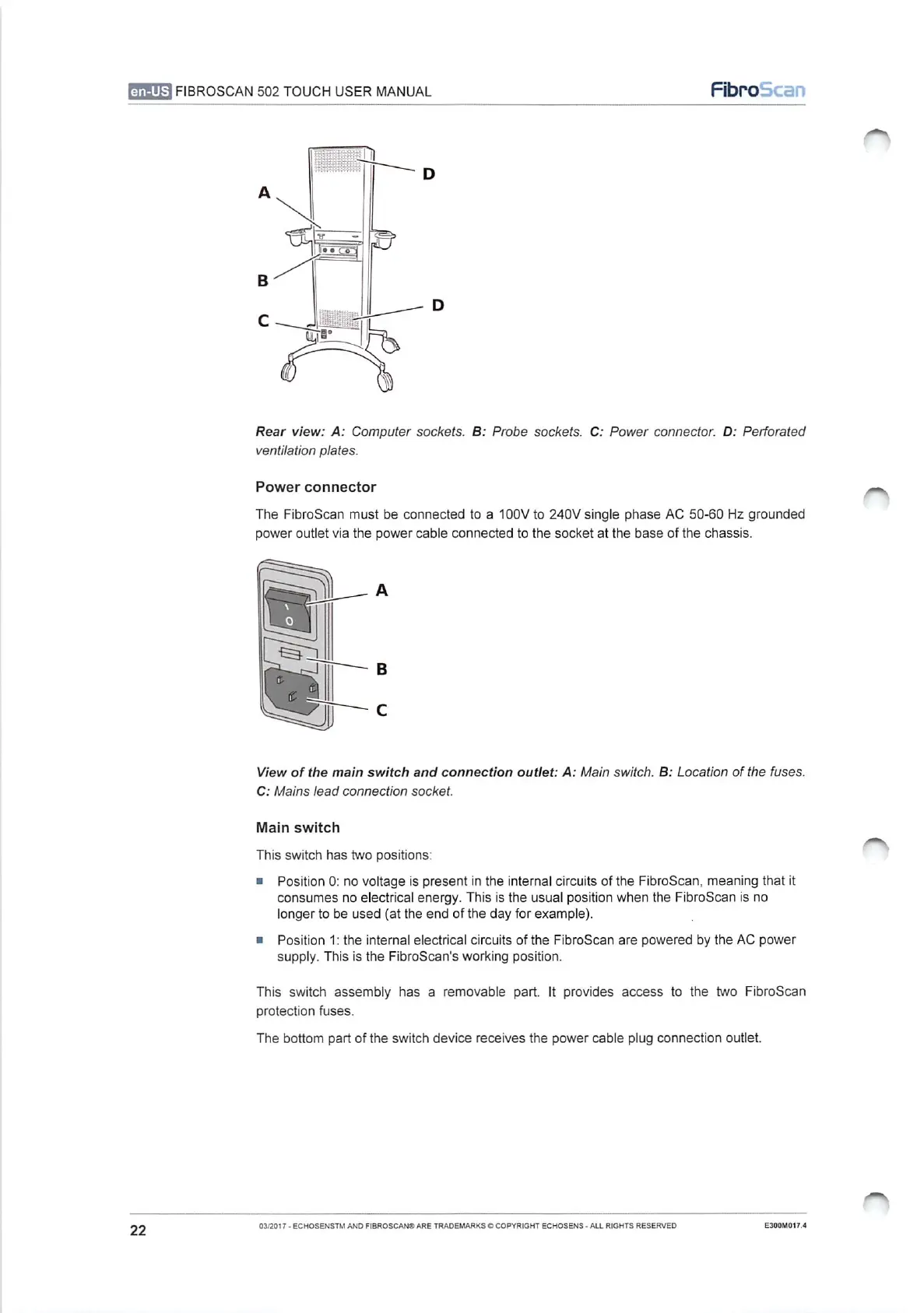
Rear
view:
A:
Computer
sockets.
B:
Probe
sockets.
C:
Power
connector.
D:
Perforated
ventilation
plates.
Power
connector
The
FibroScan
must
be
connected
to
a
100V
to
240V
single
phase
AC
50-60
Hz
grounded
power
outlet
via
the
power
cable
connected
to
the
socket
at
the
base
of
the
chassis.
View
of
the
main
switch
and
connection
outlet:
A:
Main
switch.
B:
Location
of
the
fuses.
C:
Mains
lead
connection
socket.
Main
switch
This
switch
has
two
positions:
=
Position
O:
no
voltage
is
present
in
the
internal
circuits
of
the
FibroScan,
meaning
that
it
consumes
no
electrical
energy.
This
is
the
usual
position
when
the
FibroScan
is
no
longer
to
be
used
(at
the
end
of
the
day
for
example).
m
Position
1:
the
internal
electrical
circuits
of
the
FibroScan
are
powered
by
the
AC
power
supply.
This
is
the
FibroScan's
working
position.
This
switch
assembly
has
a
removable
part.
It
provides
access
to
the
two
FibroScan
protection
fuses.
The
bottom
part
of
the
switch
device
receives
the
power
cable
plug
connection
outlet.
22
03/2017
-
ECHOSENSTM
AND
FIBROSCAN®
ARE
TRADEMARKS
©
COPYRIGHT
ECHOSENS
-
ALL
RIGHTS
RESERVED
E300M017.4

Table of Contents