EasyManua.ls Logo

echosens FibroScan 502 touch - Page 23

Default Icon
70 pages
Print Icon
To Next Page IconTo Next Page
To Previous Page IconTo Previous Page
Loading...
FibroScan
FIBROSCAN
502
TOUCH
USER
MANUAL
ENEE]
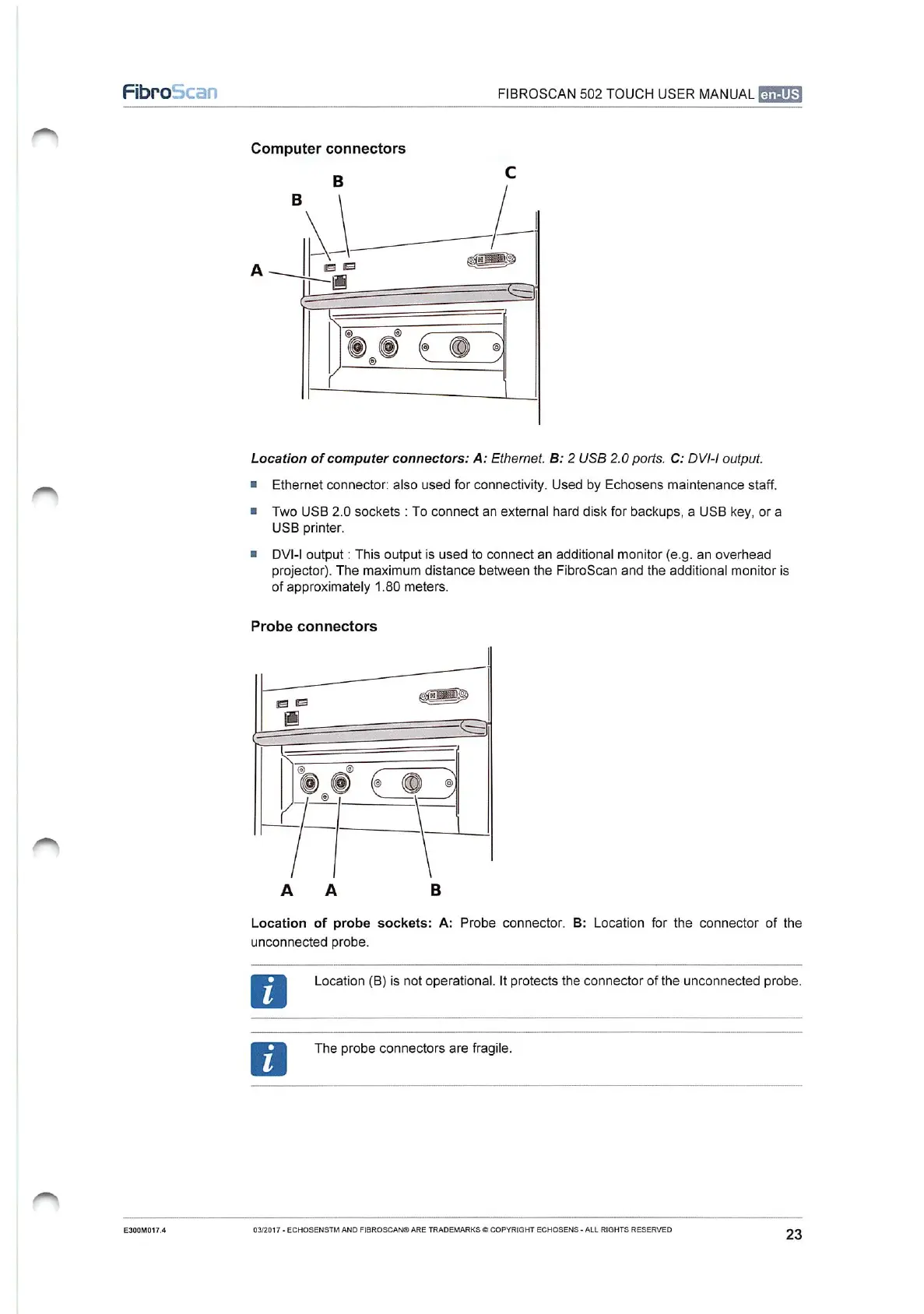
Computer
connectors
Location
of
computer
connectors:
A:
Ethernet.
B:
2
USB
2.0
ports.
C:
DVI-I
output.
m
Ethernet
connector:
also
used
for
connectivity.
Used
by
Echosens
maintenance
staff.
=
Two
USB
2.0
sockets
:
To
connect
an
external
hard
disk
for
backups,
a
USB
key,
or
a
USB
printer.
=
DVI-I
output
:
This
output
is
used
to
connect
an
additional
monitor
(e.g.
an
overhead
projector).
The
maximum
distance
between
the
FibroScan
and
the
additional
monitor
is
of
approximately
1.80
meters.
Probe
connectors
Location
of
probe
sockets:
A:
Probe
connector.
B:
Location
for
the
connector
of
the
unconnected
probe.
0
Location
(B)
is
not
operational.
It
protects
the
connector
of
the
unconnected
probe.
The
probe
connectors
are
fragile.
E300M017.4
03/2017
-
ECHOSENSTM
AND
FIBROSCAN®
ARE
TRADEMARKS
©
COPYRIGHT
ECHOSENS
-
ALL
RIGHTS
RESERVED
23

Table of Contents